
















Limited Time

Only This Week

This Is the Easiest Way to Make Popups for Your WordPress Site!

Popups are a powerful way to highlight important messages, promotions, or calls to action. However, building them manually often takes time, especially if you need to repeat the process multiple times.

With Gutenverse, you can skip the complicated setup and create professional popups quickly using Template Library and Popup Builder. Everything is made to help you work faster while keeping your design consistent across your site.

Here’s How to Get Started

Before you begin, make sure the Gutenverse plugin is installed and activated on your WordPress site. Once it is ready, you can access its features directly from the editor.
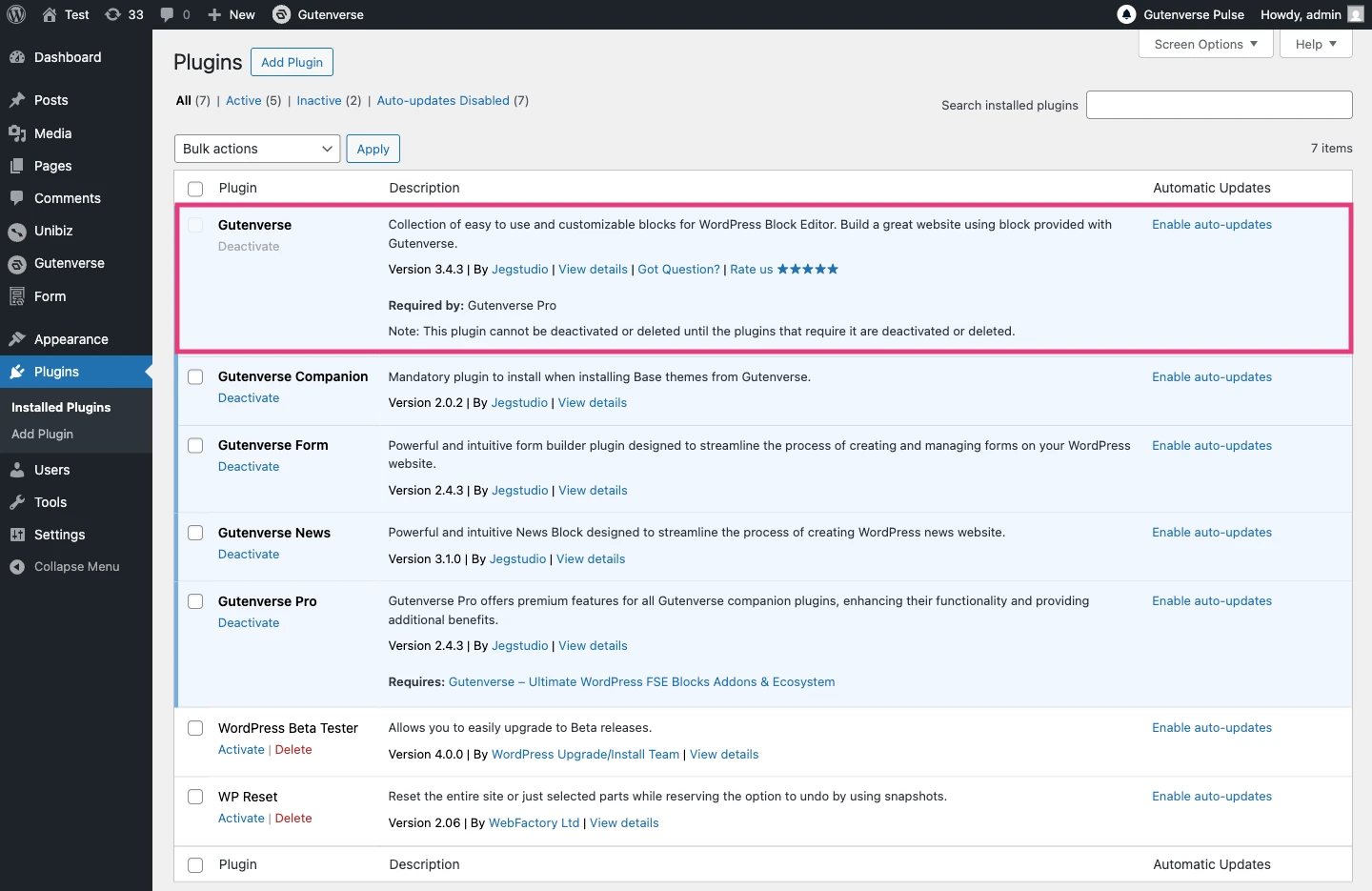
After that, open the Gutenverse Template Library from your page to explore the available templates that are ready to use.

Choose a Popup Template

Inside the Gutenverse Template Library, go to the Sections tab and select the Popup category. There, you will find a variety of popup templates designed for different purposes, such as announcements, subscriptions, or promotions. Each template is built with flexibility, so it can easily adapt to your site’s existing layout and style.
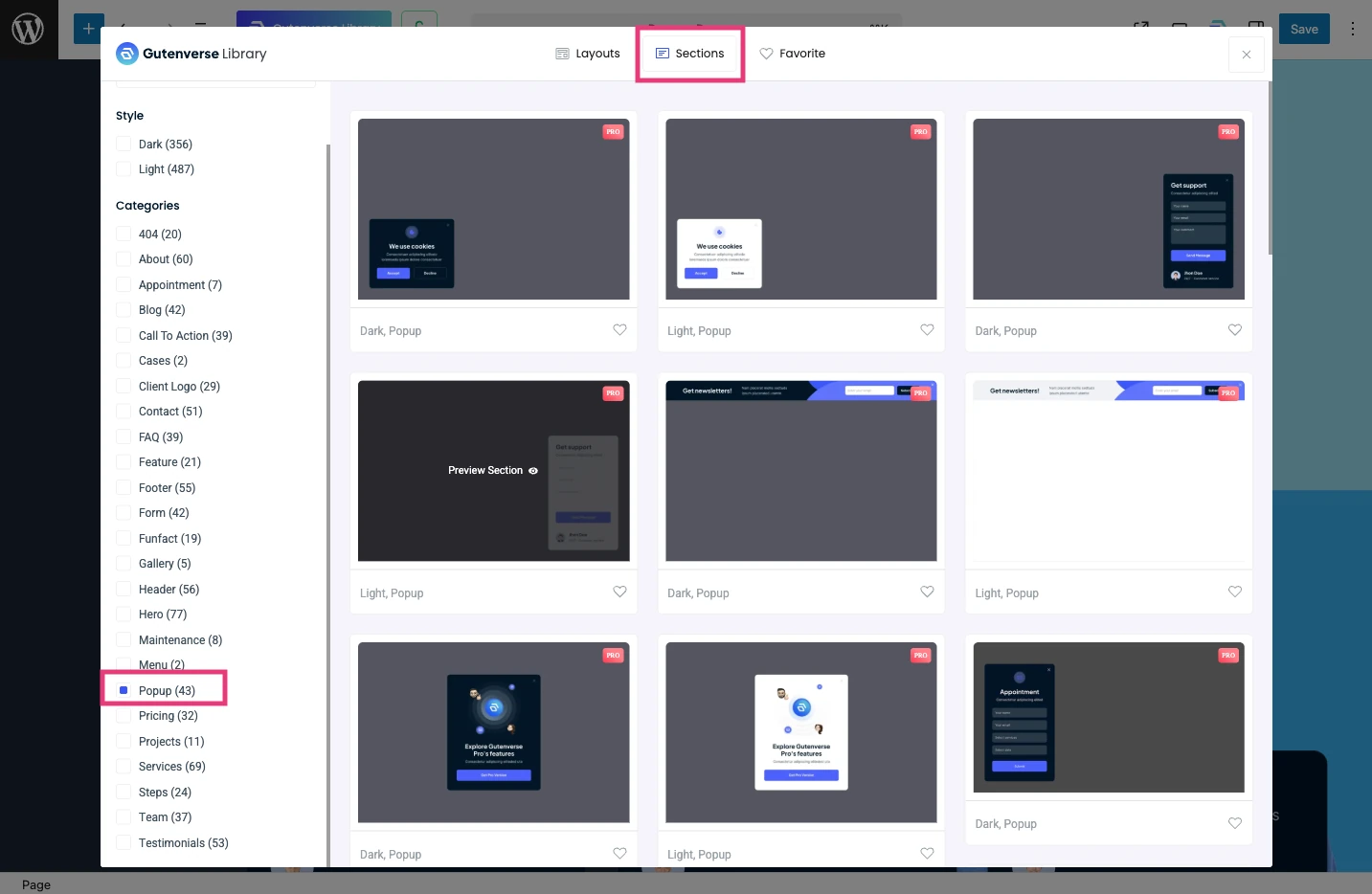
Choose a popup style that matches your needs. Once selected, you can import it into your page with just a few clicks.

Customize It to Match Your Needs

After importing the popup, you can customize it to fit your content and design. You can change where the popup appears on the screen, decide when it shows up, and choose what action triggers it, such as a click or page load.
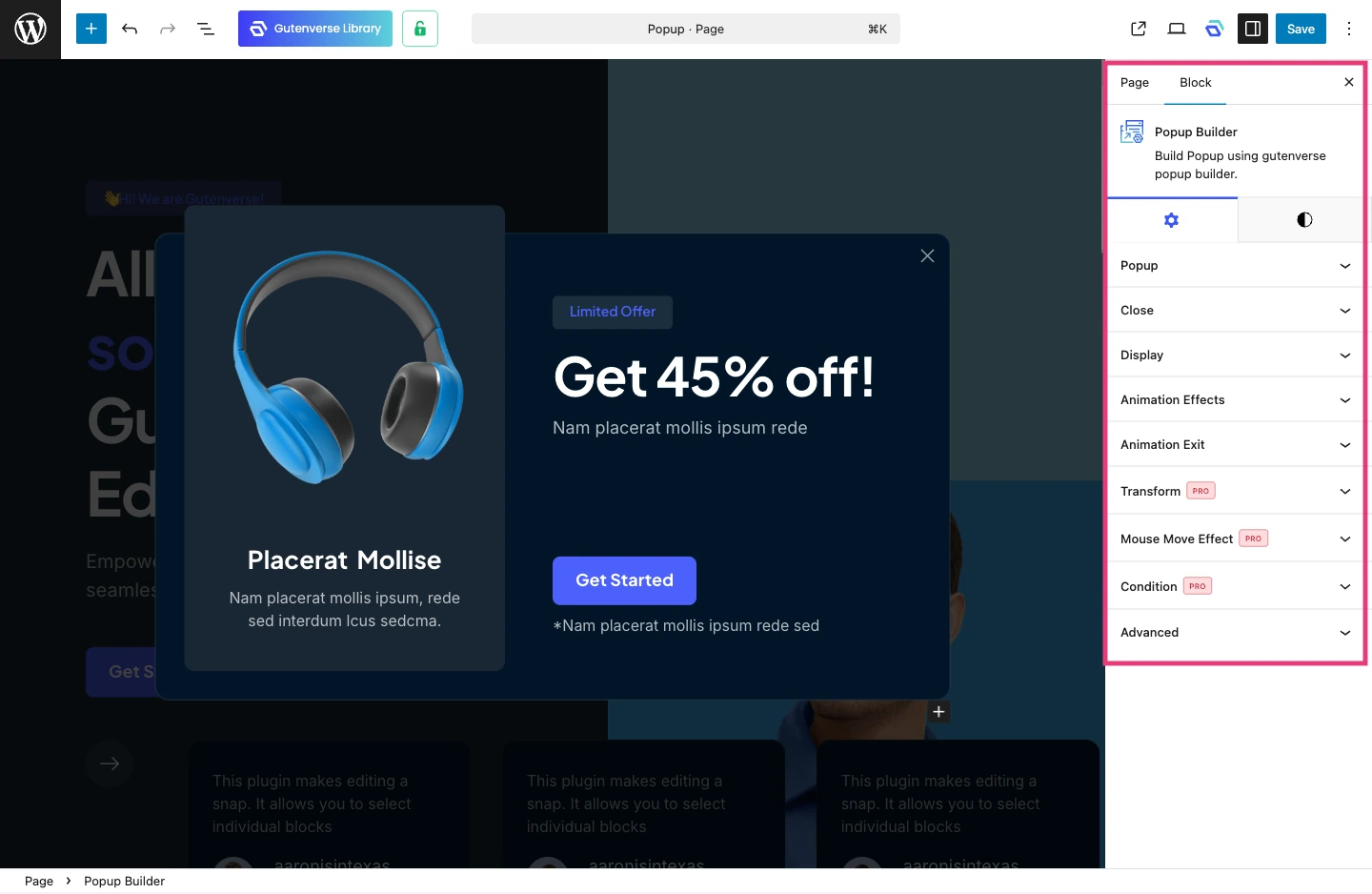
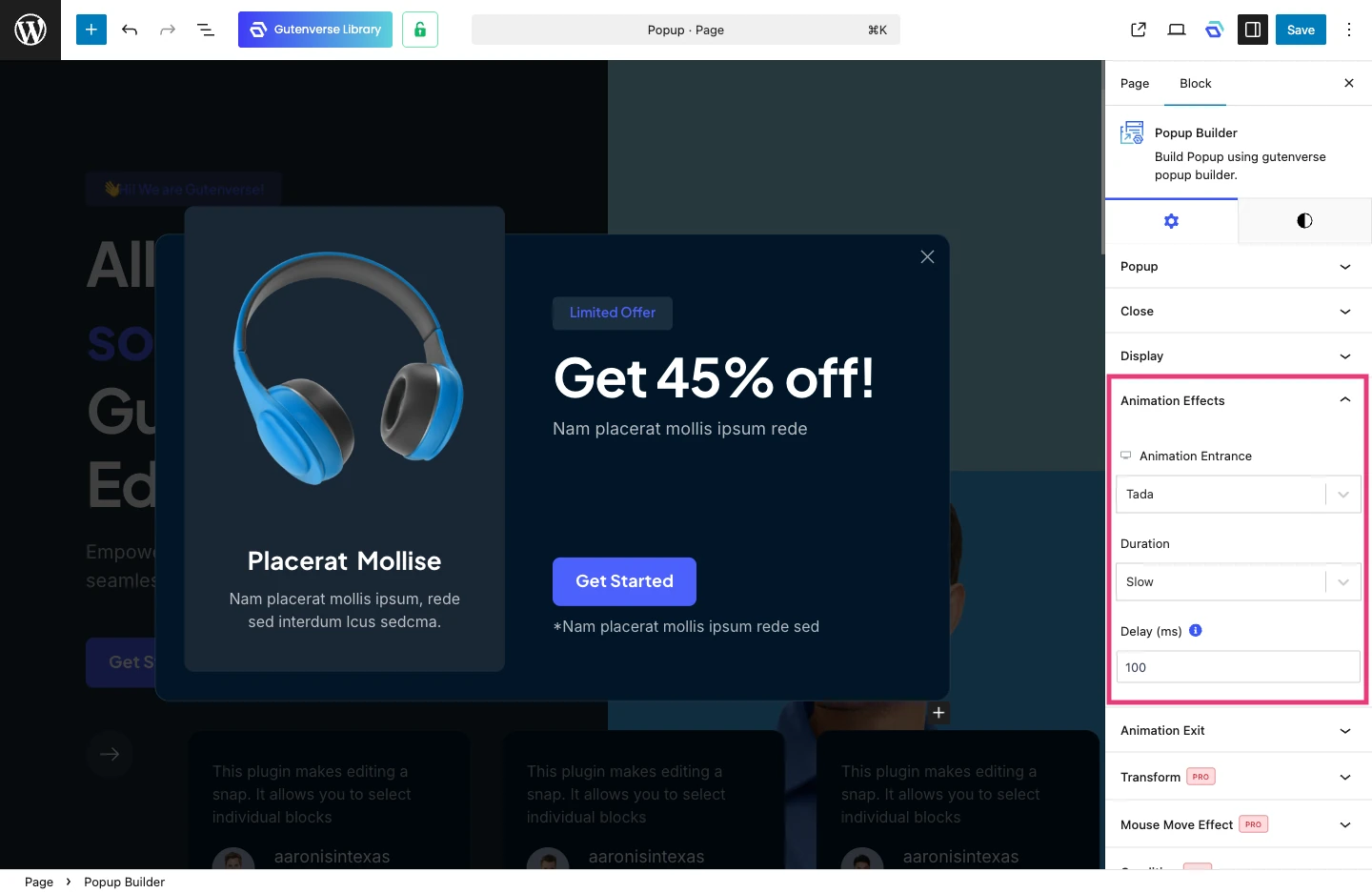
You can also adjust the entrance animation to control how the popup appears. This helps make the popup feel smooth and intentional, so it feels helpful to visitors rather than interrupting their experience.
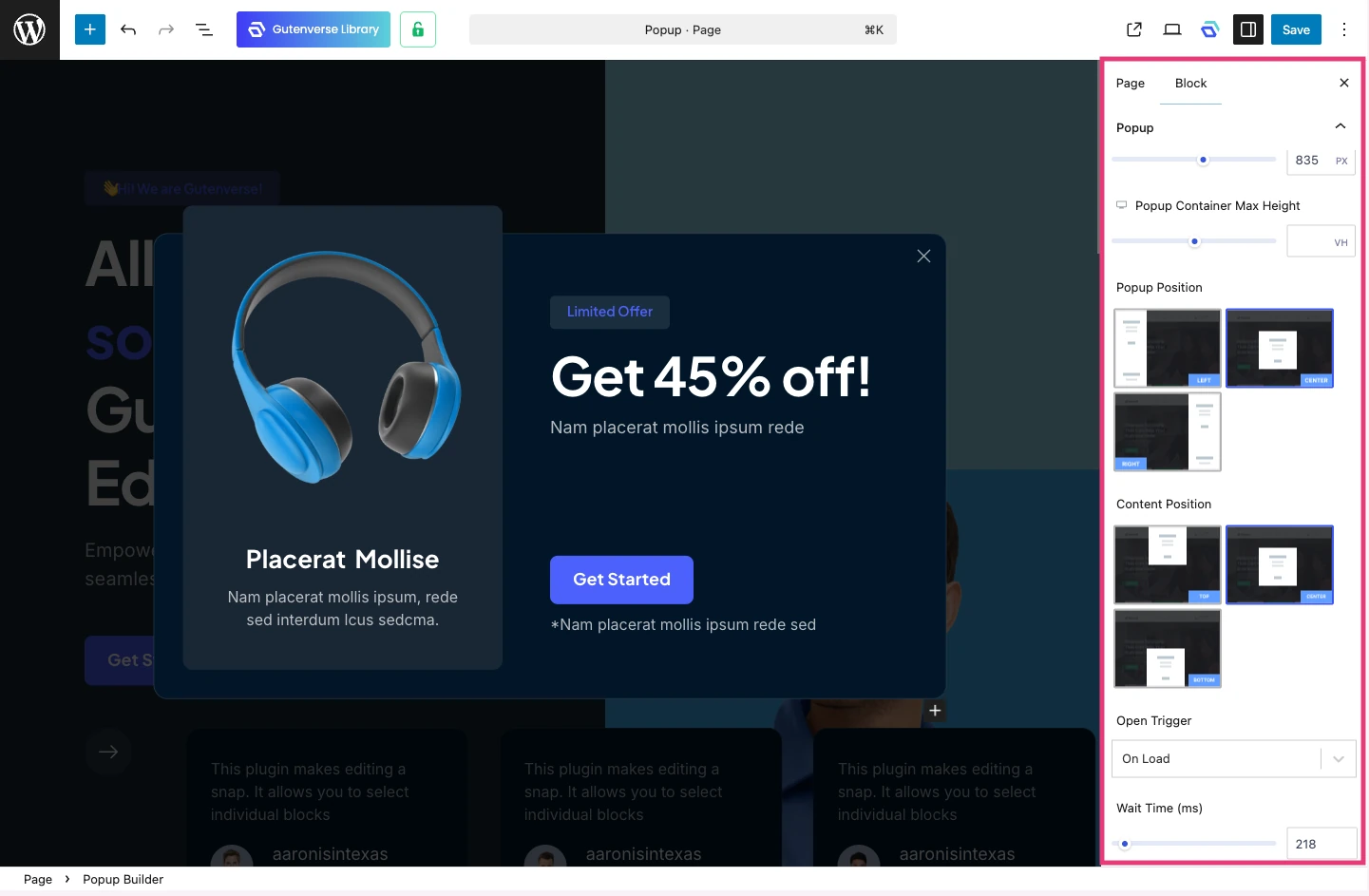
And All is Done!

With these simple steps, your popup is ready to use in just a few minutes. There is no need to build layouts from scratch or deal with complicated settings. Everything can be done directly in the editor.

Curious to try it yourself? Download Gutenverse plugin and explore how easy it is to create and customize popups for your website!
Tag:

Insight

,

Popup

Share this:

Share this:

Recommended

Get Latest Updates

Subscribe our newsletter to Get latest updates!

Design

,

Insight

This Is the Easiest Way to Make Popups for Your WordPress Site!

Popups are a powerful way to highlight important messages, promotions, or calls to action. However, building them manually often takes time, especially if you need to repeat the process multiple times.

With Gutenverse, you can skip the complicated setup and create professional popups quickly using Template Library and Popup Builder. Everything is made to help you work faster while keeping your design consistent across your site.

Here’s How to Get Started

Before you begin, make sure the Gutenverse plugin is installed and activated on your WordPress site. Once it is ready, you can access its features directly from the editor.

After that, open the Gutenverse Template Library from your page to explore the available templates that are ready to use.

Choose a Popup Template

Inside the Gutenverse Template Library, go to the Sections tab and select the Popup category. There, you will find a variety of popup templates designed for different purposes, such as announcements, subscriptions, or promotions. Each template is built with flexibility, so it can easily adapt to your site’s existing layout and style.

Choose a popup style that matches your needs. Once selected, you can import it into your page with just a few clicks.

Customize It to Match Your Needs

After importing the popup, you can customize it to fit your content and design. You can change where the popup appears on the screen, decide when it shows up, and choose what action triggers it, such as a click or page load.

You can also adjust the entrance animation to control how the popup appears. This helps make the popup feel smooth and intentional, so it feels helpful to visitors rather than interrupting their experience.

And All is Done!

With these simple steps, your popup is ready to use in just a few minutes. There is no need to build layouts from scratch or deal with complicated settings. Everything can be done directly in the editor.

Curious to try it yourself? Download Gutenverse plugin and explore how easy it is to create and customize popups for your website!

Share this:

Unlock Limitless Possibilities with Gutenverse PRO Now!

Empowering 30,000+ websites and counting — trusted by creators, businesses, and professionals worldwide.

You’re backed by a dedicated team and continuous updates.

Top-Rated on

WordPress.org

Created By

Power Elite Author

Satisfaction
Guaranteed

Stay Updated and Subscribe Our Newsletter!

We respect your privacy and won’t spam you.

Copyright © 2025 Gutenverse. All rights reserved.


