Limited Time

Only This Week

Elementor vs Gutenverse: Which Performs Better in 2026?

If you have spent any amount of time working with WordPress, you’ve probably heard of Elementor. For years, it has been one of the most popular page builders to build landing pages and all kinds of websites quickly using a visual, drag-and-drop interface.

Elementor earned that popularity for good reasons. It lowered the barrier to entry, made custom layouts accessible to non-technical users, and helped many businesses get online faster.

But WordPress hasn’t stayed the same.

Before, the Block Editor was mainly for writing content. You could add images, buttons, and simple columns, but if you wanted a proper landing page layout, most people needed a page builder like Elementor.
Now the WordPress Block Editor can do more. You can use blocks to build page sections, layouts, and reusable designs. With newer WordPress features, you can also build parts of the website like the header and footer using the same block system (depending on your theme).

And that’s where Gutenverse comes in.

Gutenverse works inside the WordPress Block Editor. It adds extra blocks and design controls, so you can build more complex layouts without switching to a separate builder interface.

With so many page builders claiming they’re beginner-friendly, choosing the right one can be confusing. It usually comes down to a few key factors, like pricing, support, and performance. In this article, we’ll compare those areas, but first, let’s briefly look at what each builder offers.

Similarities Between Elementor and Gutenverse

1. Plenty of Elements

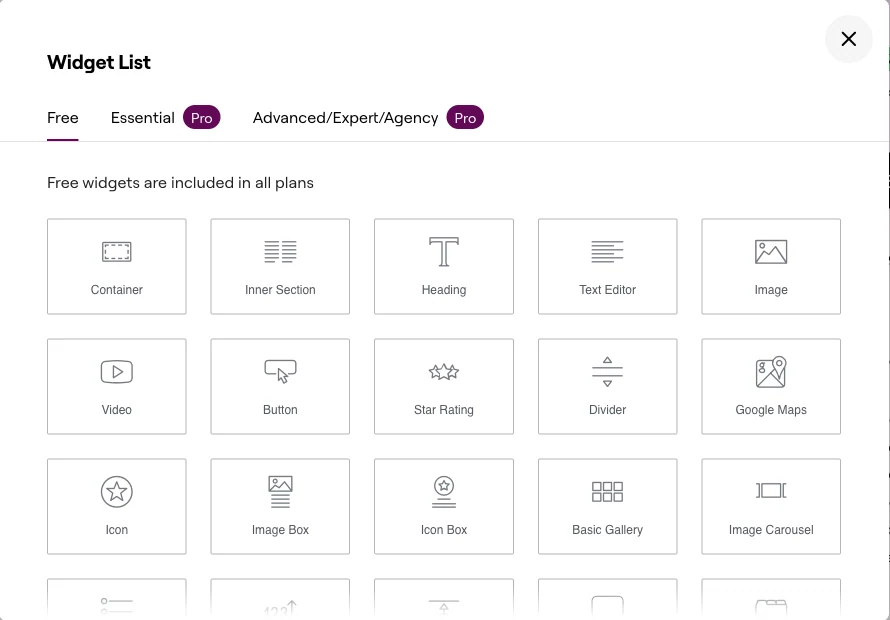
Both builders give you a lot of elements to build your site. You get the basic ones you will use all the time, like text, rows, columns, tables, and lists. You also get extra ones you may only use sometimes, like animated headings, social share buttons, and WooCommerce widgets.

The good side is that you can customize almost anything. At the same time, having so many options can be confusing for the newcomers. Still, it’s often better to have extra tools available, because users might need them one day.

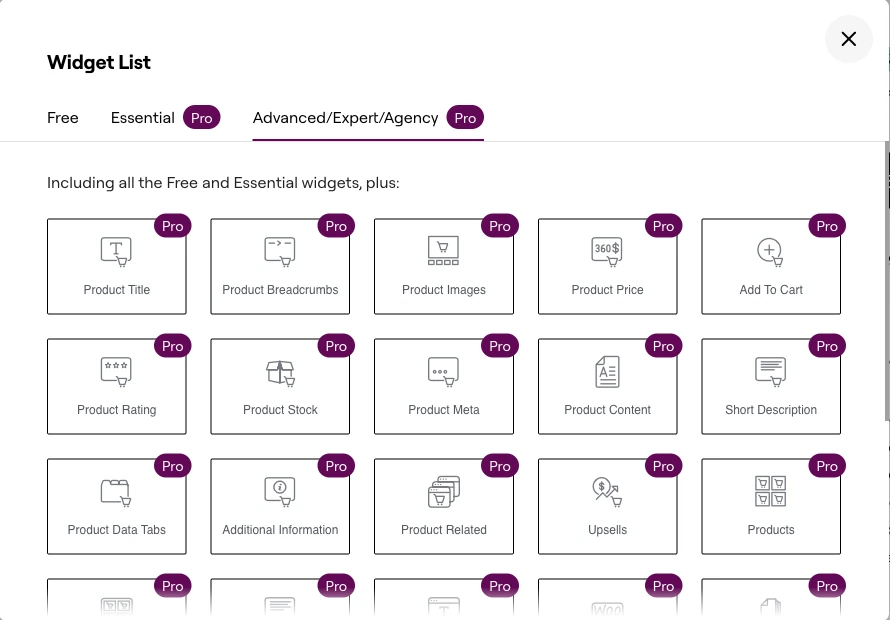
Here are some examples of Elementor elements you can use:
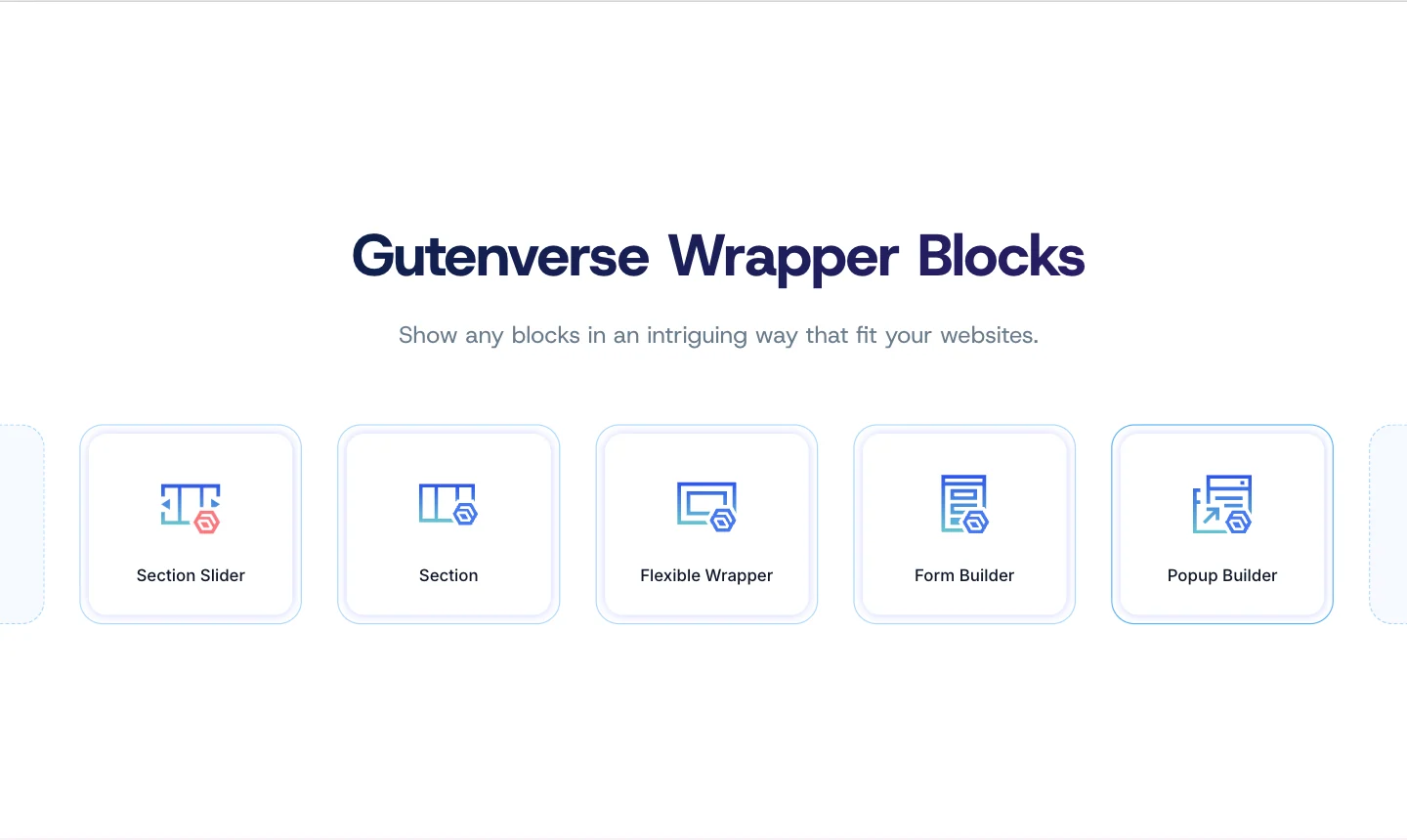
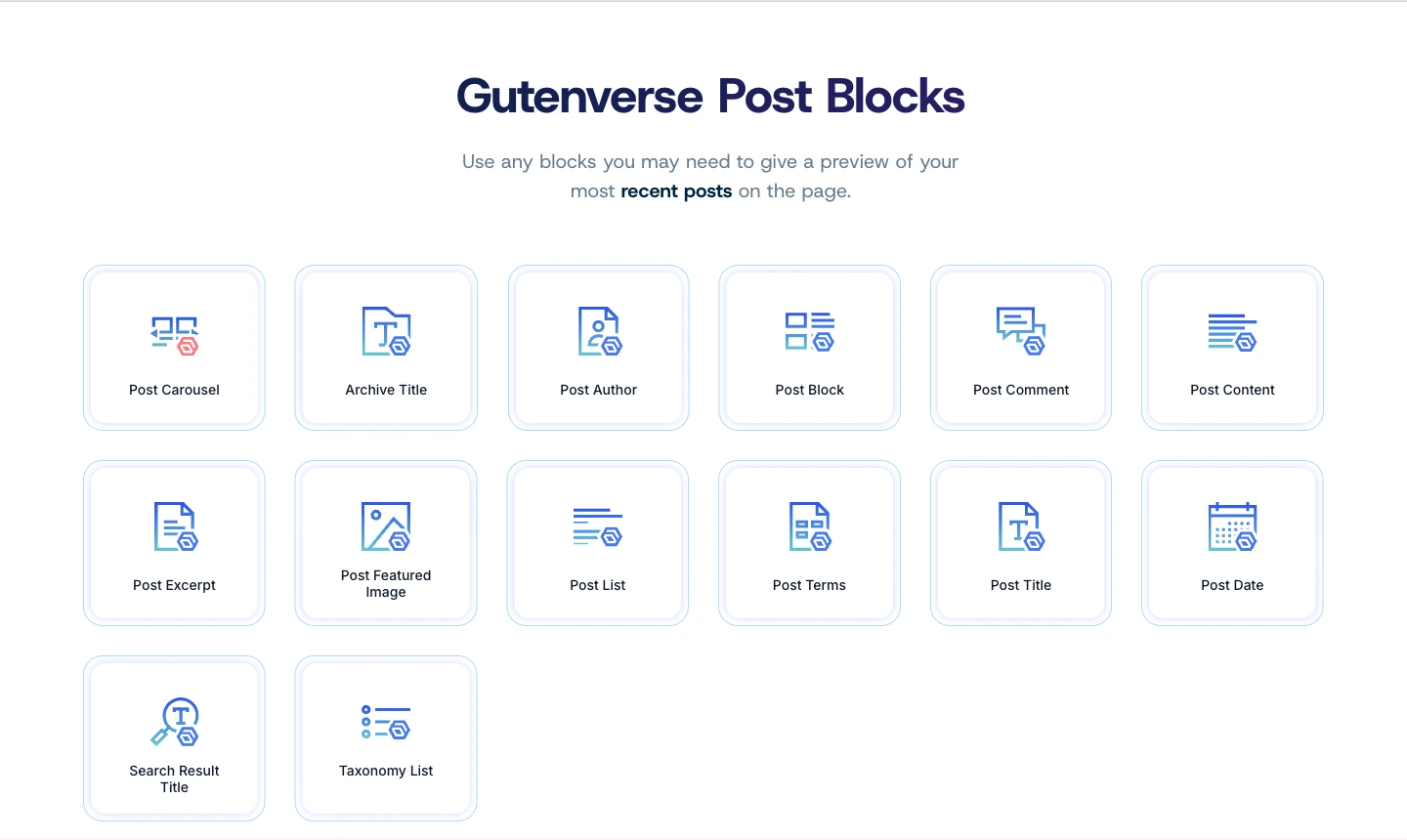
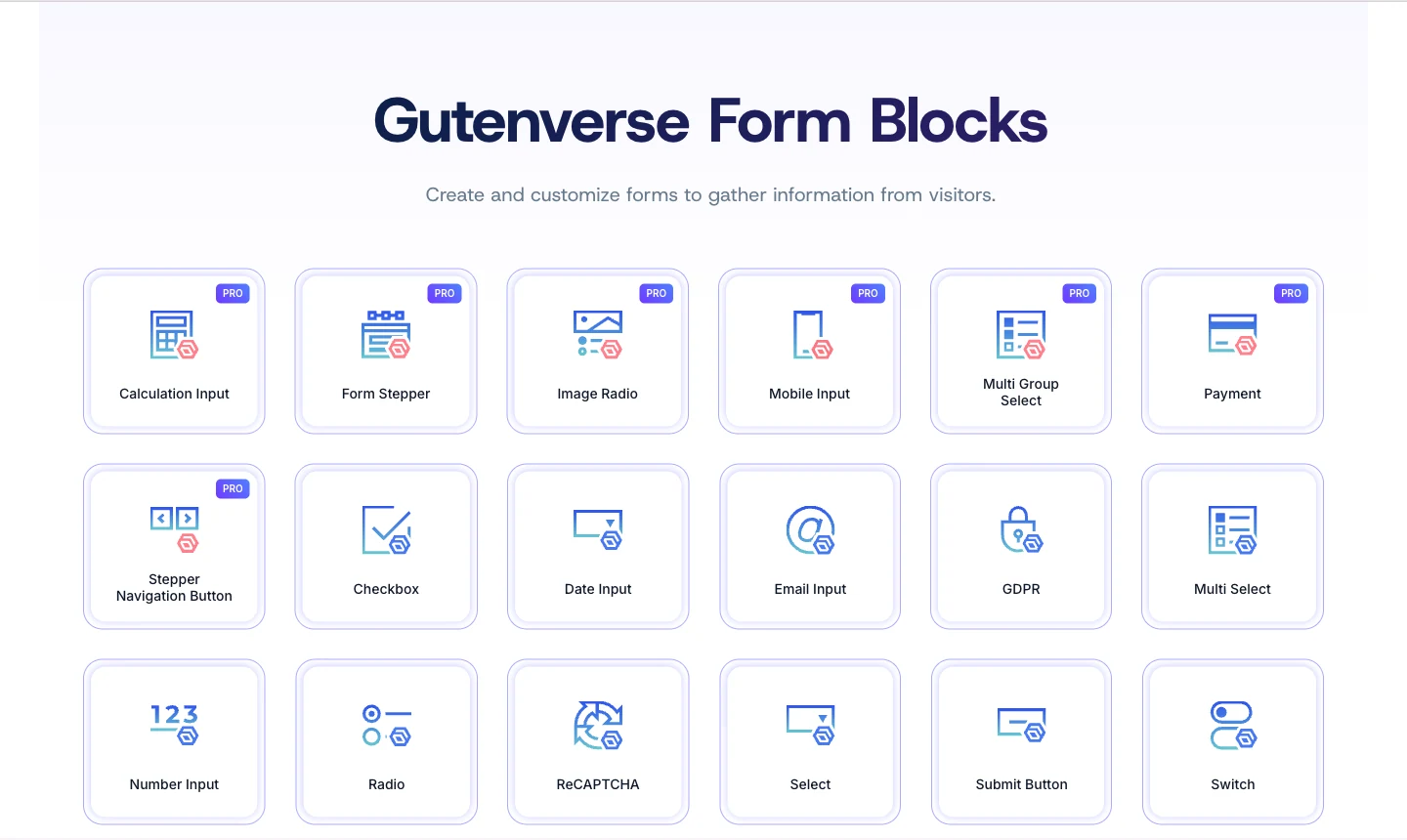
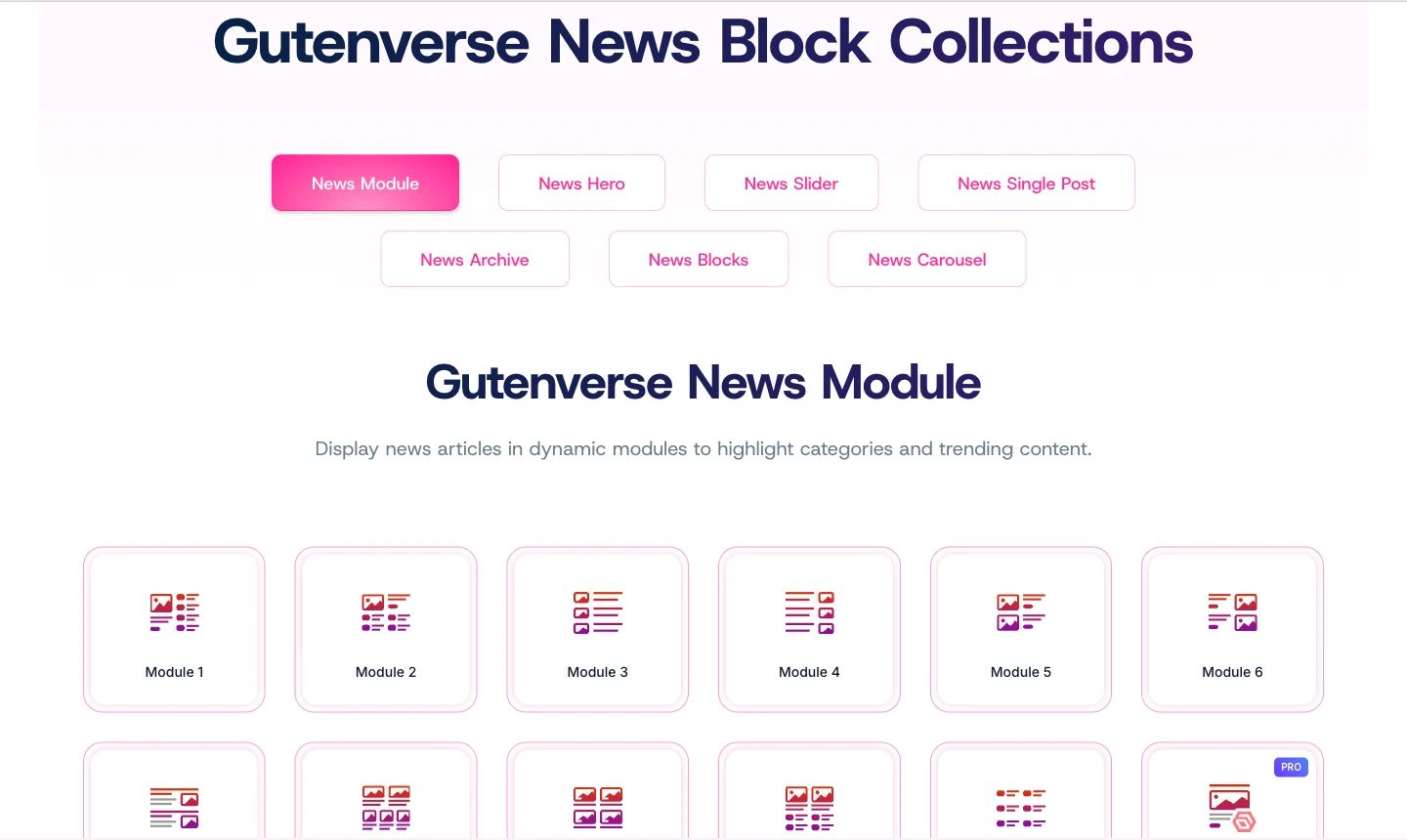
And here are some examples of Gutenverse elements you can use:

2. Lots of Ready-to-Use Templates

With either Elementor or Gutenverse, you’ll get plenty of ready-to-use templates you can use immediately. They help you build pages faster instead of starting from a blank page. Since the templates cover many popular niches, you’ll likely find one that suits your website’s needs.

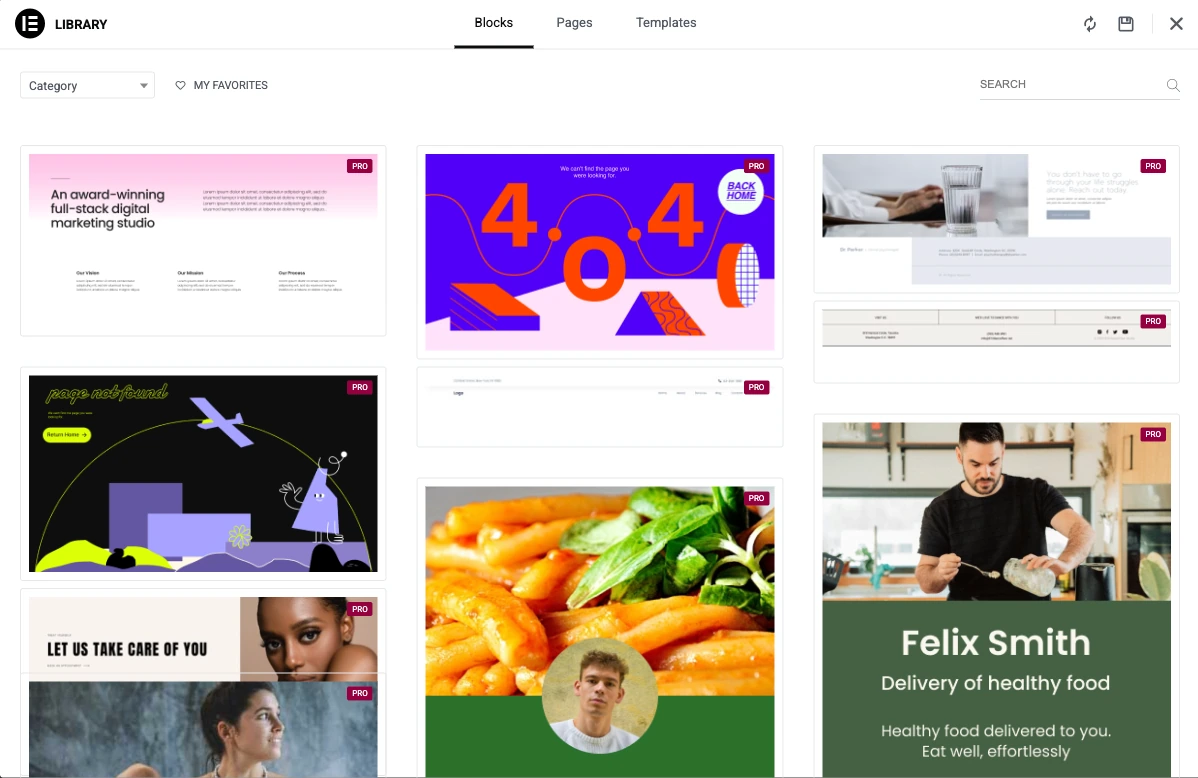
These are Elementor’s templates collection for pages and blocks:

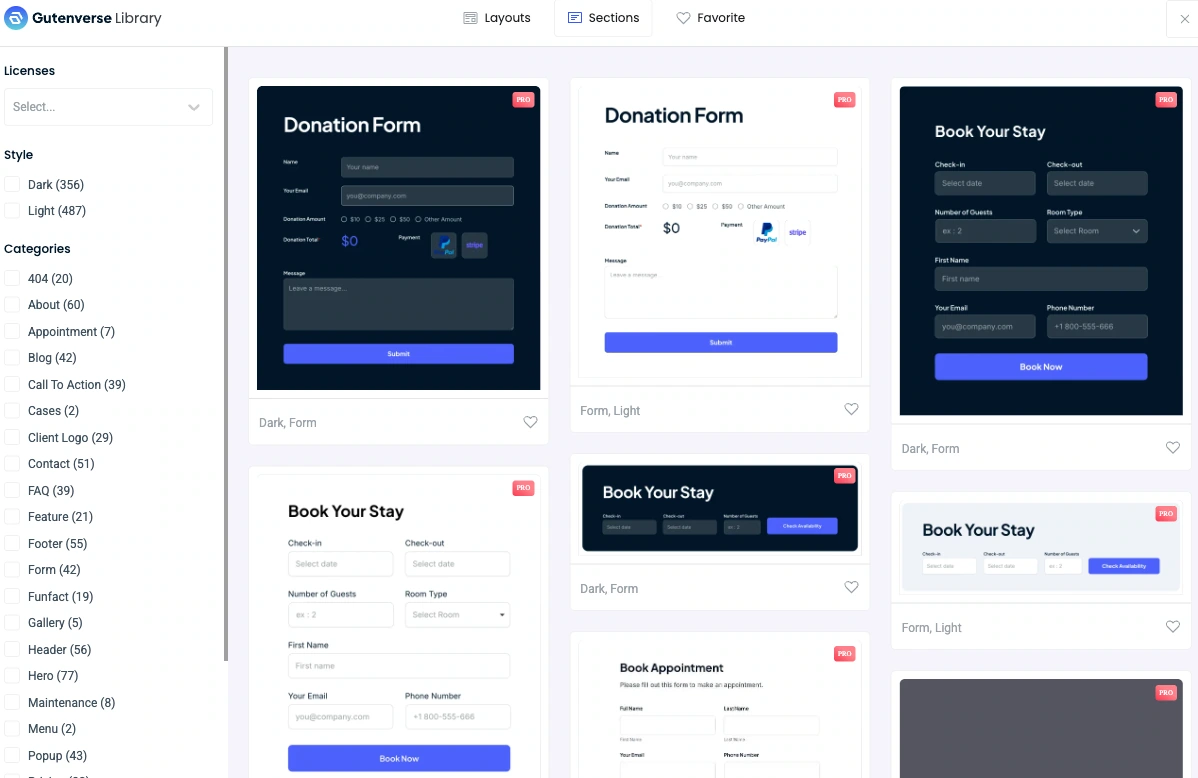
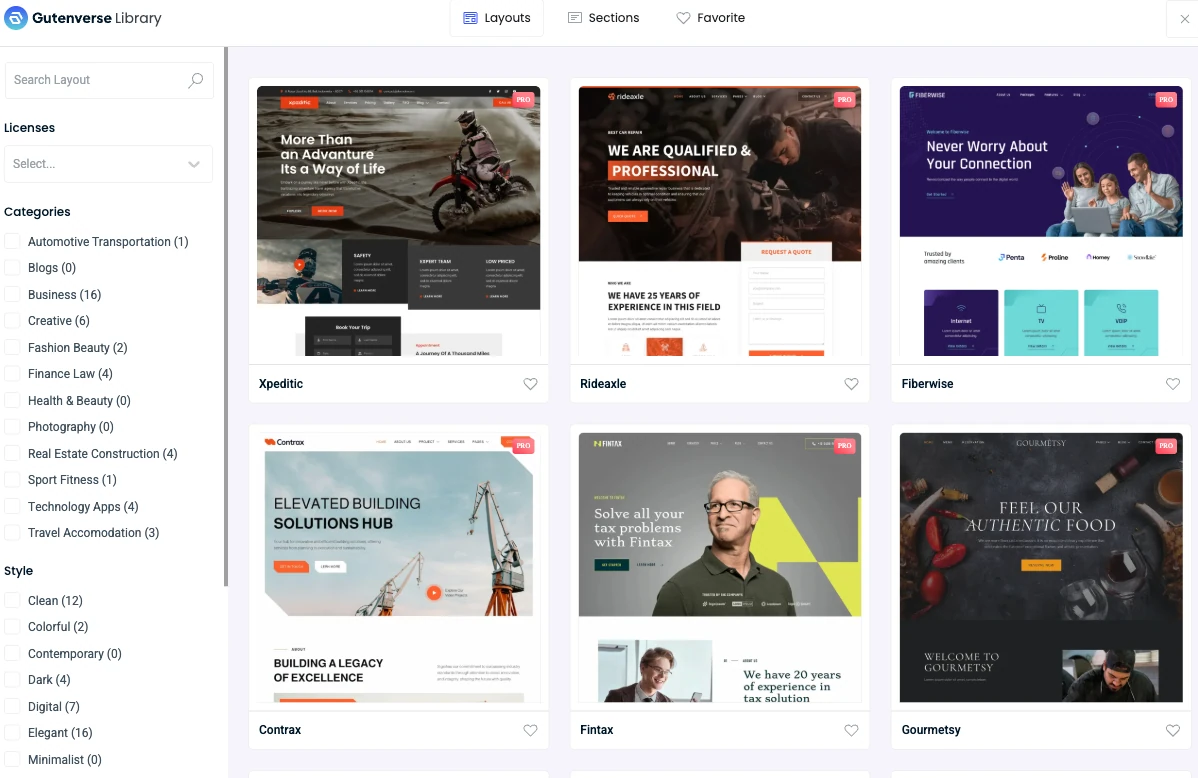
These are Gutenverse’s templates collection for layouts and sections:

3. A Wide Range of Demos

Unlike templates that help you build one page at a time, demos are bigger than that. A demo is often a full website package with several pages already prepared, such as Home, About, Services, Contact, and sometimes blog pages too. It’s a faster way to get started because the site structure is already there, and you just customize it to fit your business.

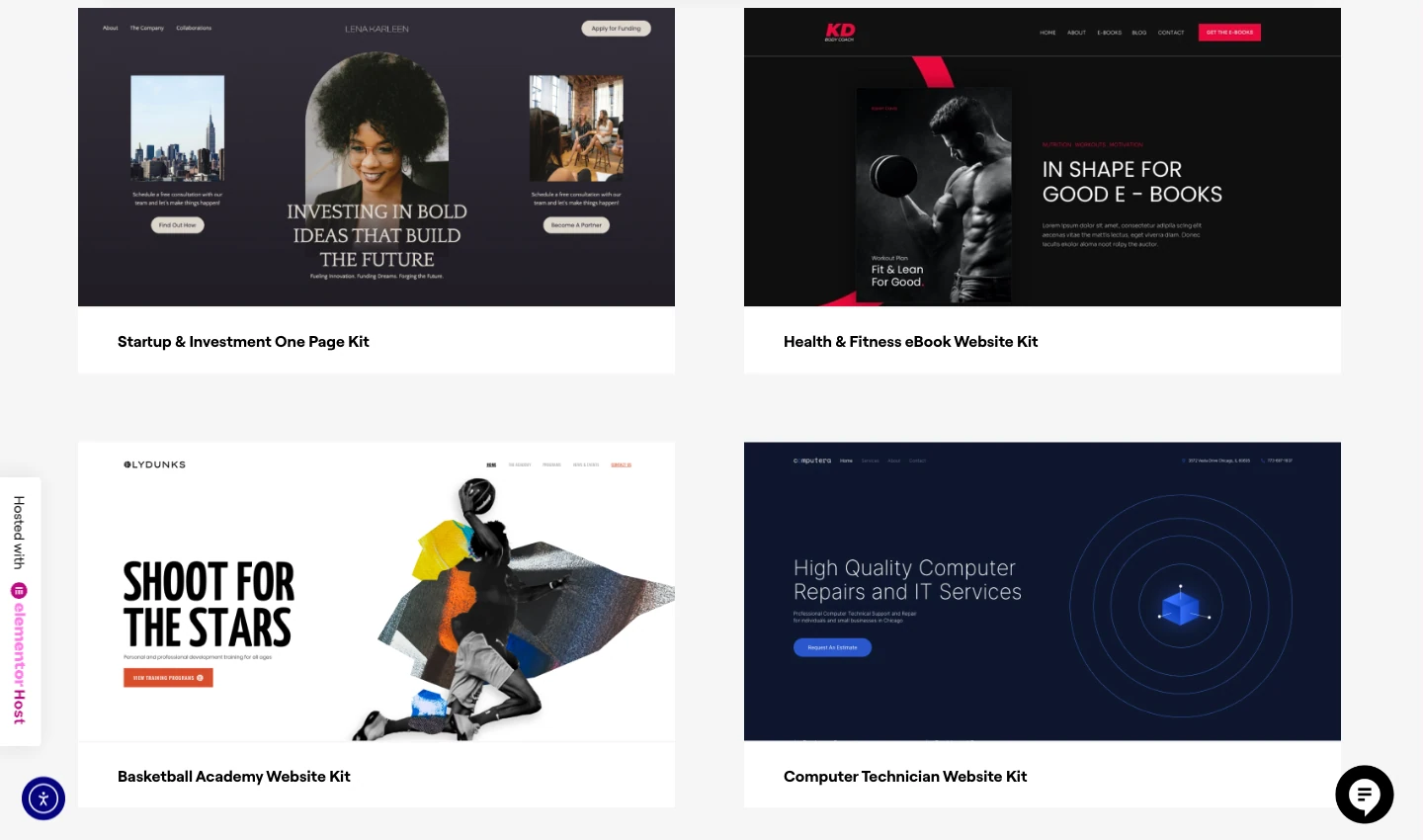
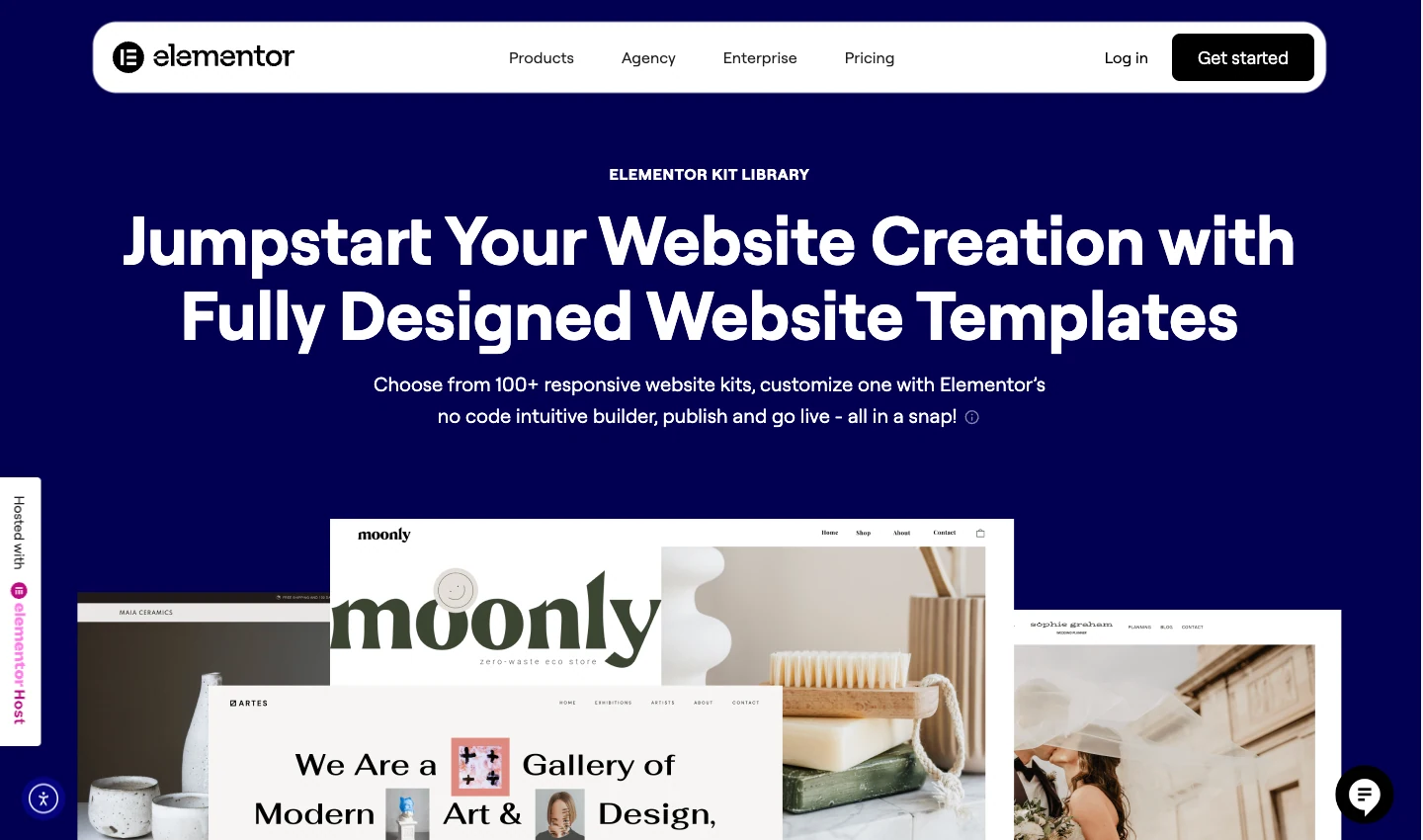
Available demos/website kits in Elementor:

Available demos/website kits in Gutenverse:

4. Drag-and-Drop Builder

Both Elementor and Gutenverse support a drag-and-drop way of building pages, which is a big reason people use them. With both tools, you can add elements to a page, move them around, and shape a layout visually instead of writing code.

In practice, the experience is similar: you can reorder sections, place blocks side by side, adjust spacing, and refine a page until it looks right. You’re working directly with the layout, so it’s easier to experiment and make changes quickly.

Differences Between Elementor and Gutenverse

1. Pricing Breakdown

Pricing for Elementor

Plan

Price/Month*

Sites

Widgets/Blocks

Key Features

Best For

Essential

$5/mo ($60/yr)

1

57 Pro widgets

Theme Builder, Basic Forms, Dynamic Content (limited)

Basic websites

Advanced Solo

$7/mo ($84/yr)

1

86 Pro widgets

Popups, Custom Code, eCommerce, Full Forms

Professional single sites

One

$19/mo ($228/yr)

1

86 Pro widgets

25K credits (AI, optimization, accessibility, emails), Priority Support

Premium single site

Expert

$17/mo ($204/yr)

25

86 Pro widgets

Same as Advanced

Freelancers (many clients)

One Agency

$17/mo ($540/yr)

Unlimited

86 Pro widgets

350K credits, All One features

Large agencies

Pricing for Gutenverse

Plan

Price/Month*

Sites

Widgets/Blocks

Key Features

Best For

Basic

$5.8/mo ($69/yr)

1

51 blocks

10 demos, 350+ templates, Limited forms/news

Budget-conscious individuals

Professional

$6.6/mo ($99/yr)

10

57 blocks

50 demos, 800+ templates, Full features

Multi-site owners & agencies

Agency

$16.6/mo ($199/yr)

100

57 blocks

Everything in Professional

Medium agencies

Enterprise

$29.9/mo ($359/yr)

1000

57 blocks

Everything in Professional

Large enterprises

*Gutenverse Professional tier shown at current discount price of $6.6/mo ($79.2/yr). Regular renewal price is $8.3/mo ($99/yr).

2. Feature-by-Feature Differences

Feature

Elementor

Gutenverse

Design Elements

86 Pro widgets

57 advanced blocks

Template Library

Extensive

800+ sections (Pro)

Theme Builder

Popup Builder

Multi-step Forms

Calculation Forms

News/Magazine Blocks

eCommerce Integration

AI Content Generation

Image Optimization

Custom Code/CSS

FSE/Gutenberg Native

Performance Optimization

Good

Excellent (Core Web Vitals)

Theme Export

Limited

Money-back Guarantee

30 days

14 days

3. Product Value

Winner: Gutenverse 🏆

The pricing gap is pretty noticeable. Gutenverse’s Professional plan gives you 10 site licenses for just $6.6/month, while Elementor’s Advanced Solo charges $7/month for only 1 site. If you’re managing multiple sites or working with clients, Gutenverse offers exceptional value.

At the agency level, the difference becomes even more dramatic: Gutenverse Agency gives you 100 sites for $16.6/month, while Elementor Expert provides 25 sites for $17/month.

However, Elementor’s “One” plans include unique credit-based features (AI, optimization) that aren’t available in Gutenverse. For some users, those add-ons could make the higher price feel worth the price.

4. Technology and Philosophy

Elementor: Uses its own editor instead of WordPress native editor. It’s powerful and has lots of pro widgets but creates a dependency on Elementor.

Gutenverse: Works inside the WordPress Block Editor (Gutenberg/FSE).This means better long-term compatibility, easier transitions, and alignment with WordPress’s future direction.

Winner: Depends on your preference!

5. Site licenses

Winner: Gutenverse 🏆

Monthly Budget

Elementor

Gutenverse

86 Pro widgets

1 site

1-10 sites

~$16-17/month

25 sites

10 sites

~$29-45/month

Unlimited ($45)

1000 sites ($29.9)

6. Features and Capabilities

7. Performance

Winner: Gutenverse 🏆

Gutenverse is specifically optimized for Core Web Vitals and uses WordPress’s native rendering, which typically results in cleaner code and faster load times. Elementor, while optimized, adds its own rendering layer which can impact performance on complex sites.

So, Which One Should You Choose?

Final Thoughts

Both Elementor and Gutenverse are strong page builders, but they are built for different needs.
Elementor comes with advanced tools and a large ecosystem of templates, features, and integrations. It’s also a strong option if you prefer a dedicated visual builder for designing pages.

Gutenverse focuses on a more native WordPress workflow through the Block Editor and Full Site Editing. It’s often a practical choice for users who care about long-term compatibility and want better value, especially when managing multiple sites and still needing plenty of features on a smaller budget.

For most users, especially those managing multiple sites, Gutenverse offers better value. However, if you need Elementor’s specific features (like advanced AI tools) or prefer its visual interface, paying more can still be reasonable.

If you found this comparison helpful, feel free to share it with a friend or teammate who is deciding between Elementor and Gutenverse. See you in the next post!

Share this:

Recommended

Get Latest Updates

Subscribe our newsletter to Get latest updates!

Insight

Elementor vs Gutenverse: Which Performs Better in 2026?

If you have spent any amount of time working with WordPress, you’ve probably heard of Elementor. For years, it has been one of the most popular page builders to build landing pages and all kinds of websites quickly using a visual, drag-and-drop interface.

Elementor earned that popularity for good reasons. It lowered the barrier to entry, made custom layouts accessible to non-technical users, and helped many businesses get online faster.

But WordPress hasn’t stayed the same.

Before, the Block Editor was mainly for writing content. You could add images, buttons, and simple columns, but if you wanted a proper landing page layout, most people needed a page builder like Elementor.
Now the WordPress Block Editor can do more. You can use blocks to build page sections, layouts, and reusable designs. With newer WordPress features, you can also build parts of the website like the header and footer using the same block system (depending on your theme).

And that’s where Gutenverse comes in.

Gutenverse works inside the WordPress Block Editor. It adds extra blocks and design controls, so you can build more complex layouts without switching to a separate builder interface.

With so many page builders claiming they’re beginner-friendly, choosing the right one can be confusing. It usually comes down to a few key factors, like pricing, support, and performance. In this article, we’ll compare those areas, but first, let’s briefly look at what each builder offers.

Similarities Between Elementor and Gutenverse

1. Plenty of Elements

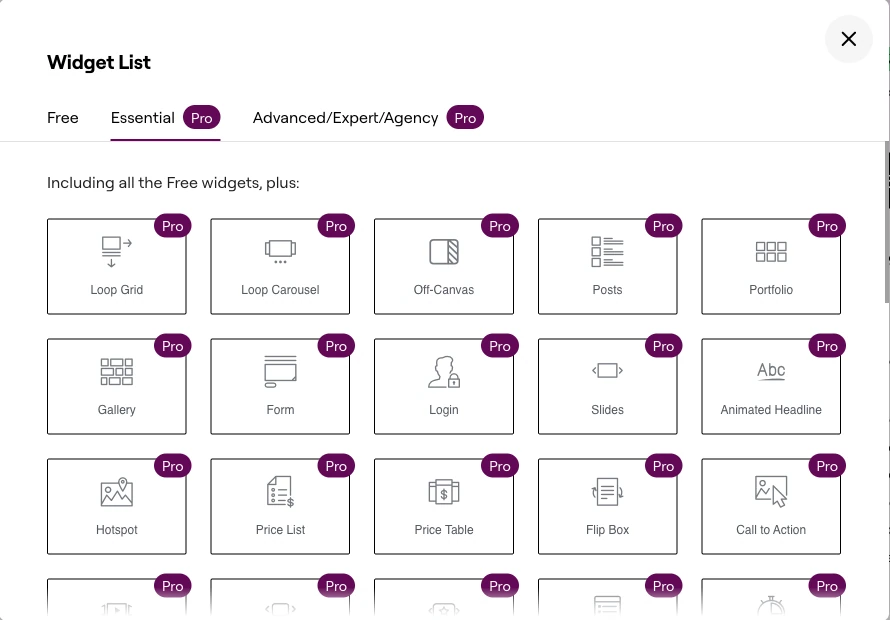
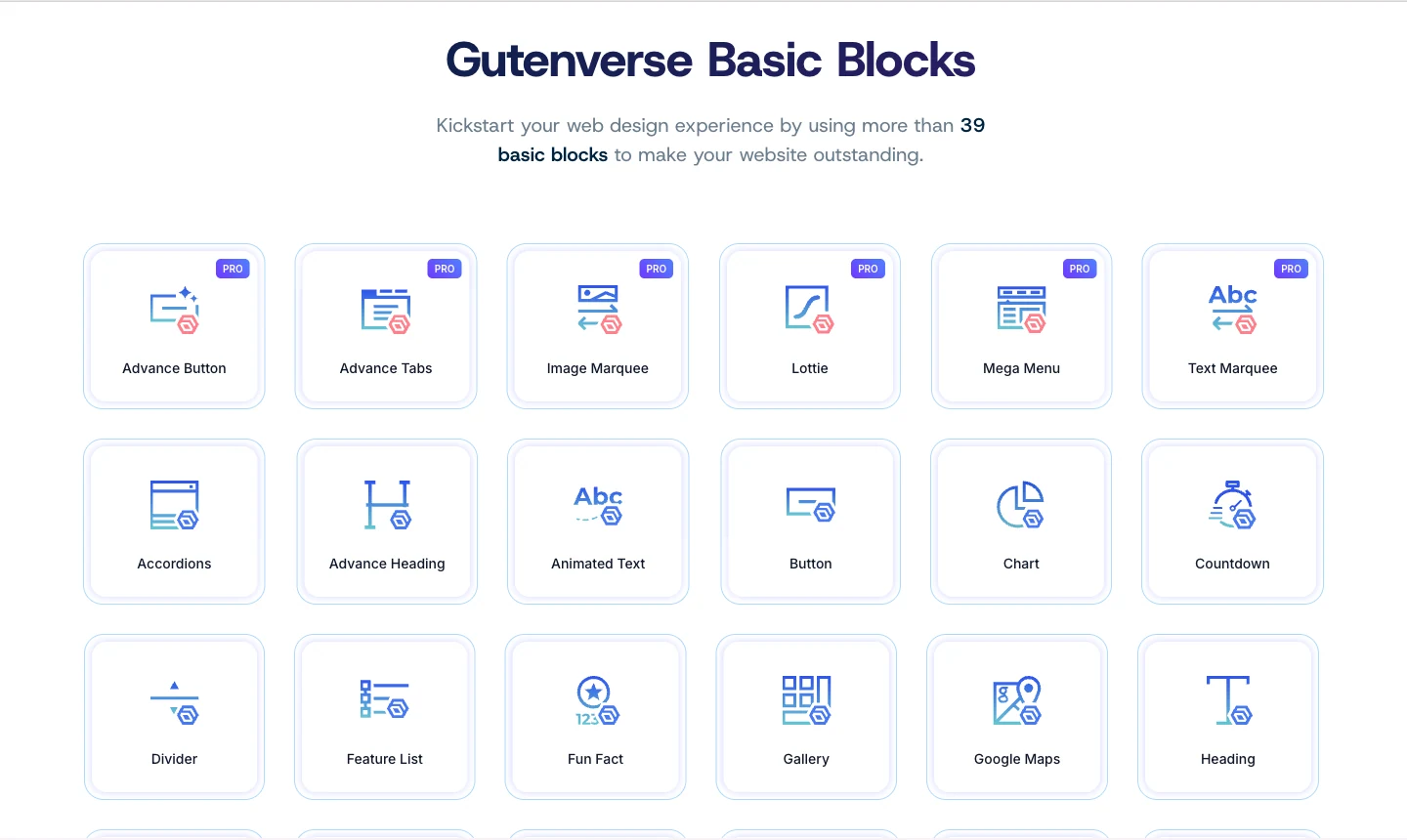
Both builders give you a lot of elements to build your site. You get the basic ones you will use all the time, like text, rows, columns, tables, and lists. You also get extra ones you may only use sometimes, like animated headings, social share buttons, and WooCommerce widgets.

The good side is that you can customize almost anything. At the same time, having so many options can be confusing for the newcomers. Still, it’s often better to have extra tools available, because users might need them one day.

Here are some examples of Elementor elements you can use:
And here are some examples of Gutenverse elements you can use:
2. Lots of Ready-to-Use Templates

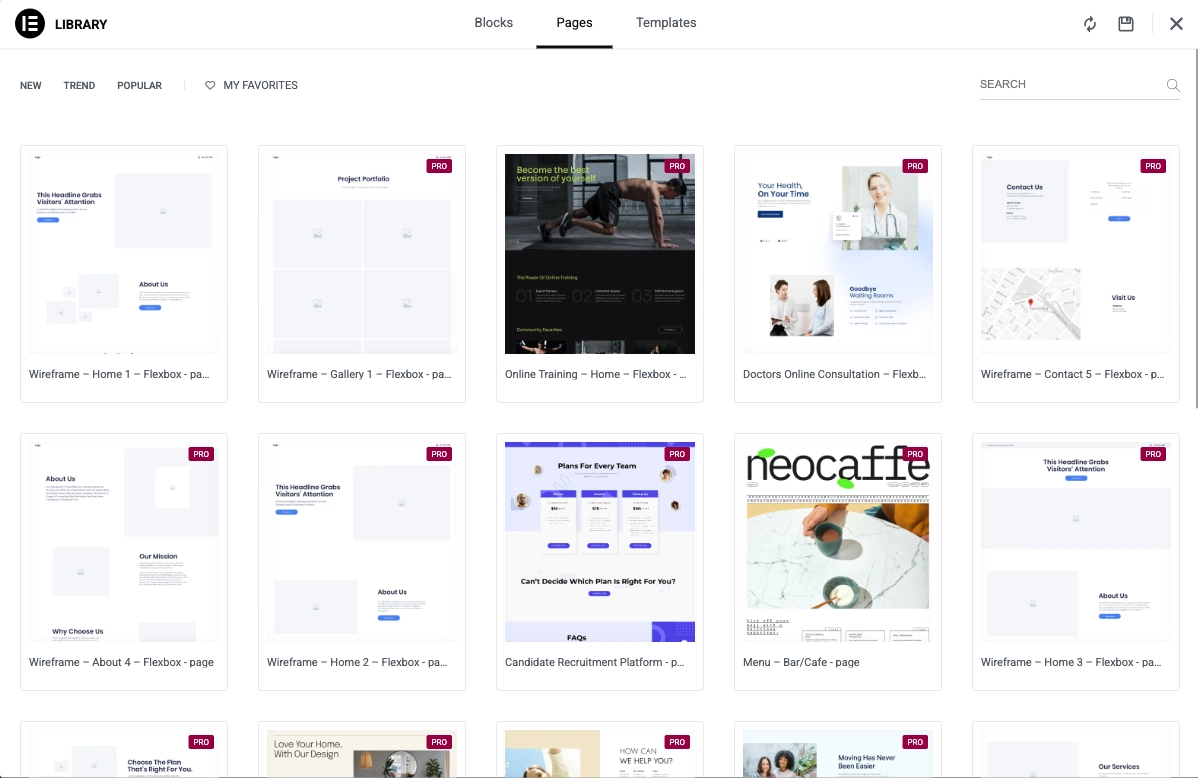
With either Elementor or Gutenverse, you’ll get plenty of ready-to-use templates you can use immediately. They help you build pages faster instead of starting from a blank page. Since the templates cover many popular niches, you’ll likely find one that suits your website’s needs.

These are Elementor’s templates collection for pages and blocks:
These are Gutenverse’s templates collection for layouts and sections:
3. A Wide Range of Demos

Unlike templates that help you build one page at a time, demos are bigger than that. A demo is often a full website package with several pages already prepared, such as Home, About, Services, Contact, and sometimes blog pages too. It’s a faster way to get started because the site structure is already there, and you just customize it to fit your business.

Available demos/website kits in Elementor:
Available demos/website kits in Gutenverse:

4. Drag-and-Drop Builder

Both Elementor and Gutenverse support a drag-and-drop way of building pages, which is a big reason people use them. With both tools, you can add elements to a page, move them around, and shape a layout visually instead of writing code.

In practice, the experience is similar: you can reorder sections, place blocks side by side, adjust spacing, and refine a page until it looks right. You’re working directly with the layout, so it’s easier to experiment and make changes quickly.

Differences Between Elementor and Gutenverse

1. Pricing Breakdown

Pricing for Elementor

Plan

Price/Month*

Sites

Widgets/Blocks

Key Features

Best For

Essential

$5/mo ($60/yr)

1

57 Pro widgets

Theme Builder, Basic Forms, Dynamic Content (limited)

Basic websites

Advanced Solo

$7/mo ($84/yr)

1

86 Pro widgets

Popups, Custom Code, eCommerce, Full Forms

Professional single sites

One

$19/mo ($228/yr)

1

86 Pro widgets

25K credits (AI, optimization, accessibility, emails), Priority Support

Premium single site

Expert

$17/mo ($204/yr)

25

86 Pro widgets

Same as Advanced

Freelancers (many clients)

One Agency

$17/mo ($540/yr)

Unlimited

86 Pro widgets

350K credits, All One features

Large agencies

Pricing for Gutenverse

Plan

Price/Month*

Sites

Widgets/Blocks

Key Features

Best For

Basic

$5.8/mo ($69/yr)

1

51 blocks

10 demos, 350+ templates, Limited forms/news

Budget-conscious individuals

Professional

$6.6/mo ($99/yr)

10

57 blocks

50 demos, 800+ templates, Full features

Multi-site owners & agencies

Agency

$16.6/mo ($199/yr)

100

57 blocks

Everything in Professional

Medium agencies

Enterprise

$29.9/mo ($359/yr)

1000

57 blocks

Everything in Professional

Large enterprises

*Gutenverse Professional tier shown at current discount price of $6.6/mo ($79.2/yr). Regular renewal price is $8.3/mo ($99/yr).

2. Feature-by-Feature Differences

Feature

Elementor

Gutenverse

Design Elements

86 Pro widgets

57 advanced blocks

Template Library

Extensive

800+ sections (Pro)

Theme Builder

Popup Builder

Multi-step Forms

Calculation Forms

News/Magazine Blocks

eCommerce Integration

AI Content Generation

Image Optimization

Custom Code/CSS

FSE/Gutenberg Native

Performance Optimization

Good

Excellent (Core Web Vitals)

Theme Export

Limited

Money-back Guarantee

30 days

14 days

3. Product Value

Winner: Gutenverse 🏆

The pricing gap is pretty noticeable. Gutenverse’s Professional plan gives you 10 site licenses for just $6.6/month, while Elementor’s Advanced Solo charges $7/month for only 1 site. If you’re managing multiple sites or working with clients, Gutenverse offers exceptional value.

At the agency level, the difference becomes even more dramatic: Gutenverse Agency gives you 100 sites for $16.6/month, while Elementor Expert provides 25 sites for $17/month.

However, Elementor’s “One” plans include unique credit-based features (AI, optimization) that aren’t available in Gutenverse. For some users, those add-ons could make the higher price feel worth the price.

4. Technology and Philosophy

Elementor: Uses its own editor instead of WordPress native editor. It’s powerful and has lots of pro widgets but creates a dependency on Elementor.

Gutenverse: Works inside the WordPress Block Editor (Gutenberg/FSE).This means better long-term compatibility, easier transitions, and alignment with WordPress’s future direction.

Winner: Depends on your preference!

5. Site licenses

Winner: Gutenverse 🏆

Monthly Budget

Elementor

Gutenverse

86 Pro widgets

1 site

1-10 sites

~$16-17/month

25 sites

10 sites

~$29-45/month

Unlimited ($45)

1000 sites ($29.9)

6. Features and Capabilities

7. Performance

Winner: Gutenverse 🏆

Gutenverse is specifically optimized for Core Web Vitals and uses WordPress’s native rendering, which typically results in cleaner code and faster load times. Elementor, while optimized, adds its own rendering layer which can impact performance on complex sites.

So, Which One Should You Choose?

Final Thoughts

Both Elementor and Gutenverse are strong page builders, but they are built for different needs.
Elementor comes with advanced tools and a large ecosystem of templates, features, and integrations. It’s also a strong option if you prefer a dedicated visual builder for designing pages.

Gutenverse focuses on a more native WordPress workflow through the Block Editor and Full Site Editing. It’s often a practical choice for users who care about long-term compatibility and want better value, especially when managing multiple sites and still needing plenty of features on a smaller budget.

For most users, especially those managing multiple sites, Gutenverse offers better value. However, if you need Elementor’s specific features (like advanced AI tools) or prefer its visual interface, paying more can still be reasonable.

If you found this comparison helpful, feel free to share it with a friend or teammate who is deciding between Elementor and Gutenverse. See you in the next post!

Share this:

Unlock Limitless Possibilities with Gutenverse PRO Now!

Empowering 30,000+ websites and counting — trusted by creators, businesses, and professionals worldwide.

You’re backed by a dedicated team and continuous updates.

Top-Rated on

WordPress.org

Created By

Power Elite Author

Satisfaction
Guaranteed

Stay Updated and Subscribe Our Newsletter!

We respect your privacy and won’t spam you.

Copyright © 2026 Gutenverse. All rights reserved.