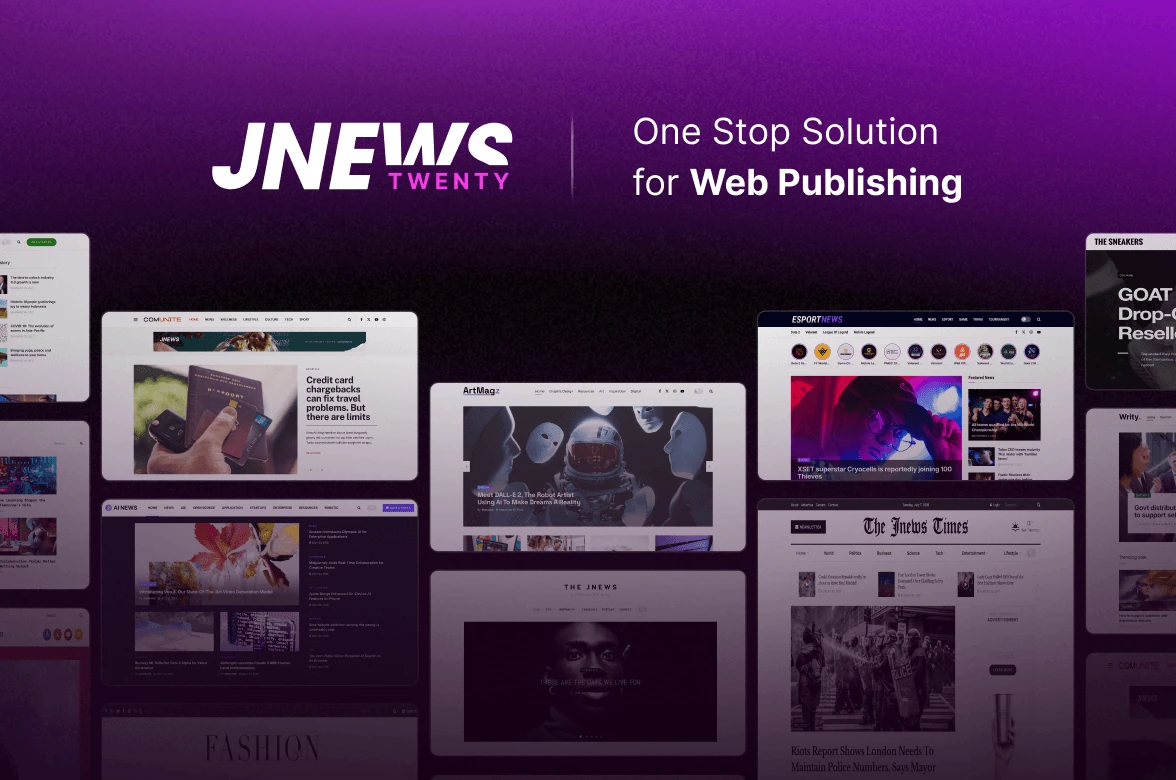


















If you’re familiar with Gutenverse, you probably know us for the plugins and themes we develop to help WordPress users build and customize their websites. But Gutenverse isn’t the only WordPress product we work on. Our team also develops JNews, a WordPress theme designed for publishers and content creators.
While both brands help people build WordPress websites, they serve different needs. Gutenverse gives you the tools to design and customize your website using the WordPress block editor. Meanwhile, JNews focuses on news websites, online magazines, and blogs, with features that help publishers organize, manage, and present their content.
For years, JNews has helped publishers build websites for different types of content. Whether you’re running a local news portal, an online magazine, or a personal blog, JNews provides the tools to manage your website through WordPress.
Now, our team has introduced JNews Twenty, the next generation of JNews.
JNews Twenty builds on the existing theme with improvements to performance, new website designs, and additional tools for publishers. It also represents the direction we’re taking as we continue developing JNews for newer WordPress technologies.
In this article, we’ll introduce JNews Twenty, explain what makes it different from JNews Classic, and explore the improvements available in this version.
What Is JNews Twenty?
JNews Twenty is the latest generation of JNews, a news WordPress theme designed for websites that regularly publish articles and other content.
It builds on JNews Classic, which has supported WordPress publishers for years. JNews Twenty keeps the publishing features that existing users are familiar with while introducing improvements to performance, website design, and content management.
A news website needs more than a place to publish articles. It also needs a homepage that highlights important stories, category pages that organize different topics, and layouts that help visitors find what they want to read.
For example, a local news website might organize its content into Politics, Business, Sports, and Community sections. Its homepage could highlight breaking stories at the top, followed by recent articles from each category.
An online magazine might take a different approach. It may use larger featured images, editorial layouts, and dedicated sections for different topics. A personal blog, on the other hand, might prefer a simpler homepage that puts more attention on individual articles.
JNews provides layouts and publishing features to support these different needs. With JNews Twenty, our team continues improving the theme while introducing more options for building and managing content-focused websites.
How Does JNews Twenty Differ From JNews Classic?
JNews Twenty is the next generation of JNews Classic, but that doesn’t mean existing users need to switch immediately.
JNews Classic will continue receiving important maintenance, security, and compatibility updates. Meanwhile, JNews Twenty is becoming the main focus for new features, performance improvements, and future development.
This gives existing users a choice. You can continue using JNews Classic while maintaining your current website, or explore JNews Twenty to access newer improvements.
JNews Twenty is available through a JNews Pro subscription, which also provides access to ongoing updates and additional features.
For a more detailed comparison, you can visit the JNews Twenty vs. JNews Classic page.
What’s New in JNews Twenty?
Building a news website involves more than choosing a design and publishing articles. You also need to manage content, keep your homepage updated, organize different categories, and make sure your website works well for readers.
These tasks become more demanding as your website grows.
A news publisher might update featured stories several times a day. A magazine editor may rearrange homepage sections to highlight new content. Meanwhile, a blogger might spend time updating older articles or improving the website’s appearance.
JNews Twenty introduces several improvements to support these everyday publishing activities. The updates focus on improving performance, providing more design choices, and making website management more practical.
1. Improved Editor Performance
When you manage a publishing website, you spend a lot of time working inside WordPress.
You might create new articles, upload featured images, edit existing content, or rearrange sections on your homepage. These tasks often involve loading different elements inside the editor.
JNews Twenty improves how JavaScript, CSS, fonts, and images load in the editing environment. These improvements help reduce unnecessary resource loading and make the editing experience more responsive.
This matters when your website contains many content elements.
For example, your homepage might include featured articles, post grids, sliders, advertisements, and category sections. Managing these elements can become more demanding as you add more content.
By improving how the editor handles its resources, JNews Twenty aims to make these tasks easier to manage.
You can spend less time dealing with unnecessary loading and more time preparing content for your readers.
2. Fast Performance on Every Device
Website speed matters, especially for news websites where readers frequently browse different articles and categories. Whether they’re checking the latest headlines on their phones or reading in-depth stories on a desktop, visitors expect pages to load quickly and smoothly.
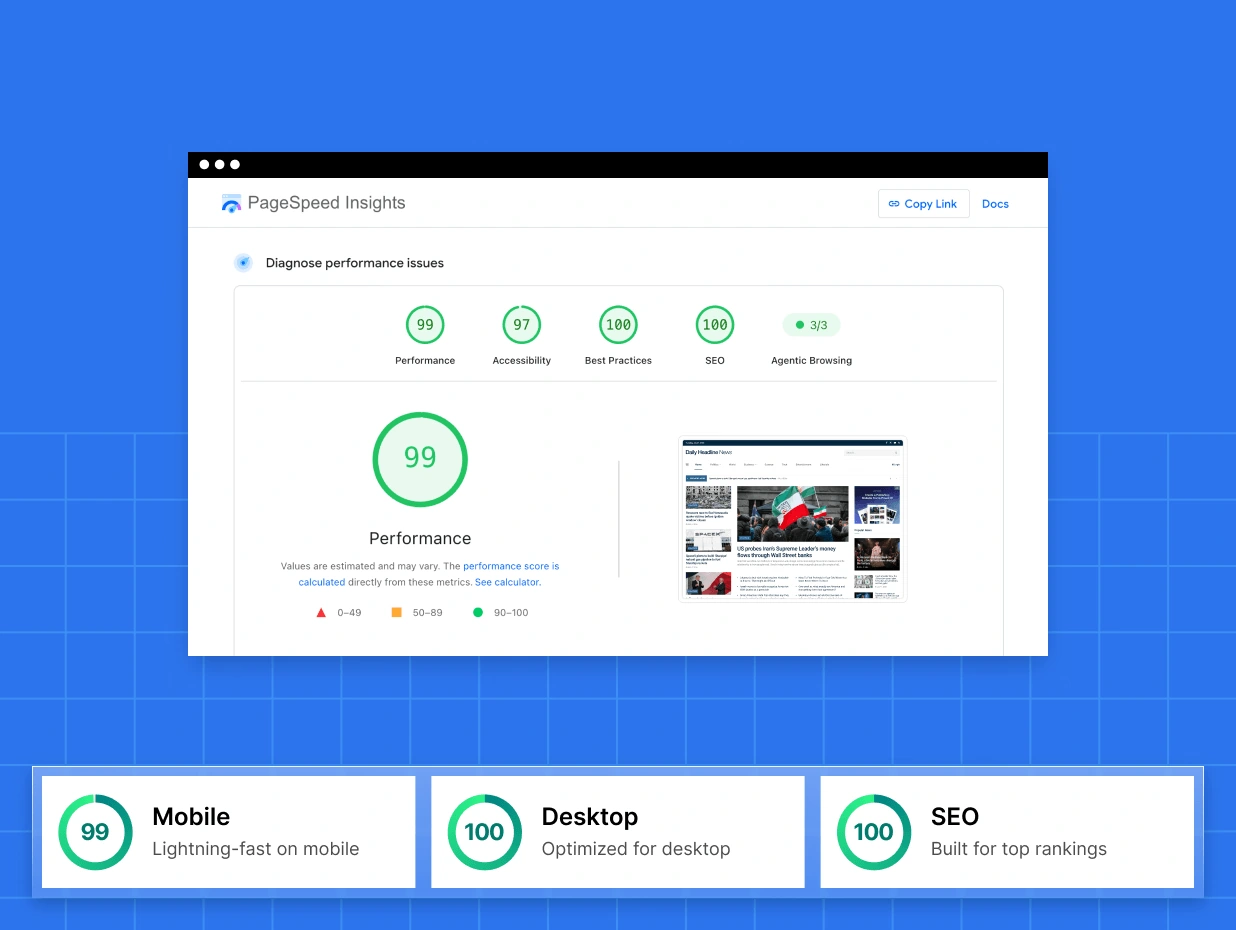
JNews Twenty is designed to deliver fast performance across different devices, helping publishers provide a better browsing experience. Its performance is reflected in tests conducted using Google PageSpeed Insights and GTmetrix.
In Google PageSpeed Insights, the JNews Daily News demo achieved an impressive 99 performance score on mobile, 100 on desktop, and 100 for SEO.
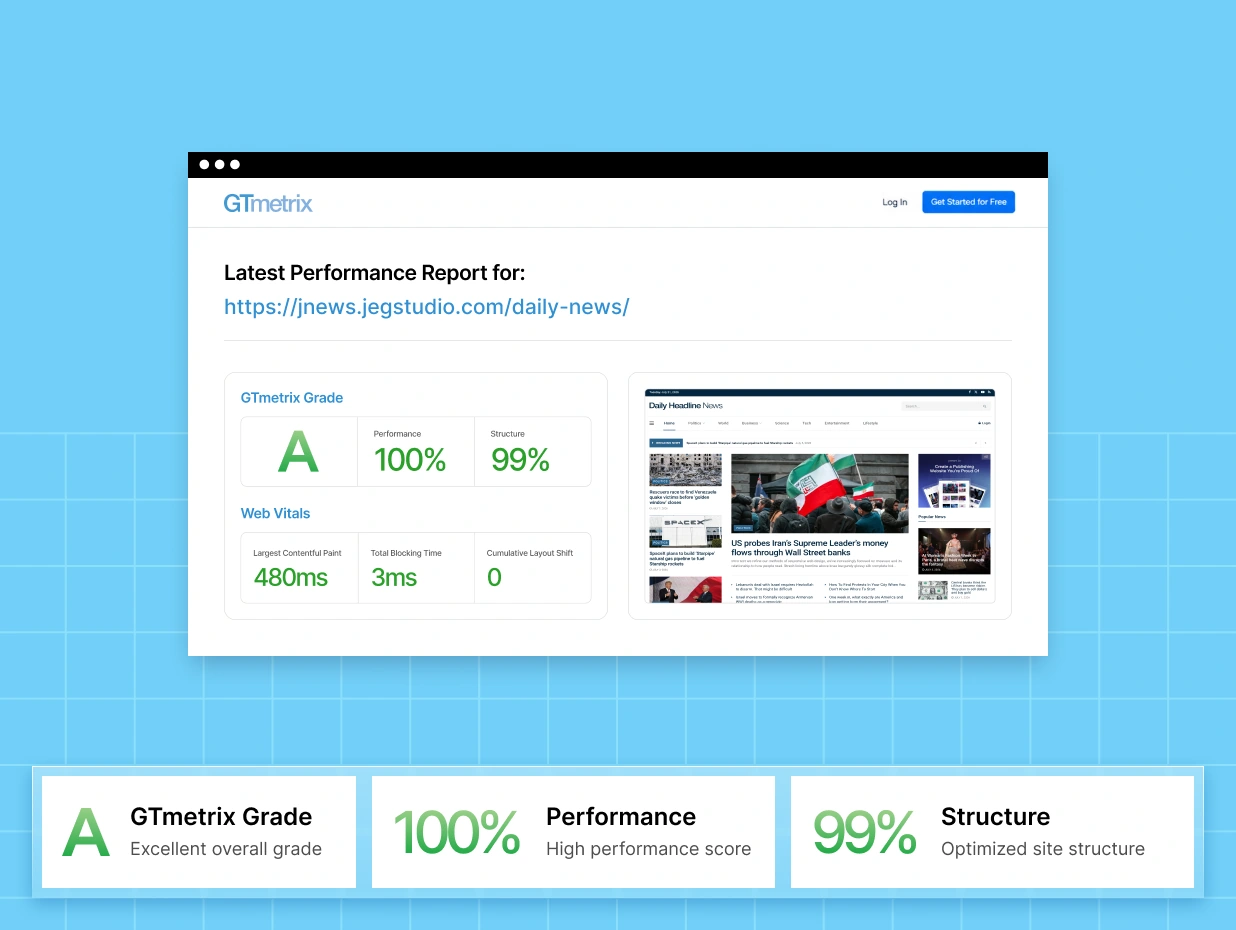
Meanwhile, GTmetrix awarded the demo an A grade, with 100% Performance and 99% Structure scores. The test also recorded a Largest Contentful Paint (LCP) of just 480 milliseconds, a Total Blocking Time (TBT) of 3 milliseconds, and a Cumulative Layout Shift (CLS) of 0. These results show how quickly the tested page loads and how stable it remains during loading.
For news publishers, fast-loading pages help readers move between headlines, categories, and related stories without unnecessary delays. This is particularly important for content-heavy websites that publish new articles regularly.
While actual performance depends on factors such as hosting, plugins, and website content, these test results demonstrate the performance JNews Twenty can achieve with an optimized setup.
3. Six New Website Demos
Choosing the right layout is an important part of building a news website.
Before publishing your first article, you need to decide how your homepage should look, where important headlines should appear, and how readers will browse different topics.
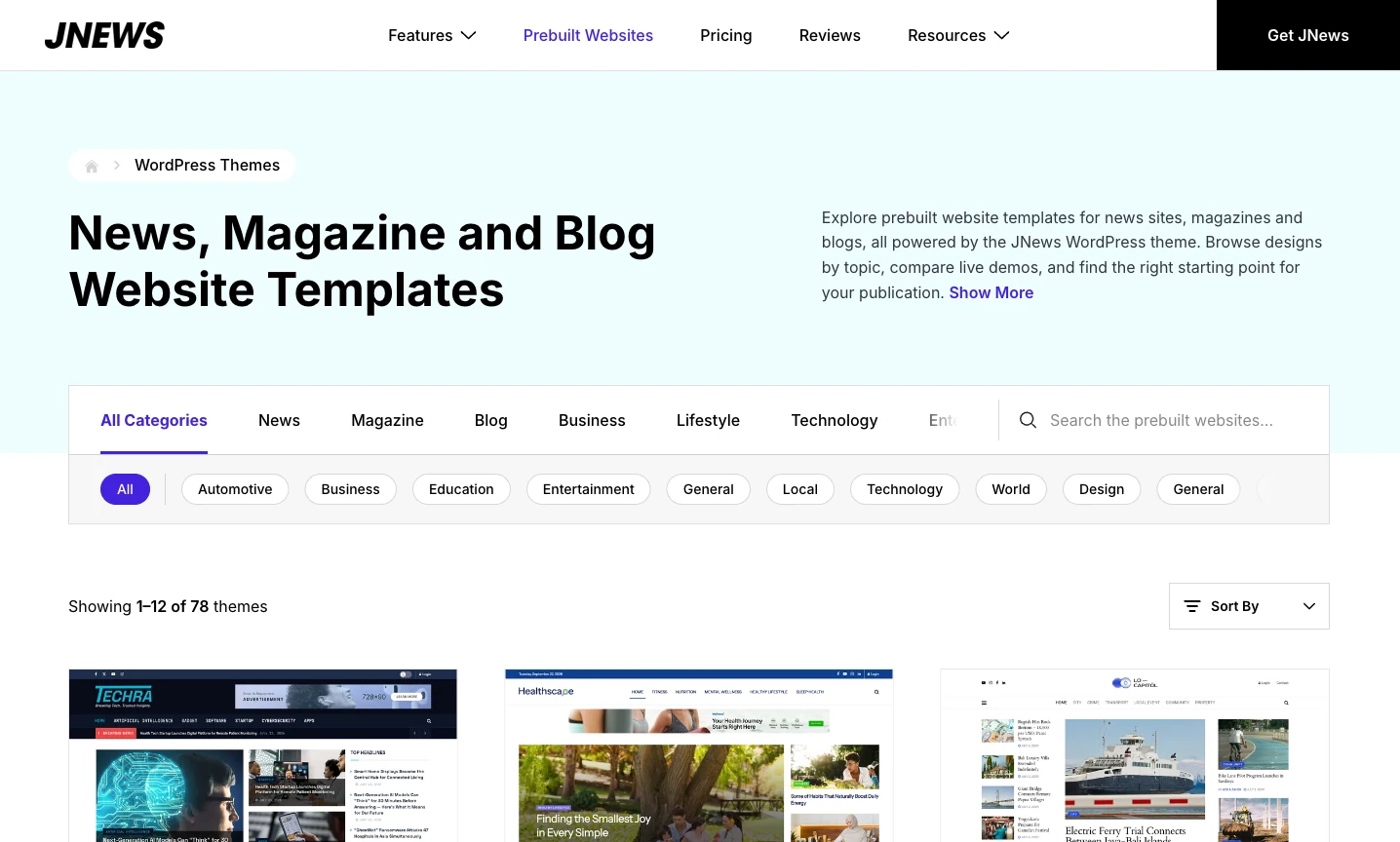
JNews Twenty introduces six new website demos that provide examples of how to organize and present content.
Each demo offers a different design approach. You can explore the layouts, choose one that fits your publishing needs, and customize it to match your website.
For example, a news publication might prefer a homepage with multiple headline sections and category-based content. An online magazine could use larger featured images to highlight important stories. A personal blog might choose a cleaner layout that emphasizes readability.
After choosing a demo, you can customize its appearance by changing the colors, typography, images, menus, and content sections.
These demos can be useful when you’re starting a new publication or redesigning an existing website.
Instead of planning every section from an empty page, you can begin with an established layout and adjust it as your website develops.
You can also explore more designs through the JNews demo collection.
4. JNews Optimizer
Website performance involves several factors beyond the theme itself.
Large images, unnecessary scripts, font files, and plugin settings can all affect how quickly a website loads. These problems can become more noticeable as you publish additional content.
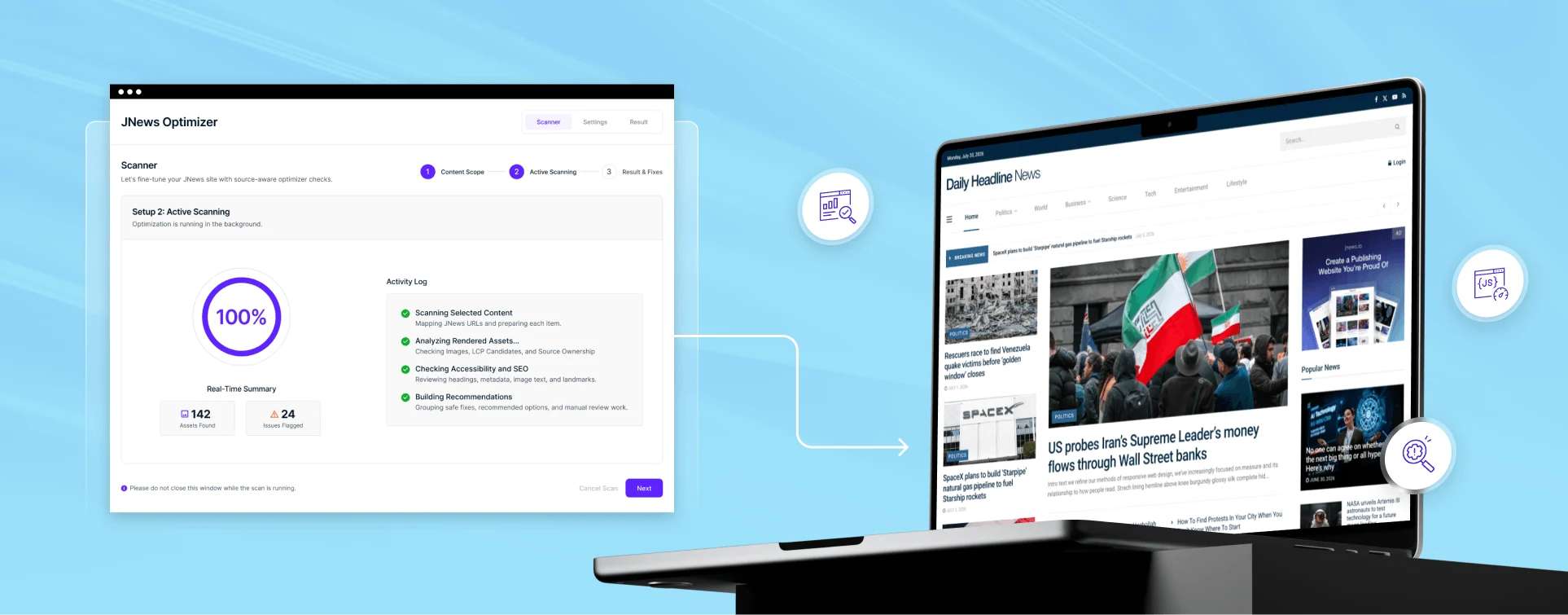
That’s why JNews Twenty introduces access to JNews Optimizer, a tool that helps website owners review common performance issues and improve their website settings.
JNews Optimizer provides options for managing JavaScript, CSS, fonts, and images. It also includes image optimization features, such as WebP optimization, and website health checks.
For example, imagine you manage a news website that publishes several articles every day. Each article might contain featured images, screenshots, or other visual content. Without proper image optimization, these files can increase the amount of data visitors need to download.
JNews Optimizer helps you manage image-related performance settings and identify areas that may need improvement.
The same applies to fonts and other website resources. Loading files that a page doesn’t need can create unnecessary requests, so reviewing these settings can help improve performance.
JNews Optimizer brings several optimization options into one place, making it easier to review common issues without checking every setting separately.
You can learn more about these improvements in the JNews Twenty features overview.
Why Choose JNews Twenty for a News Website?
Choosing a WordPress news theme involves more than finding a design you like. You also need to consider how the theme supports your publishing activities.
For a news website, the homepage plays an important role in helping readers understand what’s happening. Visitors should be able to identify important headlines, find recent updates, and explore stories from different categories.
JNews provides publishing layouts that support these needs. You can organize content into sections, highlight featured articles, and create navigation that helps readers move between topics.
It also provides features for different types of publishing websites.
A news portal may need multiple category sections and frequent homepage updates. An online magazine might prioritize featured content and visual layouts. A blog may focus on clear article pages and straightforward navigation.
With JNews Twenty, publishers can continue using these capabilities while benefiting from newer performance improvements and design options.
This makes it a practical option for website owners who want a WordPress news theme that supports both their content and everyday publishing tasks.
What’s Next for JNews Twenty?
JNews Twenty isn’t only about the improvements available today. Our team is also working on how JNews will support newer WordPress website-building features.
One of the upcoming developments is the JNews Block Theme, which will focus on the WordPress Block Editor and Full Site Editing.
WordPress block themes allow website owners to customize more parts of their websites using blocks. Instead of relying entirely on separate theme settings or traditional page builders, users can manage layouts and templates through the WordPress Site Editor.
For publishing websites, this approach can provide more flexibility when designing homepages, article layouts, and category pages.
Our goal is to bring this block-based editing experience to JNews while keeping the publishing needs of news websites, magazines, and blogs in mind.
The JNews Block Theme is still in development, so these capabilities are not part of the current JNews Twenty experience yet.
We’ll share more information about its features and development in a separate article.
Get to Know More for JNews Twenty
JNews Twenty continues the development of JNews as a WordPress theme for publishers. It builds on the existing JNews experience with better performance, additional website demos, and tools that help users manage their websites.
For news publishers, these improvements support everyday tasks such as updating content, organizing homepage sections, and maintaining a website with many articles.
Existing JNews Classic users can continue using their current theme while exploring what JNews Twenty offers. Meanwhile, new users can consider JNews Twenty when building a news website, online magazine, or blog.
Our team will also continue developing JNews with new features and improvements, including the upcoming JNews Block Theme.
Want to explore JNews Twenty further? You can visit JNews website to learn more about its features, or compare JNews Twenty with JNews Classic to see what’s different.