Building a website for an internet service provider can take a lot of work. You need more than a homepage. Customers need to see your internet plans, compare speeds and prices, check your services, and quickly find a way to contact your team.
If you use a generic theme, you may need to build all of those sections from zero.
That’s where Fiberwise can be a solution. Fiberwise is a Gutenverse PRO WordPress theme made specifically for internet service provider websites. It already gives you ready-made layouts for internet plans, services, features, testimonials, FAQs, and contact information.
Instead of designing everything from the beginning, you can start with Fiberwise and customize the existing layout with your own plans, prices, services, and company information.
Why an ISP Website Needs the Right Theme
An Internet Service Provider (ISP) website needs to help visitors find important information quickly.
Before choosing an internet provider, most people want to know three things: what plans are available, how much they cost, and whether the service is available in their location.
They may also want to compare internet speeds, check business or home packages, and find a way to contact sales or support.
That means your website should make this information easy to find.
A general WordPress theme may give you a homepage, blog, and contact page, but it may not include sections designed for internet plans, speeds, coverage, or service packages. You may need to create those parts yourself.
With the right structure, visitors can understand what you offer faster and decide whether your internet service fits their needs.
What to Look for in an Internet Service Provider WordPress Theme
Before you choose a theme for an internet service provider website, don’t focus only on how it looks. The theme should also help visitors understand your plans, check your services, and contact your business easily.
Clear internet plan sections
An internet service provider usually offers several plans with different speeds, prices, and features.
A good theme should make these plans easy to compare. Visitors should be able to quickly see the speed, price, included services, and who each plan is suitable for without reading long paragraphs.
Clear pricing or package cards can also help you organize plans for home internet, business internet, gaming, streaming, or bundled services.
Service and coverage information
Internet providers often offer more than one service. You may provide fiber internet, wireless internet, business internet, TV packages, VoIP, or network installation.
Your theme should give you enough space to explain each service clearly and show where it is available.
You can also add coverage information, a service area section, or a Check Coverage button so visitors can quickly find out whether your service is available in their location.
Content that builds trust
Customers want to know that they can rely on your internet service before choosing a plan.
Your website should let you explain your network, highlight service benefits, share customer testimonials, answer common questions, and provide clear support information.
You can also show your support hours, contact details, and other information that helps visitors feel more confident about choosing your service.
Mobile-friendly layout
Many customers will visit your website from their phones, especially when they want to compare plans or contact support quickly.
Your website should make pricing cards easy to read, buttons easy to tap, and contact details easy to find.
Visitors shouldn’t need to zoom in or search through several pages just to compare plans, check coverage, or contact your team.
Full Site Editing Support
A block theme with Full Site Editing lets you manage more parts of your website directly in WordPress. You can edit headers, footers, templates, page layouts, and site-wide styles without touching any code.
For an internet service provider, this makes regular website updates simpler. You can adjust plan prices, change internet speeds, add new services, update coverage details, or revise support information whenever needed.
Fiberwise: A WordPress Theme for Internet Service Provider Websites
Fiberwise is a premium WordPress block theme for internet service providers, broadband companies, fiber optic services, wireless internet providers, telecom businesses, and network solution firms. It comes with an ISP-focused layout that helps you present internet plans, services, coverage information, service benefits, testimonials, contact details, and other business information clearly.
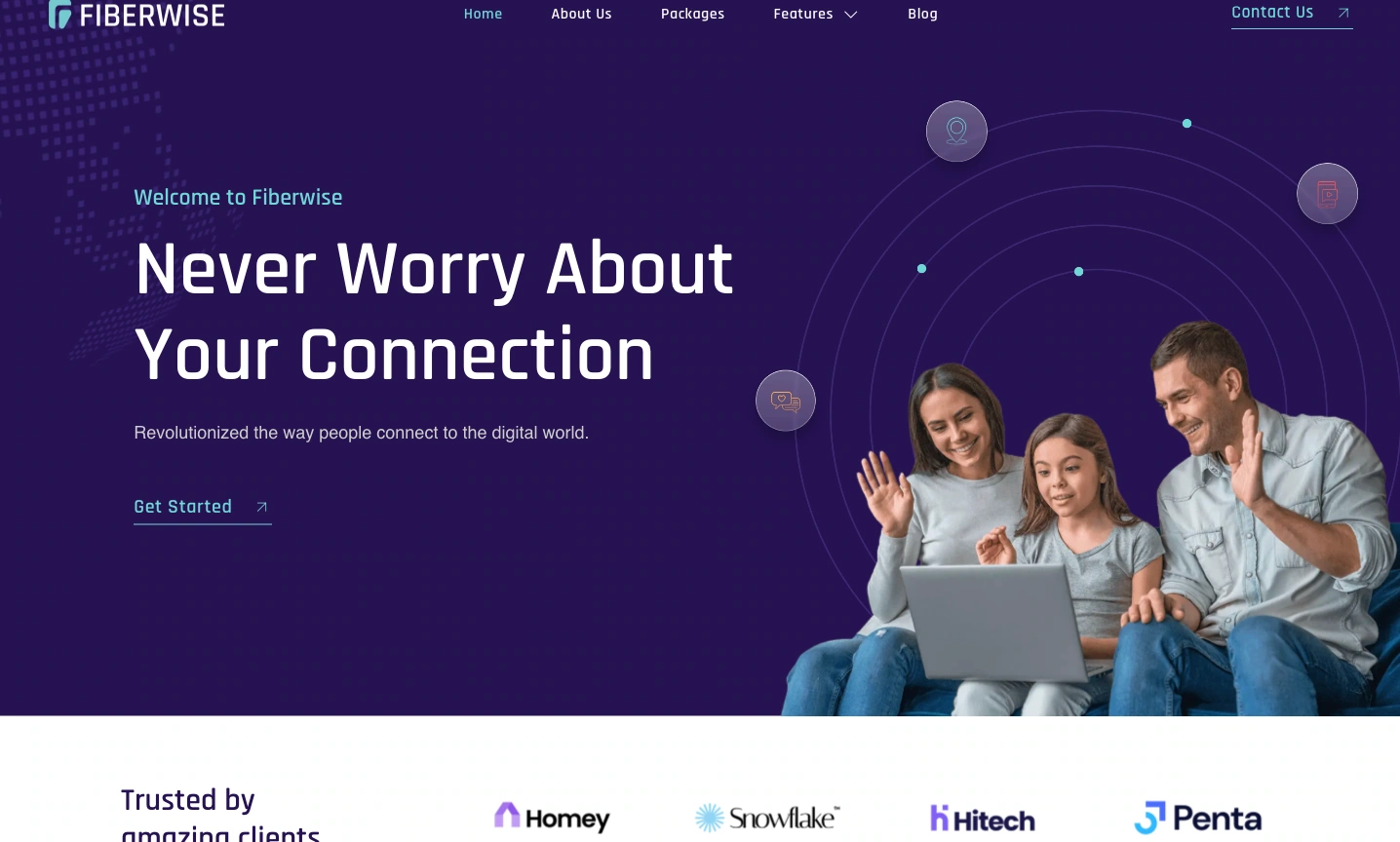
This premium theme also supports Full Site Editing and comes with Gutenverse PRO, so you can customize your internet service provider website using WordPress blocks and advanced Gutenverse features. You can edit the homepage, header, footer, page layouts, templates, colors, images, and content directly in the WordPress Site Editor.
What Is Included in Fiberwise
Fiberwise comes with a complete layout built around the needs of internet service providers. Instead of starting with an empty website, you already have sections for introducing your services, showing internet packages, explaining key benefits, sharing customer feedback, and helping visitors get in touch.
The homepage opens with a hero section that puts your main internet service front and center. You can use this space to introduce your company, highlight your connection quality, and direct visitors toward your available plans or services.
Further down the page, you can present different service categories such as Internet, TV, and VOIP. These can also be adjusted to match your own business, whether you provide fiber internet, wireless broadband, business connections, home internet, or other telecom services.
There is also space to highlight the main advantages of your service. The demo uses points such as high-speed internet, unlimited data, wide coverage, and customer support. You can replace them with your own strengths, including network stability, fast installation, local support, flexible packages, or other benefits your customers care about.

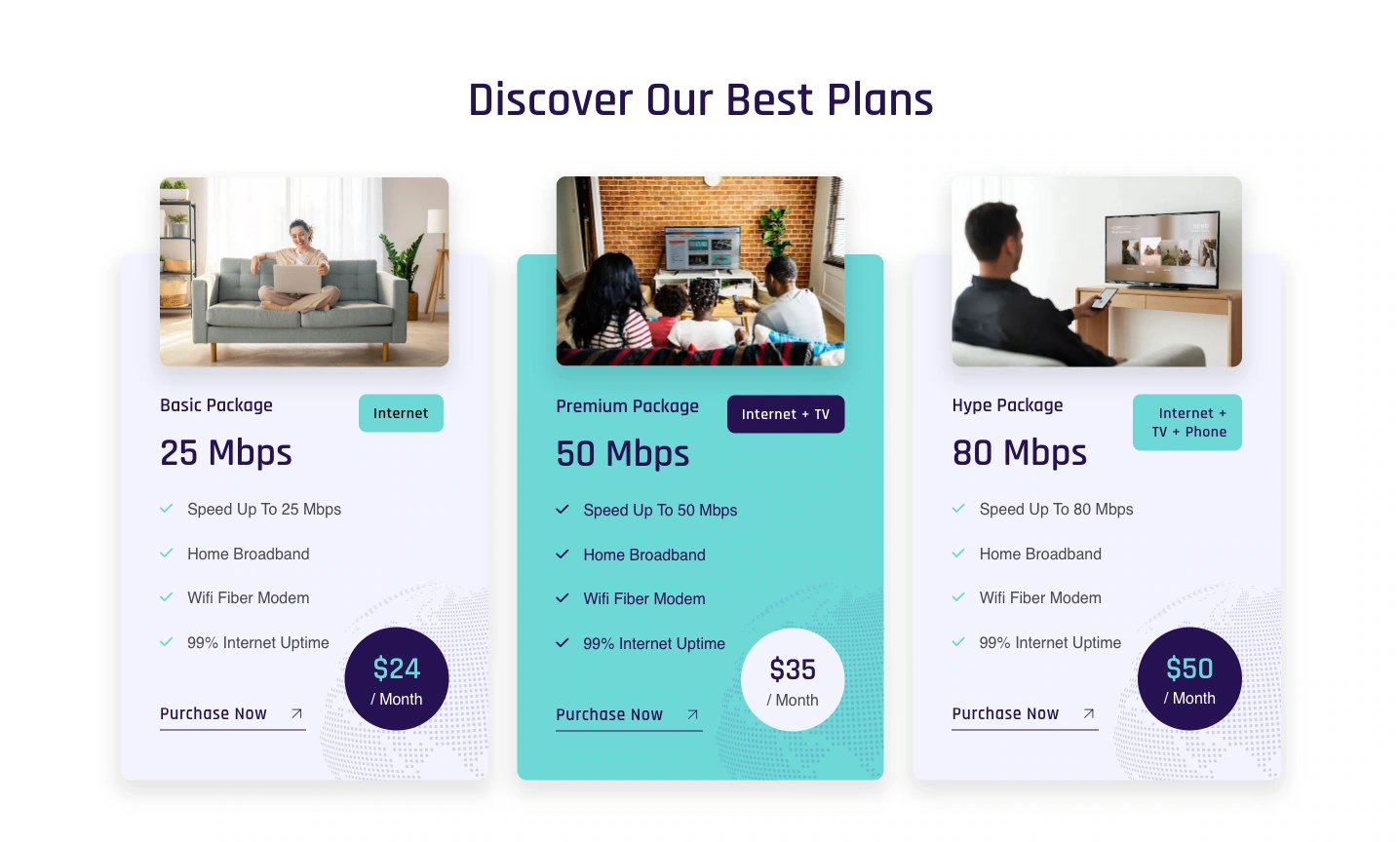
Fiberwise also provides a dedicated pricing section where visitors can compare different internet packages. You can show each plan’s speed, price, included services, and other important details so customers can quickly understand which option may suit them best.
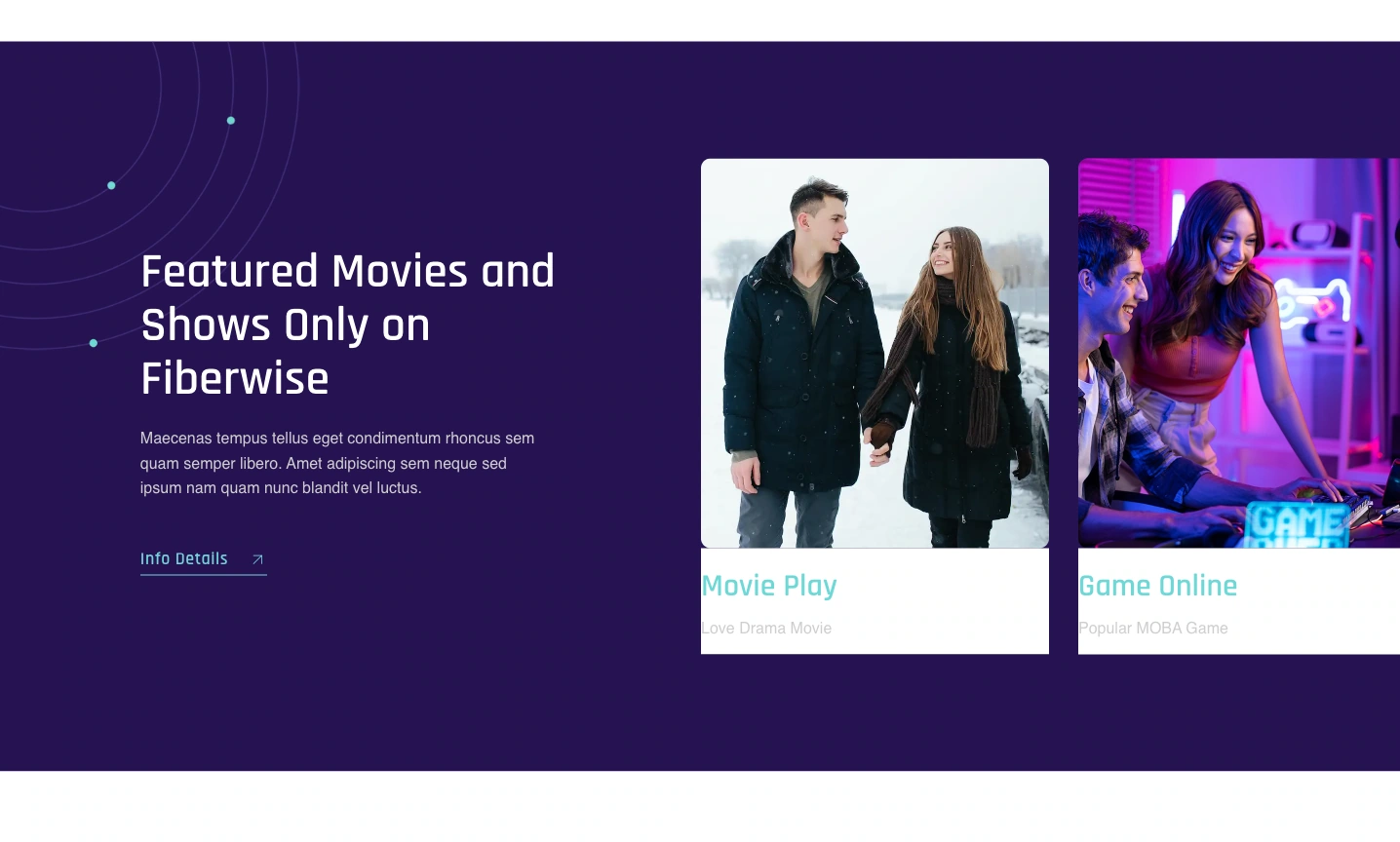
If your business offers more than internet access, the homepage also gives you room to promote entertainment and bundled services. You can use these sections for TV packages, streaming services, sports channels, gaming, or other extras included with your plans.
Customer feedback also has its own section. You can add real testimonials from your subscribers to show how customers experience your connection quality, service, and support.
You can also highlight special offers directly on the homepage. This space can be used for new customer discounts, free installation, limited-time packages, upgrades, or other promotions you want visitors to notice.
For ongoing content, Fiberwise includes a blog section where you can publish internet tips, company updates, service announcements, network guides, and other useful information related to your business.
The homepage finishes with newsletter and contact sections that help visitors stay connected with your company. You can use them to collect subscribers, share updates, and give potential customers an easy way to ask about plans, availability, or support.
Who Can Use Fiberwise?
Fiberwise is suitable for internet and telecom businesses that want to present their plans, services, coverage, and contact information clearly online. You can use it for:
This theme can also work well for smaller or regional providers that want a complete website instead of relying only on social media, messaging apps, or a simple contact page.
How to Install Fiberwise Theme
You can start the setup process and follow these steps:
After activation, replace the demo content with your real information.
How to Improve Your ISP Website After Installing Fiberwise
Once Fiberwise is installed, you should adapt the demo so the website reflects how your internet business actually operates. Focus on the information customers need before they choose a plan or contact your team.
Present accurate company details
Make sure the website shows current information about your business. Include your company name, contact details, support hours, office location, service coverage, and available connection types. Keeping these details accurate helps visitors understand your business without having to look elsewhere.
Build your plan section around real offers
Use the pricing section to display the packages customers can actually subscribe to. Include details such as connection speed, monthly cost, included features, installation requirements, equipment, and any important plan conditions.
Keep the information consistent across each package so visitors can compare them without confusion.
Explain where your network is available
Availability is one of the first things potential customers may want to confirm.
Show the regions, cities, neighborhoods, or other locations covered by your network. If availability depends on a specific address, provide an easy way for visitors to request a coverage check before they select a plan.
Show the people and infrastructure behind your service
Use visuals that represent your own company rather than relying only on stock images. Photos of technicians, installation work, network equipment, routers, offices, or customer service teams can make the website feel more relevant to your actual operation.
Give customers a clear way to get help
Support information should be visible for both new and existing customers.
Explain how customers can contact your team for technical issues, billing questions, installation requests, or general inquiries. You can also provide support hours, common troubleshooting information, FAQs, or service status notices when needed.
Publish helpful articles
Your blog can cover topics that customers often need help understanding. You might explain how to choose the right internet speed, how fiber connections work, why Wi-Fi performance varies, or what customers should prepare before installation.
This type of content can educate visitors while also giving them more reasons to explore the services and packages your company offers.
FAQ
Rideaxle is a good option for internet service provider websites. It includes ready-made layouts for services, plans, features, testimonials, blog content, and contact details.
No. Fiberwise is a premium theme included with Gutenverse PRO, so you need an active plan to use it.
Yes. Fiberwise supports the WordPress Block Editor and Full Site Editing, so you can change the text, images, colors, internet packages, page layouts, header, footer, and other parts of the website directly inside WordPress without editing code.
Yes. You can use Gutenverse Form to create a registration or inquiry form for your internet plans. Visitors can submit details such as their name, contact information, address, preferred plan, and installation request directly from your website.
Yes. Fiberwise can also work for providers that offer internet together with TV, VoIP, or other telecom services. You can customize the existing service sections to match the packages and bundles your company provides.
Ready to Build Your ISP Website?
Building an ISP website from scratch can take time, especially when you need to prepare internet plans, service details, coverage information, support content, and contact options.
Fiberwise makes that process easier by giving you a ready-made WordPress layout designed for internet service providers. You can start with sections for internet packages, services, testimonials, blog content, newsletters, and contact information, then replace the demo content with your own business details.
With Full Site Editing and Gutenverse PRO, you can also customize the layout directly in WordPress without building every section from the zero, making the process much more effective.