
















Last Update: November 25, 2025
The Asset feature allows you to add custom JavaScript and CSS files to your theme. This helps you include custom functionality or styling that isn’t part of your theme’s templates or patterns.
Follow these steps to create a new asset:
You can go to Dashboard → Themes Builder. Then click on the menu Assets:
1.
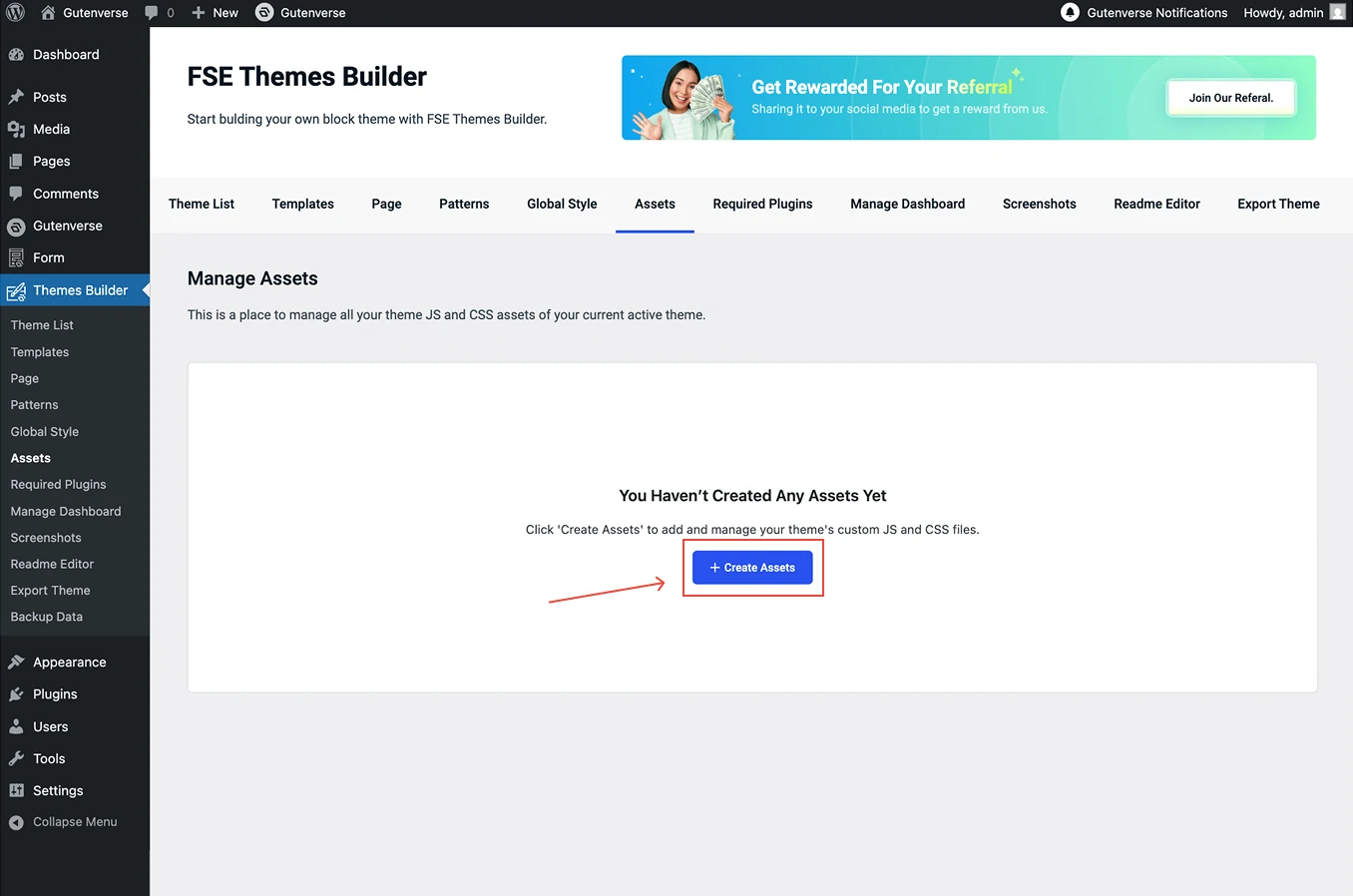
Inside the menu Assets, Click the Create Assets button to create a new assets.
2.
After clicking the Create Assets button, you’ll see a form like the image above.
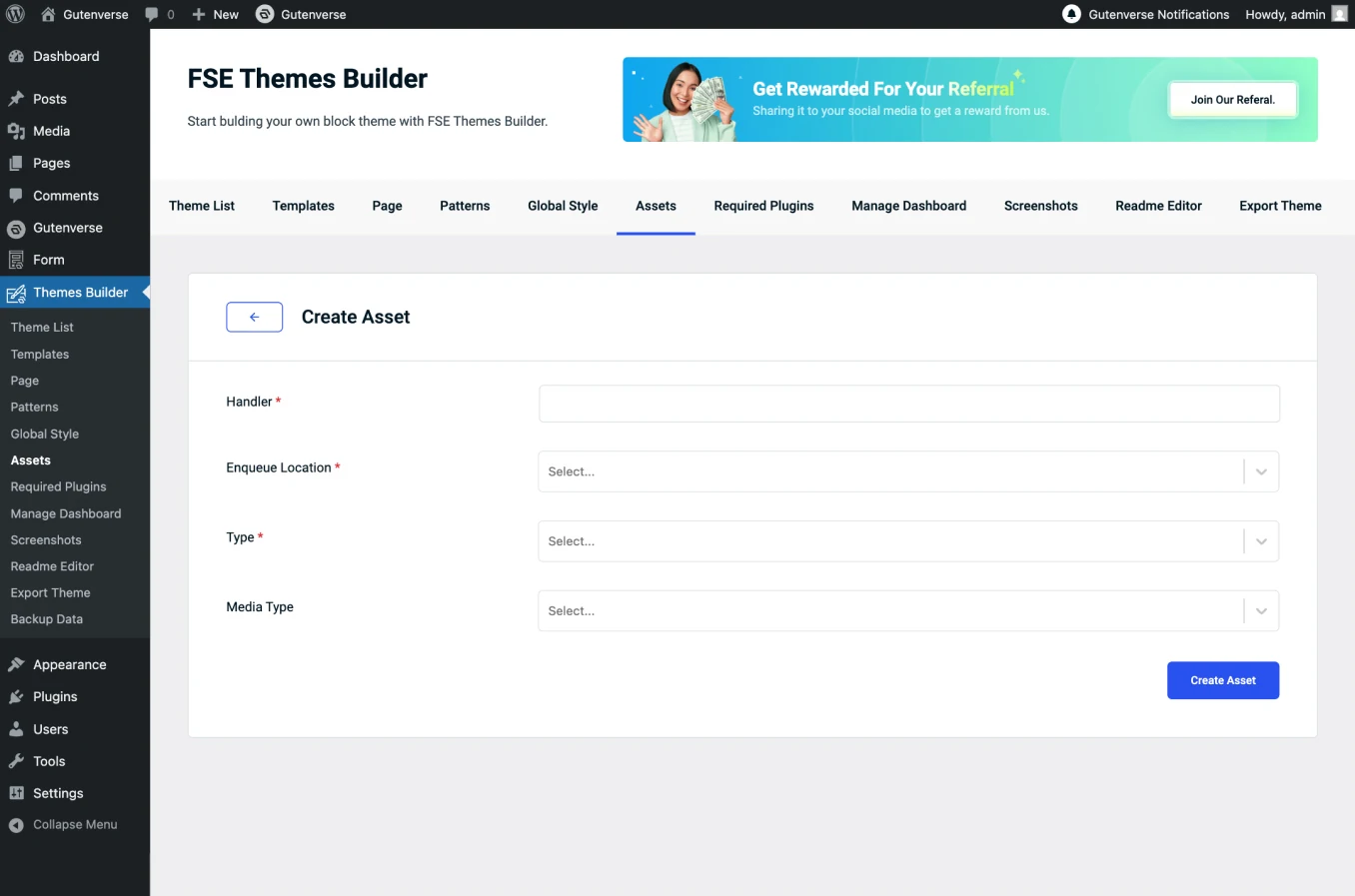
The popup contains the following fields:
3.
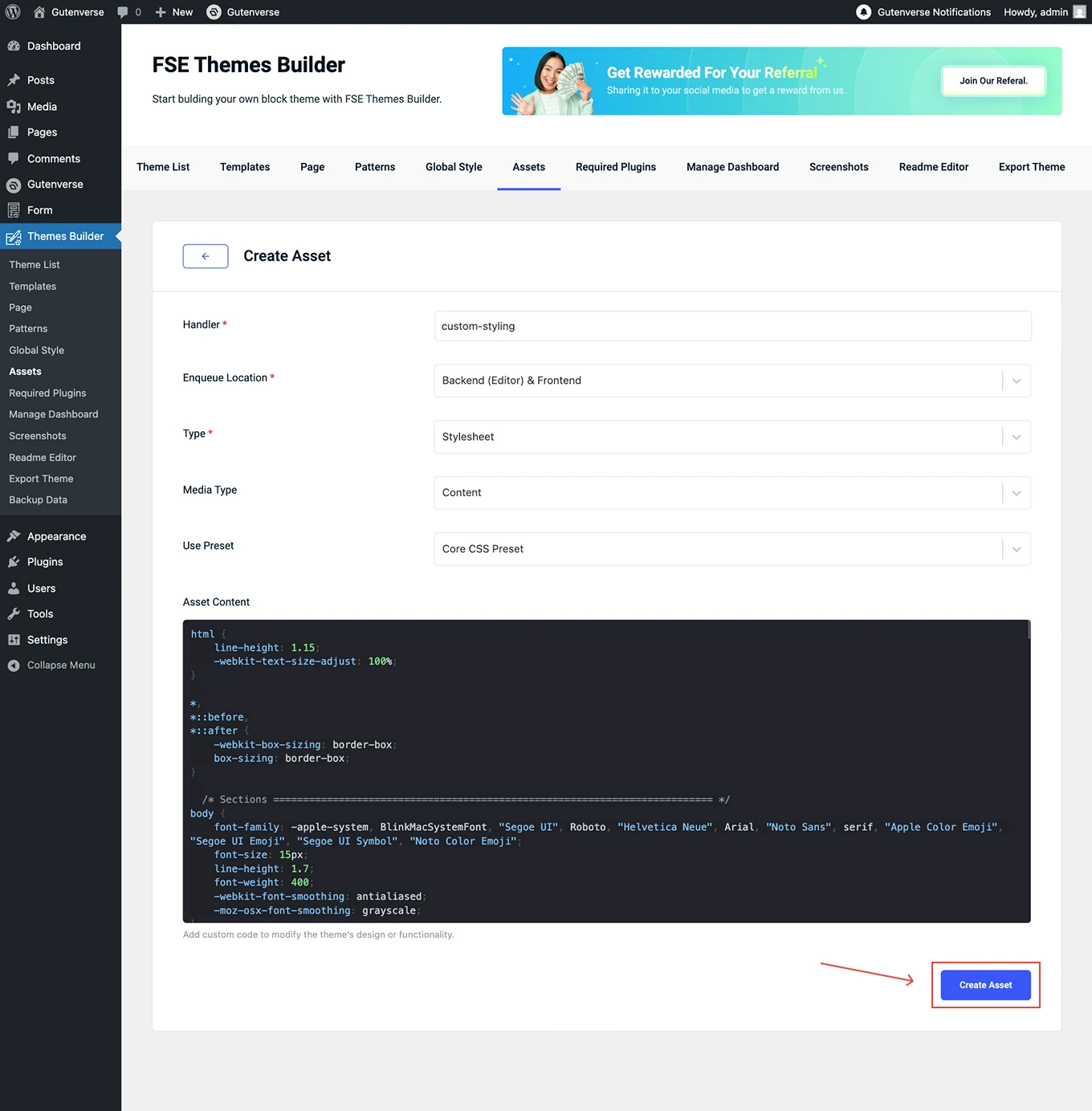
Once all the fields are filled out, click the Create Asset button.
4.
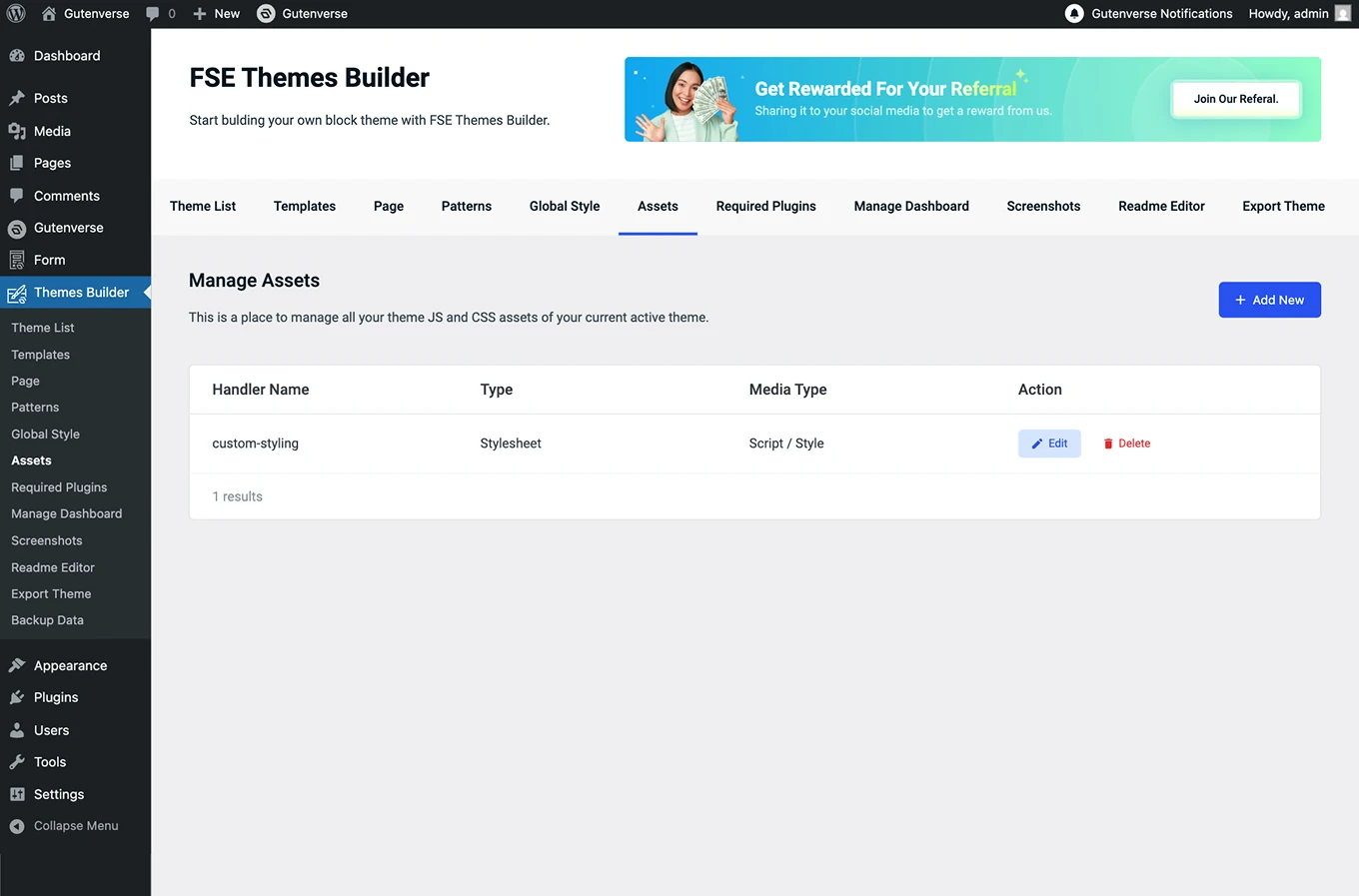
After the Create Assets button is clicked, the newly asset will appear in this list.