

















Last Update: November 25, 2025
Here’s how you can use a pattern you’ve created in the editor:
1.
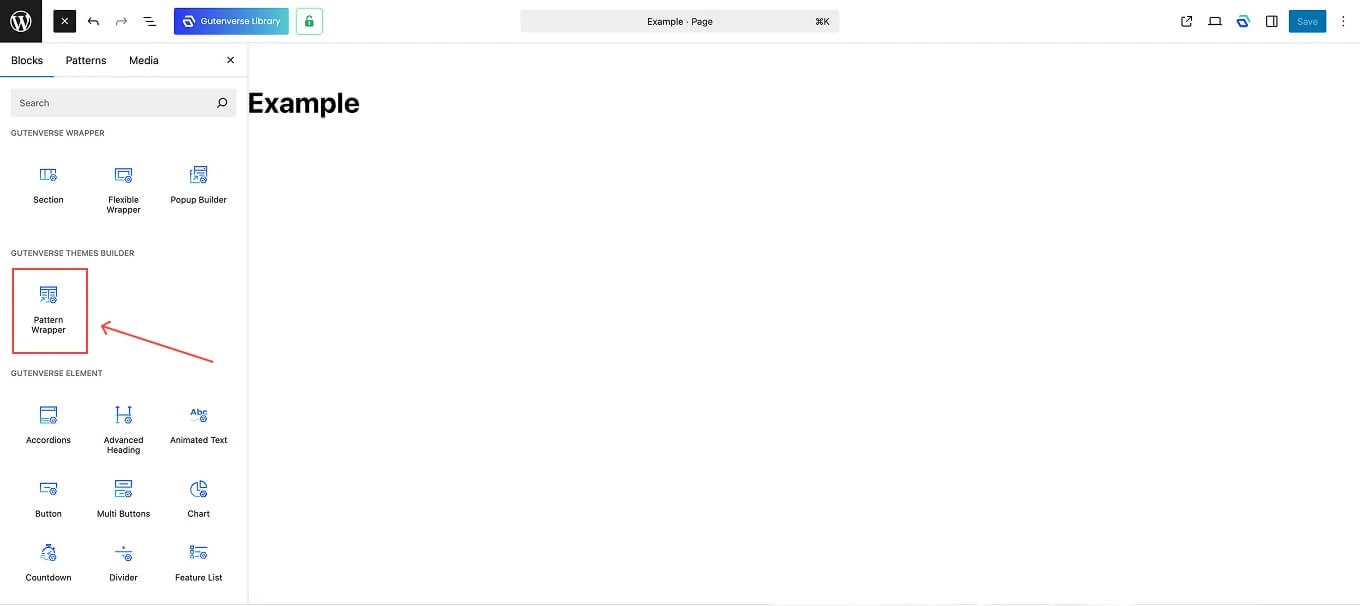
Once inside the editor, click the Plus (+) icon, then under the Blocks tab, select the Pattern Wrapper block.
2.
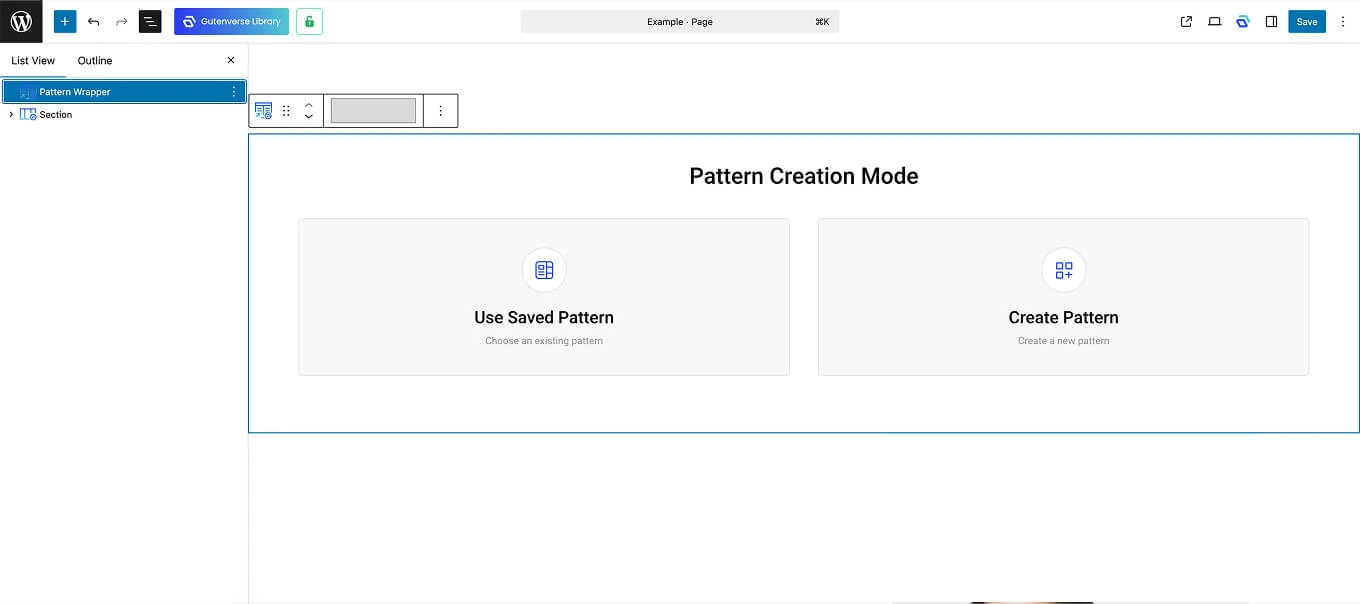
After adding the Pattern Wrapper block, you’ll see a screen like this:
3.
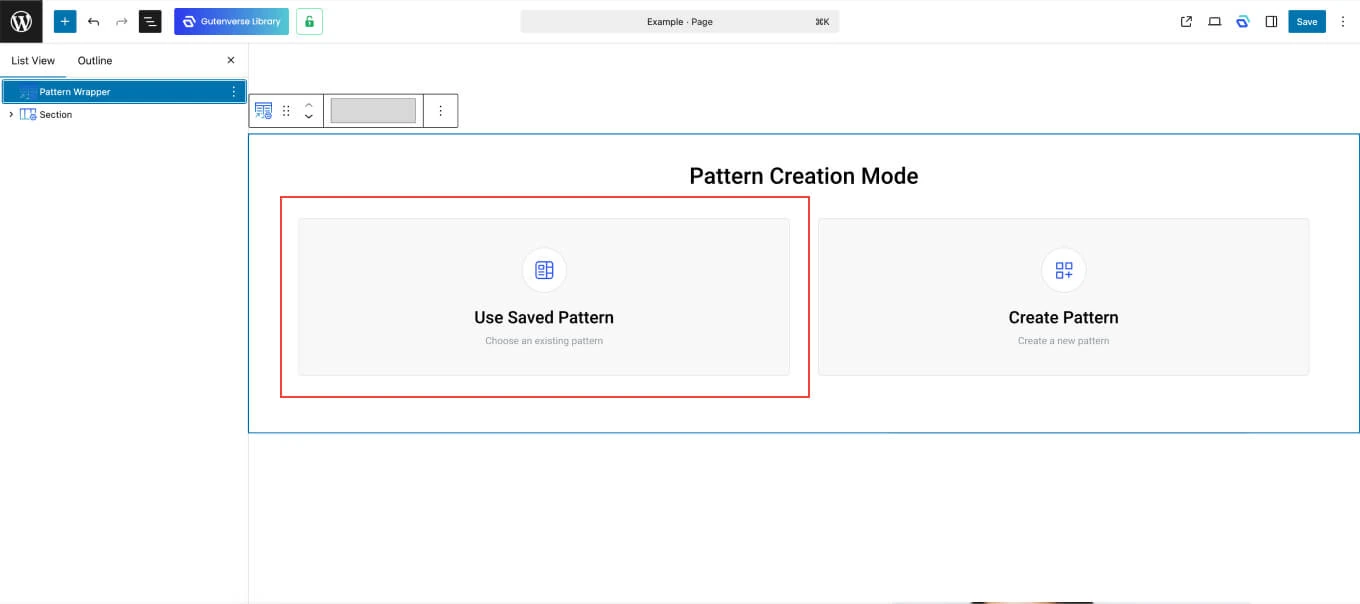
To use a pattern you’ve already created, select the Use Saved Pattern option.
4.
Once you choose Use Saved Pattern, a list of your saved patterns will appear.

5.
Click on the pattern you want to use, and it will automatically appear inside the editor.