

















A WordPress business website should clearly explain what you offer, build trust with visitors, and encourage them to take the next step.
However, many businesses focus too much on extra pages, complex design effects, and clever wording. At the same time, they overlook the information visitors actually need. As a result, potential customers may leave without calling, booking a service, making a purchase, or sending a message.
In this guide, we will cover 10 important things to include on your WordPress business website. These elements can help small business owners, freelancers, and local brands create a useful and professional online presence.
What Visitors Look for on a WordPress Business Website
Your WordPress website doesn’t need to impress everyone. It needs to help the right visitors understand your business and decide what to do next.
Most people visit a business website to find answers to a few simple questions:
When your website answers these questions quickly, it already serves its main purpose.
A website also gives your business something social media cannot: a platform you control. Social media can help people discover and interact with your brand, but your website gives them a reliable place to learn more and take action.
For another insight, you can read our article: Do Small Businesses Need a Website Even If They Have Social Media?
10 Important Things Your WordPress Business Website Needs
A WordPress business website should give visitors the information they need to understand your business and take action. The right pages, content, and features can help you explain your services, build trust, generate leads, and support your customers.
Below are the key elements that can make your WordPress business website more useful and effective.
1. A Homepage That Explains Your Business Quickly
Your homepage is often the first page people visit. It should quickly explain what your business offers and who you serve.
Your homepage should include:
Avoid vague headlines such as “Welcome to Our Website” or “We Create Solutions.” These headlines do not tell visitors enough about your business.
Use a specific headline that focuses on what your customers need. For example:
2. An About Page That Introduces Your Business
Many businesses treat the About page as a formality. However, potential customers often visit this page before they decide to contact you.
Use your About page to explain:
You don’t need to write a long company history. A few honest paragraphs can give visitors enough information.
Use real photos of yourself or your team when possible. These images can help visitors connect with your business and see the people behind it.
3. Product or Service Pages That Answer Important Questions
Your product or service pages should help visitors understand what you offer and decide whether it meets their needs.
Each page should explain:
When you provide several services, give each one a clear name and description. Do not hide all your services inside one long paragraph.
For physical products, include clear photos, helpful descriptions, and important details. Add pricing when you can. When prices depend on the project, provide a starting price or explain how customers can request a quote.
Visitors may leave when they cannot understand what a service includes or how to get started.
4. Clear Calls to Action
A call to action tells visitors what to do next. Without clear direction, they may leave the website without contacting you or making a purchase.
Common calls to action include:
Choose a call to action that matches the page. For example, a service page can direct visitors to a quote form, while a product page can direct them to checkout.
Keep each section focused on one main action. Too many choices can distract visitors from the most important next step.
5. Trust Signals That Support Your Claims
Visitors need a reason to trust your business before they contact you, book a service, or make a purchase.
You can build trust by adding:
New businesses may not have many reviews or case studies yet. Start with the information you already have, such as a short testimonial, a project photo, or a clear explanation of your process.
You can also add an FAQ section to answer common questions and address customer concerns.
6. An Easy-to-Find Contact Page
Visitors shouldn’t have to search through your WordPress website to find your contact details.
Your contact page should include:
You can also place your main contact details in the header or footer so visitors can access them from any page.
For local businesses, accurate and consistent contact information can also support local SEO. Clear information helps visitors and search engines understand where your business operates.
7. Mobile-Friendly Design and Simple Navigation
Many customers will visit your website from a smartphone. Your website should remain easy to read and use on smaller screens.
Make sure visitors can:
You should also consider accessibility when designing your website. The W3C Web Accessibility Initiative explains that accessible websites allow more people to use online content, including those who rely on assistive technology.
You can start with:
These improvements can make your website easier to use for everyone.
8. Basic SEO So People Can Find You
Your WordPress business website also needs basic search engine optimization. SEO helps search engines understand your pages and connect them with relevant searches.
Start by adding:
Google’s SEO Starter Guide recommends creating useful content for people instead of filling pages with keywords.
You can also add a blog to answer common customer questions, explain your services, and publish useful information related to your industry. Over time, these articles can help your website appear for more search terms.
9. Legal and Policy Pages
Legal pages may not receive as many visits as your homepage or service pages, but they still play an important role.
Depending on your WordPress website and business, you may need:
These pages explain how your business handles customer data, payments, purchases, and website use.
Pay close attention to this section when your website collects contact form submissions, email addresses, analytics data, or online payments.
10. A Website You Can Update Easily
You will need to update your website after you launch it. You may want to change a headline, add a new service, publish an article, or update your contact details.
Choose a platform that lets you handle these updates without rebuilding the website every time.
WordPress gives business owners control over their content and website structure. You can create pages, publish posts, and update information from one dashboard.
Gutenverse extends the WordPress Block Editor with additional blocks, templates, and design tools. You can build and manage your pages without switching to a separate page builder.
Start with the How to Install Gutenverse guide. After installation, you can explore the Template Library and import complete layouts or individual sections instead of creating every design from the beginning.
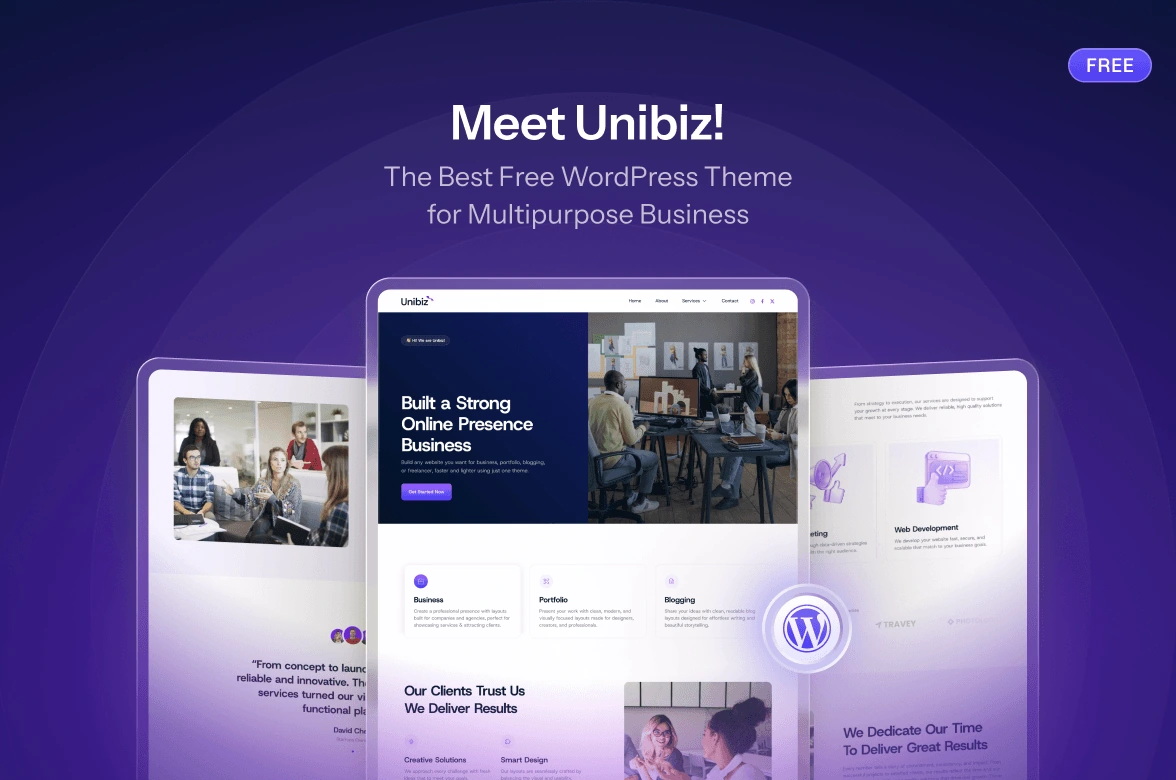
For a faster starting point, explore the Unibiz demos. They provide ready-made layouts for business websites that you can customize with your own content, branding, and services.
You may also find this portfolio guide helpful when deciding how to present your work: Not Sure How to Create Your Portfolio Website? Here’s How to Do It!.
A Simple WordPress Business Website Checklist
Use this checklist to make sure your WordPress website includes the essentials before you launch:
You don’t need to add everything at once. Start with the most important pages, keep the information clear, and improve your website as your business grows.
FAQ
Clarity matters most. Visitors should quickly understand what your business offers, who you serve, and what they should do next.
Most business websites need a homepage, an About page, product or service pages, and a Contact page. You can also add FAQs, testimonials, pricing, blog posts, or location pages based on your business needs.
Yes. Gutenverse lets you create a business website directly in the WordPress Block Editor. You can use its blocks, templates, and ready-made sections to build pages without writing code or using a separate page builder.
Yes. Gutenverse Form lets you create contact forms, quote request forms, newsletter signups, and other lead forms inside the Block Editor. You can add these forms to important pages and make it easier for visitors to contact your business.
Ready to Build Your WordPress Business Website?
A good business website doesn’t need to be complicated. Start with the essential pages, keep your message clear, and make it easy for visitors to learn about your business and take the next step.
Gutenverse can help you put those elements together inside the WordPress Block Editor. You can use ready-made layouts, customize each section, add forms, and continue improving your website as your business grows.
That’s all from us! If you found this guide helpful, feel free to share it with other business owners who may be planning or improving their websites.