

















You may have seen the term “block theme” while browsing WordPress themes.
At first, it may sound like another WordPress term you need to learn. WordPress already uses terms such as classic theme, Gutenberg, Full Site Editing, and Site Editor. All these names can make the platform feel more complicated than it is.
However, the idea behind a block theme is simple.
A block theme lets you use blocks to build and edit different parts of your website. You can edit more than the content inside posts and pages. You can also customize your header, footer, navigation, templates, archive pages, search pages, and other site-wide layouts.
In this guide, you will learn what a block theme is, how it works, why WordPress is adopting this approach, and when you should use one.
What Is a Block Theme?
A block theme is a WordPress theme that uses blocks to build every part of a website.
Block themes use blocks for navigation menus, headers, content areas, and footers. You can also use the Site Editor to customize parts of your website outside regular posts and pages.
This is what makes block themes different from classic themes.
With a classic theme, you can use blocks to create posts and pages. However, the theme usually controls your header, footer, sidebar, and page templates. To change these areas, you may need to use the Customizer, widget settings, theme options, a page builder, custom CSS, or code.
A block theme gives you more control directly inside WordPress.
You can open the Site Editor and visually customize major parts of your website, including:
In other words, a block theme lets you edit your entire website with blocks, not only the main content inside posts and pages.
How Block Themes Work in WordPress
Block themes work with the WordPress Site Editor. The Site Editor lets you use blocks to design your entire website, including the header, footer, templates, and page layouts.
WordPress only shows the Site Editor when you activate a block theme.
After activating one, you can usually open it by going to Appearance > Editor in your WordPress dashboard. From there, you can manage the main design and layout of your website.
Behind the scenes, a block theme uses template files made with block markup. A block theme must include at least an index.html file inside the /templates or /block-templates folder.
You don’t need to understand this file structure to use a block theme. It simply allows WordPress to open and edit the theme’s layouts inside the visual editor.
Inside the Site Editor, you will work with several important elements.
Templates
Templates control the layout of different pages on your website.
A block theme may include templates for:
Classic themes usually build these layouts with PHP files. Block themes build them with blocks, so you can open and customize them in the Site Editor.
This makes it easier to change a page layout without editing theme files or writing code.
Template Parts
Template parts are reusable sections that appear across your website. Common examples include the header and footer.
For example, your website may use the same header on every page. Instead of building it again for each template, the theme saves it as a template part and reuses it throughout the website.
You can edit the header or footer once, save your changes, and WordPress will apply them everywhere that template part appears.
Styles
Styles control the overall appearance of your website. They include colors, typography, spacing, and layout settings.
Instead of changing every heading, button, or block separately, you can use global styles to update the design across your website.
Many block themes use a file called theme.json to define these design settings. This file connects the theme’s styles with the options available in the Site Editor.
As a beginner, you don’t need to edit theme.json. You can manage most design settings directly from the editor.
Patterns
Patterns are ready-made groups of blocks that you can add to a page or template.
For example, you can insert a pattern for a:
You can then replace the text, images, colors, and other content with your own.
Patterns help you build pages faster because you do not need to arrange every block from zero.
Block Theme vs. Classic Theme: What Is the Difference?
The easiest way to understand a block theme is to compare it with a classic theme.
Area
Block theme
Classic theme
Main editing tool
Uses the Site Editor and blocks
Uses the Customizer, widgets, menus, theme options, and theme files
Header and footer
You can edit them with blocks
The theme usually controls them through settings or code
Templates
You can edit them visually with blocks
Developers usually build them with PHP files
Global design
Uses global styles and theme settings
Uses the Customizer or theme-specific settings
Best for
New websites, visual editing, and Full Site Editing
Existing websites, familiar workflows, and advanced PHP customization
Both types of themes can work well. The right choice depends on your website and how you prefer to build it.
A classic theme can still be a good choice when your website already works well, your team knows the setup, or you rely on its built-in features.
For a new website, a block theme gives you more visual control over layouts, headers, footers, and templates.
For a more detailed comparison, read our guide on WordPress block themes vs. classic themes.
Recommended Gutenverse Block Themes You Can Try
To explore block themes, browse the Gutenverse themes collection. It includes themes for different types of websites, so you can start with a design that already matches your business and content.
Here are some themes you can consider:
Theme
Best for
What it offers
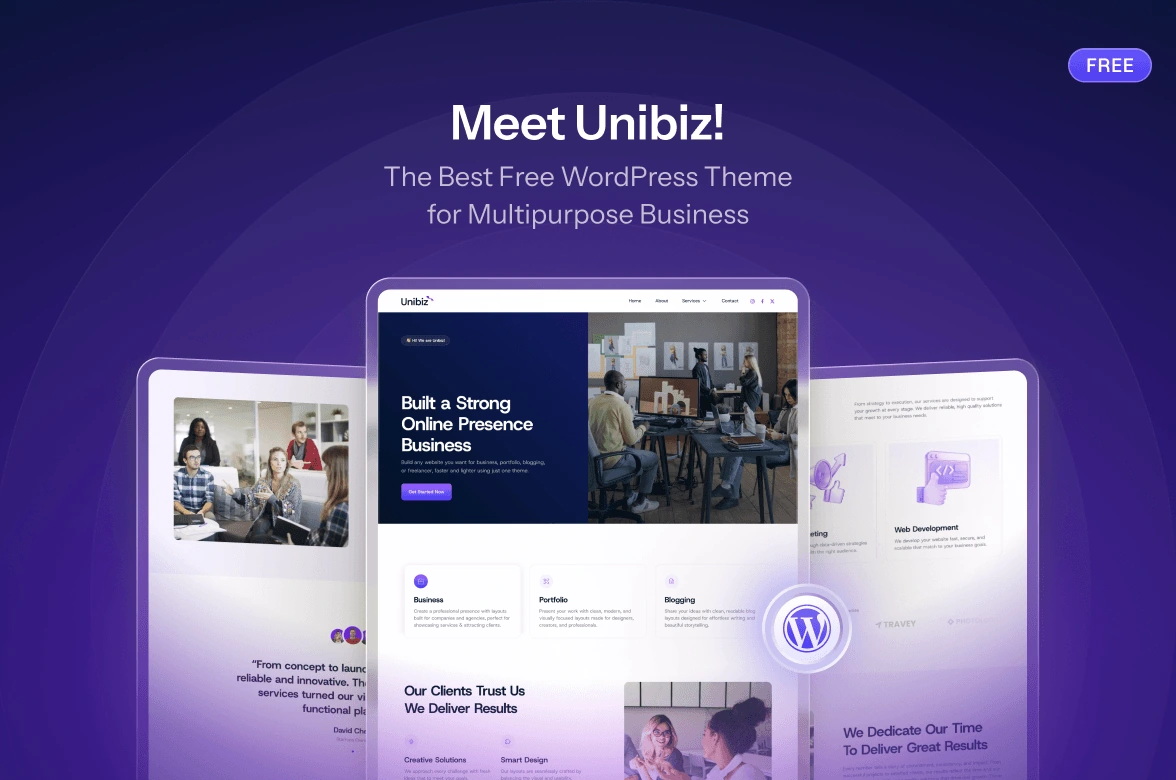
Multipurpose business websites
A flexible Full Site Editing theme with demos for different business types
Digital agencies and creative studios
A dark agency design with sections for services, portfolios, blog posts, and contact details
Real estate, property, architecture, and interior websites
A property-focused layout with sections for listings, services, FAQs, and contact information
Kitchen, furniture, and interior businesses
A free block theme with space for projects, services, and work processes
Photographers and portfolio websites
An image-focused design for galleries, services, portfolio categories, and inquiries
Freelancers, resumes, and personal portfolios
A personal portfolio layout for skills, work experience, projects, and testimonials
Spa, wellness, meditation, and beauty businesses
A calm service-focused layout with room for treatments, opening hours, and inquiries
Dermatology clinics and skincare websites
A clinic-focused layout for treatments, appointments, trust elements, and blog content
Don’t choose a theme only because its preview looks impressive. Look for one that already includes the pages and sections your website needs. This will reduce the amount of customization required later.
For more guidance, you can read the Gutenverse guide on what theme you should be using. It explains why you should use a block theme, or another theme that supports the WordPress block editor, with Gutenverse.
How to Install a Gutenverse Theme
The installation process is simple and works the same way for both themes. You can install them through the Gutenverse dashboard or directly from the WordPress theme directory.
Option 1: Through the Gutenverse Dashboard
Option 2: Directly From WordPress
For a full step-by-step visual guide, WordPress.org check the Gutenverse theme installation guide.
Once the theme is active, open Appearance > Editor or edit a page. Replace the demo content with your real text, images, services, contact details, and brand style.
FAQ
It is a theme that lets you build and edit your entire WordPress website with blocks, including the header, footer, navigation, templates, and page content.
No. You can use the block editor for posts and pages with many classic themes, but you need a block theme to edit headers, footers, templates, and other site-wide areas with blocks.
It depends on your needs. Block themes offer more visual editing options, while classic themes may suit existing websites that rely on the Customizer, theme settings, or custom PHP templates.
Yes. Gutenverse works with block themes and adds more blocks, templates, responsive settings, forms, popups, animations, and design options to WordPress.
Choose a theme that matches your website type, such as Unibiz for business, Zeever for agencies, Restance for real estate, Photology for photography, Vorfolio for portfolios, Waterlava for wellness, or Neuderm for skincare clinics.
Final Thoughts
A block theme gives you more control over your WordPress website.
You can visually edit the header, footer, templates, styles, patterns, and content from the Site Editor. This creates a more consistent workflow and reduces the need to manage different settings across WordPress.
A block theme is a good choice when you are building a new website. It gives you more design control and makes future updates easier.
To get started, explore the Gutenverse themes collection. Choose a theme that fits your website goals, then customize it with Gutenverse blocks, templates, and powerful features.