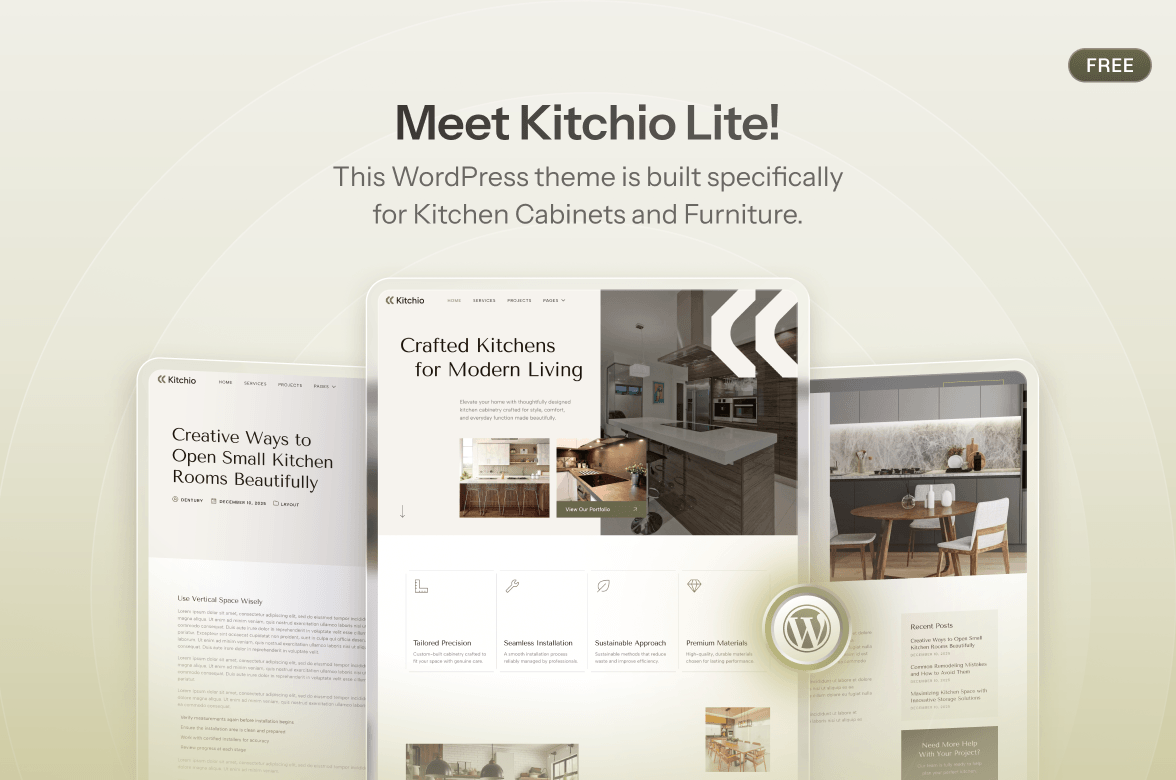
















Many of web designers spend too much time starting projects from a blank page.
As one of the community, you know the drill. New client, new blank page, and hours spent adjusting layouts and spacing. Even when the project feels familiar, like another law firm site, restaurant homepage, or portfolio, you still end up rebuilding the same foundation from scratch.
It’s exhausting. It’s time-consuming. And honestly, it’s unnecessary.
There’s a better way, and it’s called Template Library
Template library is transforming how designers work. Instead of starting with a blank pages every time, you’ll get instant access to professionally designed, fully customizable templates. Import one, adjust the colors and content, and you’ve got a polished website ready in hours instead of days.
Thousands of designers are already using template library to work smarter, deliver faster, and take on more clients without burning out. If you haven’t discovered this feature yet, you’re working way harder than you need to.
Let’s explore what template library is, why it’s such a game-changer, and how to choose the right one for your workflow.
What Exactly Is a Template Library?
Think of a template library as your personal collection of pre-designed website blueprints. Instead of recreating your header, footer, about page, and contact section every time, you can import a pre-made template that already exists.
The best part? Template library works with WordPress’s page builders, so you don’t have to write a single code. Everything is drag-and-drop, visual, and very intuitive.
Here’s how it works:
A Template Library Is a Game-Changer
Template library isn’t just about saving time (though they definitely do that). It’s about working smarter and delivering better results.
1. Build Websites 10x Faster
This is the big one. What used to take a day can often be done in hours (or even minutes!)
You’re not spending hours building a hero section or any other sections. It’s already structured, so you can focus on customizing the design and adding the content that matters most.
2. Deliver Professional Design Every Time
Let’s be honest, not every designer excels at every design style. Maybe you’re great at modern minimalist sites but struggle with bold, colorful designs. Or you nail business sites but portfolios aren’t your thing.
Template library give you access to professional designs across every style and industry. Even if a particular aesthetic isn’t your strength, you can import a template created by designers who specialize in it.
It’s a win-win solution, because your clients get better designs and you look more capable.
3. Stay Updated With the Latest Design Trends
Web design trends evolve fast. What looked modern two years ago can feel outdated today.
Good template libraries constantly release new templates that reflect current design trends. You’ll get access to updated designs without needing to study every new trend yourself.
Your websites always look contemporary and professional, even in competitive industries where design matters.
4. Make Design Decision Faster
Have you ever spent an hour just deciding what font to use? Or changed the button color 15 times?
That’s what happens when you start from a blank page. There are so many small decisions that you end up wasting time on things that shouldn’t take that long.
Template library exist to remove a big part of those decisions. The layouts already work. The typography is balanced. The color combinations are tested. You’re customizing proven designs instead of making hundreds of choices from zero.
5. Learn Better Design Practices
This one might surprised many designers: template library can be great learning tools!
When you use a well-made template, you can see how the page is put together. You notice things like section order, spacing, font sizes, and how the layout changes on mobile. It’s basically a real example of “this is what good web design looks like!”
Over time, your design skills improve just by seeing and working with high-quality templates.
Gutenverse Template Library: A Better Way to Build in the WordPress Block Editor
Now that you understand why template library is an essential thing, let’s explore how Gutenverse has become a game-changer for web designers!
What Makes Gutenverse Different
Gutenverse is built for the WordPress block editor. If Gutenberg has ever felt a bit limited, this helps a lot by giving you modern templates and more control over the design.
The good part is you’re still working inside WordPress. You don’t need to rely on another builder. It’s just WordPress, with extra tools that make building pages easier.
Why Choose Gutenverse
Professionally Designed Templates
Every template is designed by professional designers who understand clean and consistent visuals. Nothing feels outdated. Each template reflects current design standards and best practices, giving you a solid foundation that looks polished from the moment you import it.
Built for Speed and Efficiency
Create pages faster with flexible templates designed for instant use. Import a template that match your needs, then spend your time refining it instead of building everything from zero.
Fully Style-Adaptive System
One good thing is that the templates can follow your global styles, like fonts, colors and spacing. So when you import a template, it usually blends in with your site’s look right away.
Light and Dark Mode Ready
Templates are made to deliver visual balance in both dark and light settings. Whether your site uses a light theme, dark mode, or lets users switch between them, Gutenverse templates adapt it beautifully. This flexibility is increasingly important as more sites offer dark mode options.
One-Click Import
With one click, you can instantly apply beautiful templates to your site. Choose the template you want, import it, and it’s live on your site. This simple process makes it easy for beginners to use professional templates confidently.
Continuously Updated Library
New templates are added regularly, so the library keeps improving over time. It evolves with design trends, so your sites won’t feel out of style. You’ll always have fresh templates to choose from instead of using the same designs over and over.
Who Can Use Gutenverse Template Library?
Gutenverse is perfect for:
Gutenverse Pricing
Gutenverse offers flexible pricing for different needs:
The Professional plan costs $99/year for 10 sites, which is a good deal if you build client sites regularly. If you do about 10 sites a year, it comes out to roughly $9.9 per site for the year. It’s worth it because you’re getting modern templates, solid performance, and ongoing updates without having to buy new templates separately. For more details, you can check the pricing and features here.
Getting Started with Gutenverse Template Library
Ready to transform the way you build websites? Here’s how to get started:
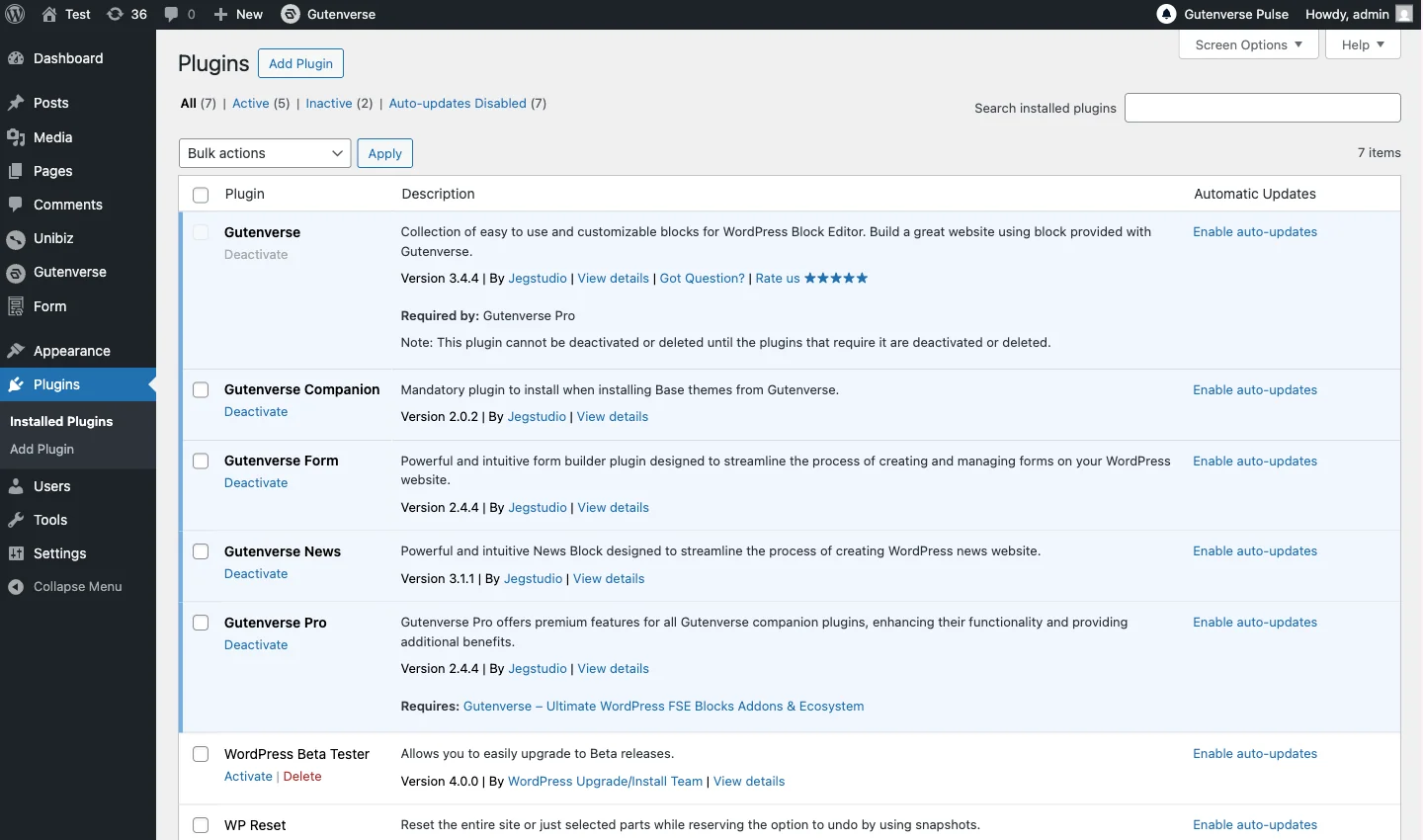
Step 1: Install Gutenverse Plugin
Install the Gutenverse plugin from the WordPress plugin directory. The free version gives you access to 350+ free templates on the template library to test it out.
Step 2: Browse the Template Library
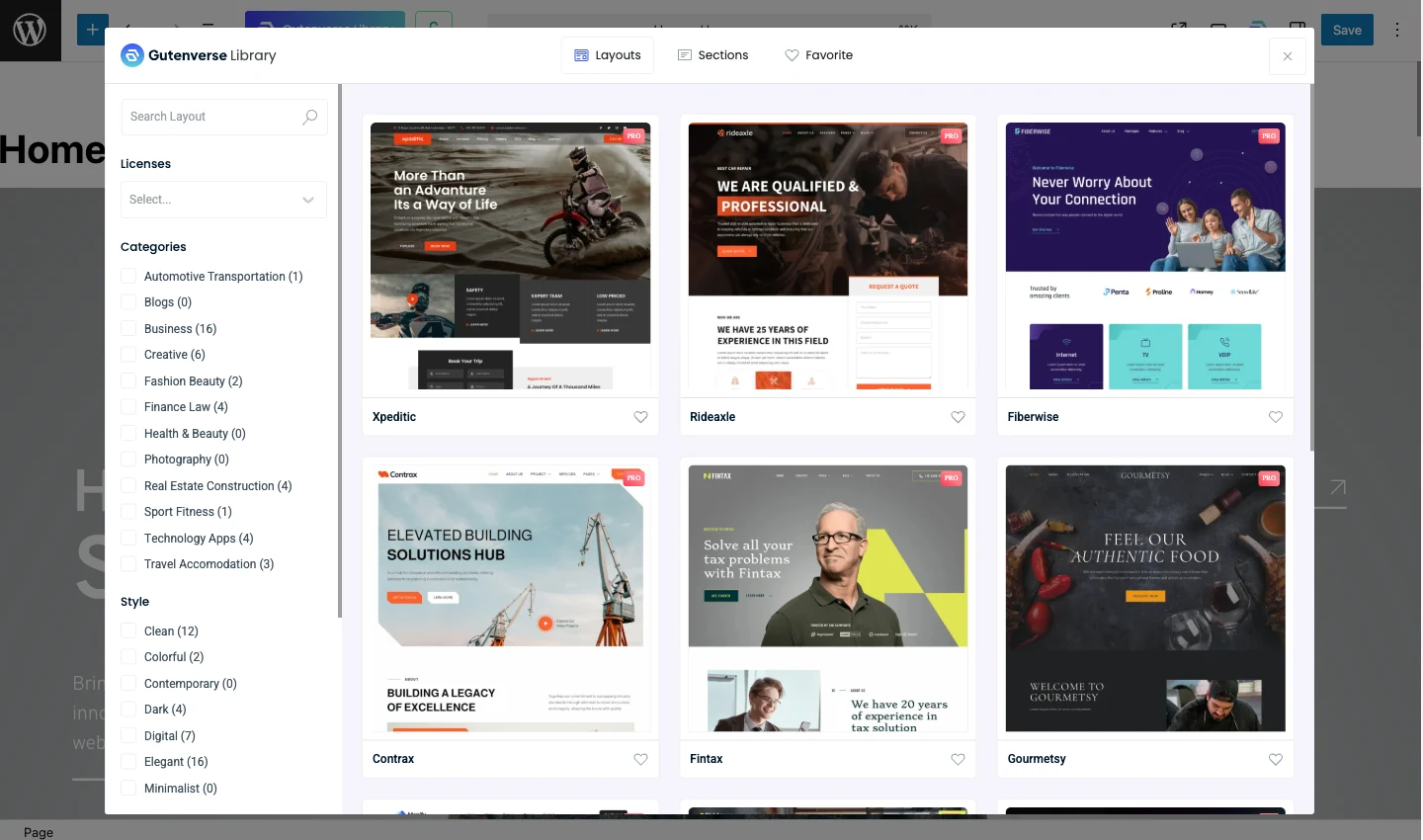
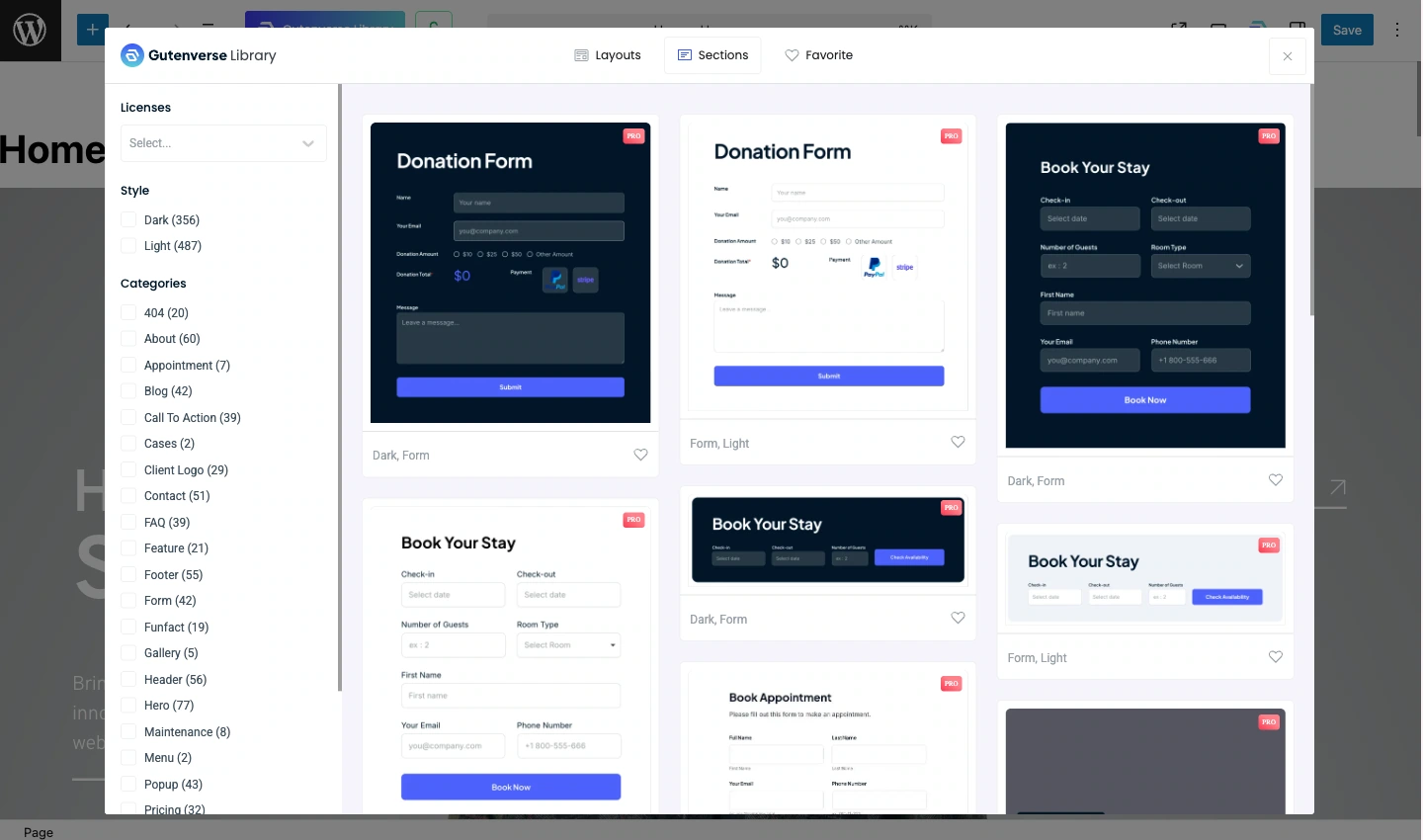
Open the Gutenverse template library from your WordPress dashboard. Browse templates by industry, style, or category. Filter by business type, portfolio, blog, or other categories to find what matches your project.
Step 3: Import Your Chosen Template
Found the perfect template? Just click the import button. The entire design loads into your site in less than a minute. All sections, layouts, and styling come pre-configured and ready to customize.
Step 4: Customize for Your Brand
This is where the magic happens. Use Gutenverse’s intuitive customization tools to:
Step 5: Optimize and Test
Check that everything looks good on all devices, then run a quick speed test to confirm performance. With Gutenverse’s optimized code, you’ll see the good results right away.
Step 6: Launch
Once you’re satisfied, launch your site! Your client gets a modern, fast-loading website and you’ve completed the project much faster than usual.
Final Thoughts
Starting from a blank page isn’t always necessary. You can save a lot of hours by using a template library, especially when you’re building similar sections again and again.
Gutenverse’s template library helps you skip repetitive design work so you can focus on what actually matters: understanding your client’s needs, choosing the right template for their goals, customizing it to match their brand, and delivering results that help them succeed.
We hope this guide helped you understand the perks of using a template library, so you can design sites faster and better in 2026 and see you in the next post!