


















A hospital website needs to do more than create a professional first impression. It should help patients find the right department, learn about available services, check hospital hours, contact the emergency team, and plan their visit without confusion.
Using a general business theme can make this harder. You may need to create department listings, doctor profiles, patient information, emergency contact areas, and healthcare service pages from the beginning.
Sanorra Pro gives hospitals and healthcare providers a more suitable starting point. This premium medical WordPress theme includes a hospital-focused design, ready-made page templates, healthcare sections, and clear paths for patients who want to find a doctor, explore services, or contact the hospital.
Why a Hospital Website Needs a Specialized Theme
People often visit a hospital website because they need specific information. They may be looking for a specialist, checking whether the hospital provides a certain treatment, preparing for a visit, or trying to reach emergency support.
A hospital website should answer important questions clearly, including:
A visually attractive homepage alone can’t answer all these questions. The website also needs clear navigation, organized healthcare information, visible contact options, and sections that help patients trust the hospital.
A medical WordPress theme can save you from adapting a standard company layout to meet these needs. It already gives you a structure built around departments, doctors, services, facilities, and patient support.
What to Look for in a Medical WordPress Theme
Before choosing a medical WordPress theme, check whether it helps patients find important information quickly. The visitors should be able to explore your services, learn about your doctors, check hospital details, and find a way to contact you or make an appointment without confusion. Here are some important things to look for:
Clear Department and Service Sections
Hospitals often provide many types of care. The website should separate departments, treatments, examinations, and support services into clear sections.
Visitors should be able to identify the right service without reading long or highly technical descriptions. Clear titles, short explanations, and visible links can guide them toward more detailed information.
Doctor and Specialist Information
Patients may want to learn about a doctor before planning a visit. A good hospital theme should give you space to introduce doctors, specialists, qualifications, areas of care, and other useful details.
Dedicated doctor pages also make it easier for visitors to find the right medical professional for their needs.
Visible Hospital and Emergency Information
Important details should not be hidden inside the contact page. Hospital hours, emergency availability, phone numbers, locations, and appointment actions should appear where visitors can find them quickly.
This becomes especially important when someone visits the website during an urgent situation.
Details That Build Patient Trust
Visitors want to know whether your hospital has the right doctors, services, facilities, and experience before they make an appointment.
Show doctor profiles, real hospital photos, accepted insurance providers, patient testimonials, and accurate hospital statistics to help them feel more confident about choosing your hospital.
Mobile-Friendly Design
Many patients will access the website from a phone. They may need to call the hospital, check directions, find a department, or view opening hours while traveling.
The theme should keep text readable, buttons easy to tap, and important information visible on smaller screens.
Full Site Editing Support
A block theme with Full Site Editing lets you update more than the content inside individual pages. You can also edit the header, footer, navigation, templates, colors, typography, and other global parts of the website through the WordPress Site Editor.
This gives you a simpler way to update the website when departments, hospital hours, services, doctors, or contact details change.
Sanorra Pro: A Medical WordPress Theme Built for Hospitals and Healthcare Websites
Sanorra Pro is a premium WordPress block theme for hospitals, medical centers, clinics, healthcare institutions, and other medical service providers. It comes with a professional hospital-focused layout that helps you present your departments, doctors, healthcare services, facilities, patient information, contact details, and hospital locations clearly.
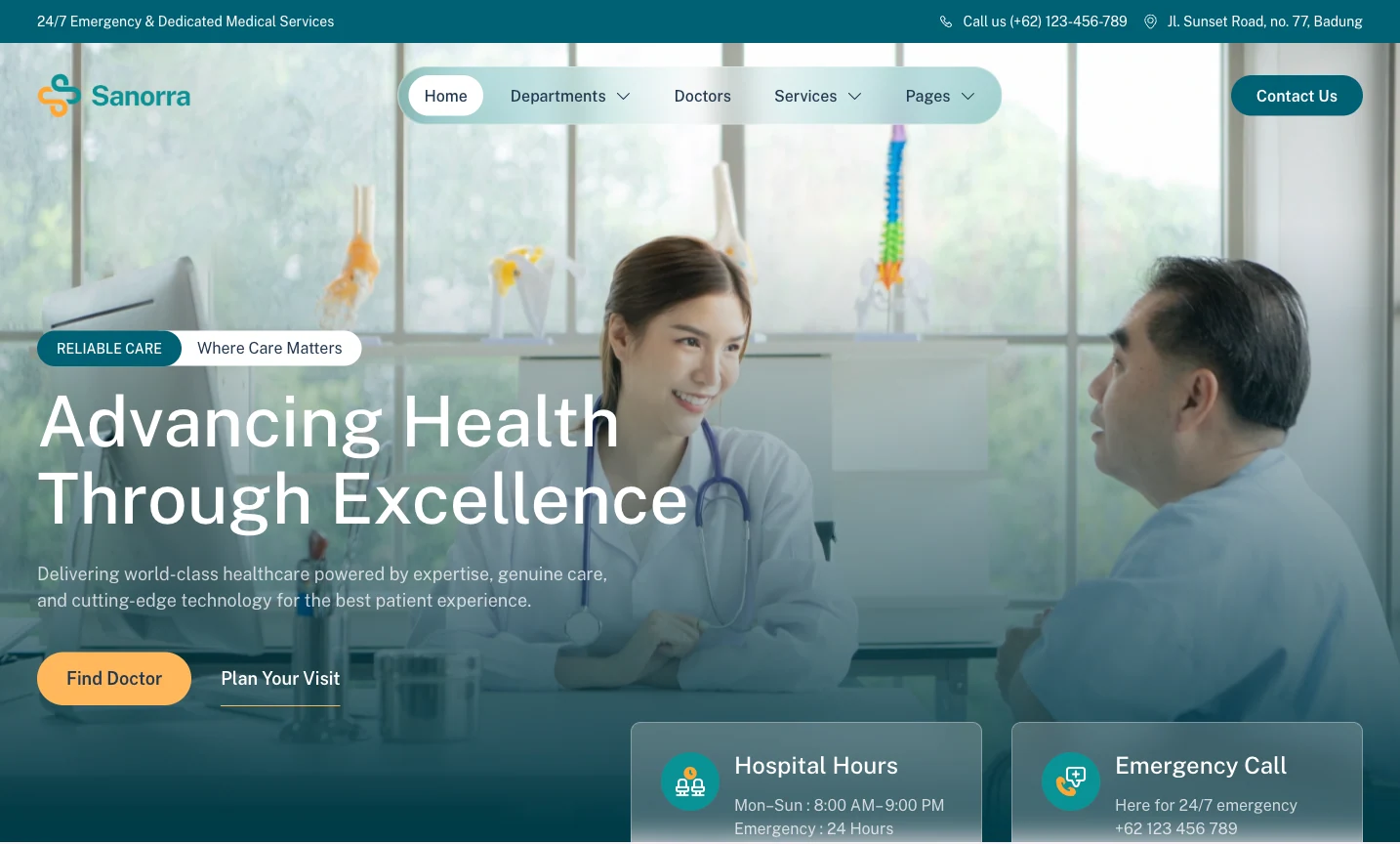
This premium theme also supports Full Site Editing and comes packed in Gutenverse PRO, so you can customize your medical website with WordPress blocks and advanced Gutenverse features. You can edit the homepage, header, footer, page layouts, templates, colors, images, and content directly in the WordPress Site Editor.
What is Included in Sanorra Pro
Sanorra Pro gives you a ready-made website structure for hospitals, medical centers, multispecialty clinics, and other full-service healthcare providers. You can begin with a complete hospital layout instead of creating every section from a blank page.
The homepage starts with navigation, hospital hours, emergency contact information, and a large hero section. It includes clear buttons for finding a doctor and planning a visit. You can use this area to introduce your healthcare organization, explain your main approach to care, and guide patients toward important information.
After the hero section, Sanorra Pro includes hospital statistics for details such as patients treated, certified specialists, medical departments, and insurance affiliates. You can replace the demo numbers with accurate information to show the size, experience, and capabilities of your hospital.
The department section helps you organize different areas of care. The demo includes cardiology, neurology, orthopedics, and pediatrics, but you can replace them with your own departments, such as oncology, radiology, dermatology, surgery, or maternity care.
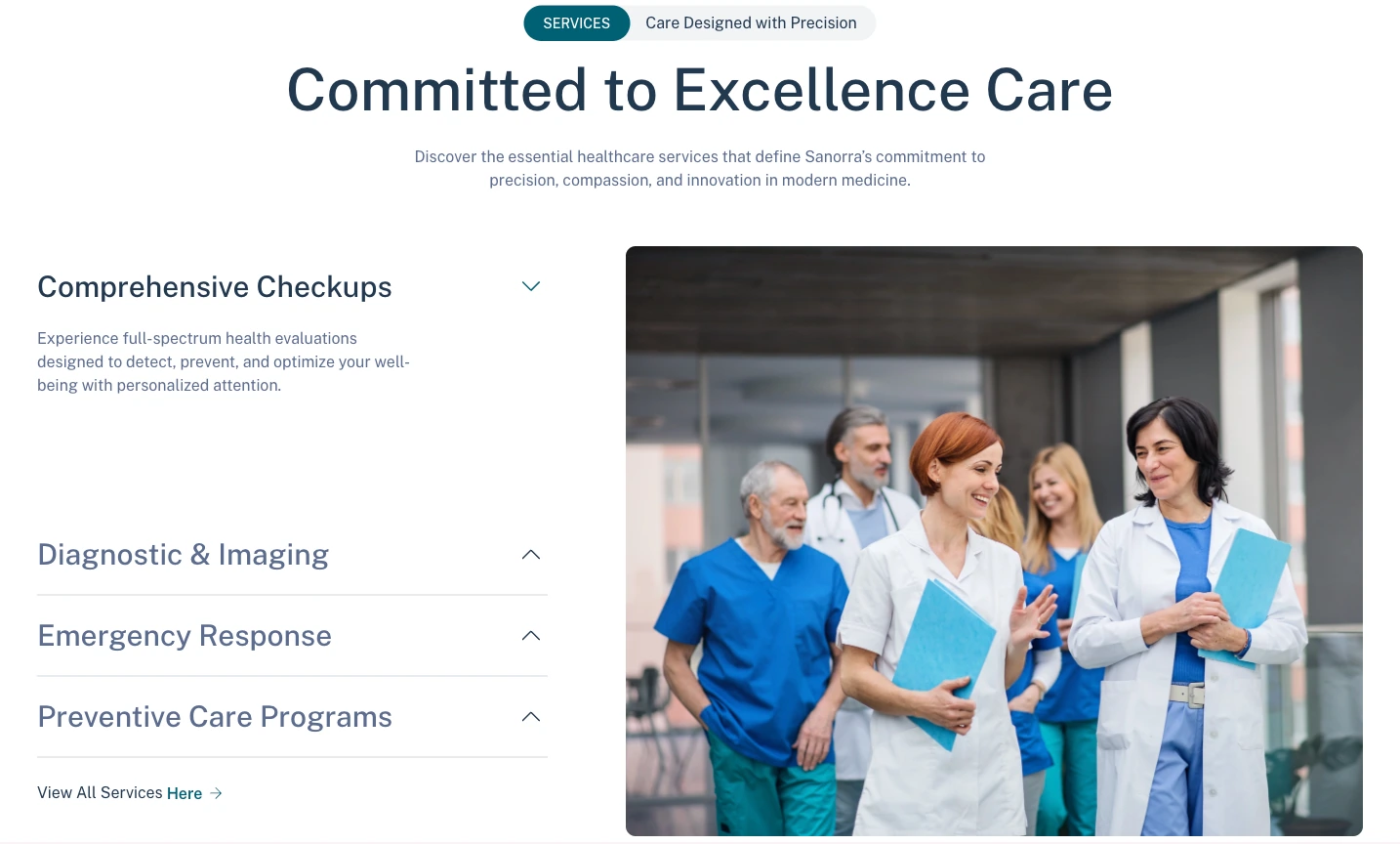
Sanorra Pro also includes sections for general healthcare services. The demo shows comprehensive checkups, diagnostic and imaging services, emergency response, and preventive care programs. You can use this area to present laboratory services, health screenings, rehabilitation, vaccinations, or other hospital programs.
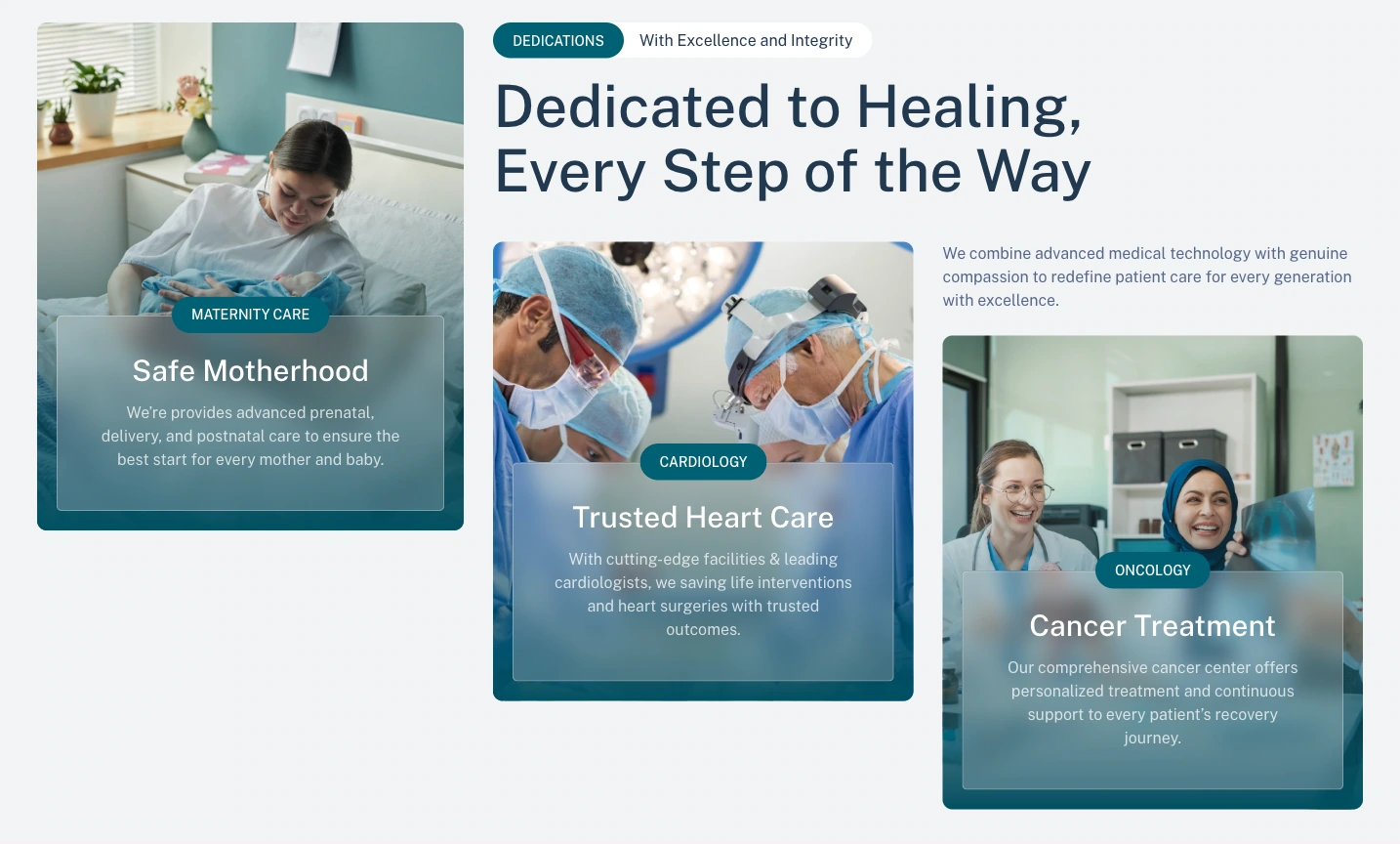
The homepage gives you larger sections for featured areas of care, such as maternity care, cardiology, and oncology. These sections give you more space to explain important treatments, introduce specialist facilities, and highlight the services your hospital is known for.
You also get sections for medical technology, hospital facilities, insurance partners, patient testimonials, and hospital locations. These areas can help you present your equipment, capacity, accepted insurance providers, patient experiences, and different branches.
Sanorra Pro also includes a medical blog and quick patient links, such as Find Doctor, Our Lab, and Appointment. You can use them to publish healthcare articles and guide visitors toward the actions they need most.
Who Can Use Sanorra Pro?
Sanorra Pro works best for healthcare organizations that need to present several services, departments, or specialists in one website. You can use it for:
Smaller practices can also adapt the theme, but its structure is most useful for organizations that need a broader hospital-style presentation.
How to Install Sanorra Pro Theme
After you choose the theme that fits your needs, you can start the setup process and follow these steps:
After activation, replace the demo content with accurate information from your healthcare organization.
How to Improve Your Medical Website After Choosing a Theme
A theme gives you the starting layout, but your content determines whether visitors can understand and trust your healthcare website. After replacing the demo content, review each section and make sure it clearly explains your services, medical team, contact details, and appointment process.
Use real healthcare photos
Show your actual clinic, hospital building, reception area, treatment rooms, doctors, dentists, or medical staff. Real images can help visitors feel more familiar with your healthcare facility before they arrive.
Write a specific opening message
The first section should immediately explain what type of care you provide. Instead of using a general healthcare headline, mention whether you run a hospital, family clinic, dental practice, specialist center, or another healthcare service.
Make appointments easy to find
Visitors should not need to search for a way to contact you. Add clear buttons such as Book an Appointment, Contact the Clinic, Call Us, View Our Services, or Meet Our Doctors.
Explain your services clearly
Separate your treatments, departments, or care options into organized sections. Use simple names and patient-friendly descriptions so visitors can quickly understand which service they need.
Add extra sections when needed
You can use the Gutenverse Template Library to expand the original theme layout with doctor profiles, patient testimonials, FAQs, clinic hours, location details, insurance information, or additional call-to-action sections.
FAQ
Sanorra Pro is a suitable option for hospitals and larger healthcare providers that need to present departments, doctors, services, facilities, insurance partners, locations, and patient information within one website.
No. Sanorra Pro is a premium theme packed in Gutenverse PRO. You need access to Gutenverse PRO to install and use the complete theme.
Yes. Sanorra Pro supports the WordPress Block Editor and Full Site Editing. You can edit page sections, templates, headers, footers, colors, images, typography, and other design areas visually through WordPress.
Yes. You can use Gutenverse Form to create forms for general inquiries, appointment requests, department questions, or other non-emergency communication.
Sanorra Pro works well for hospitals, medical centers, multispecialty clinics, diagnostic centers, maternity hospitals, specialist healthcare providers, and larger clinics with several services or departments.
Ready to Build Your Medical Website?
Building a hospital website with a general WordPress theme can require many adjustments. You may need to create department sections, doctor pages, hospital statistics, emergency information, insurance areas, and location details yourself.
Sanorra Pro gives you a hospital-focused starting point. It includes a complete homepage, department and service templates, doctor pages, patient trust sections, location information, Full Site Editing support, and integration with the Gutenverse ecosystem.
You can replace the demo content with your hospital information, adjust the layout through the WordPress Site Editor, and add more sections as your healthcare organization grows.
For hospitals, medical centers, and healthcare providers that need a complete and professional website structure, Sanorra Pro gives you the tools to start building without beginning from an empty page.