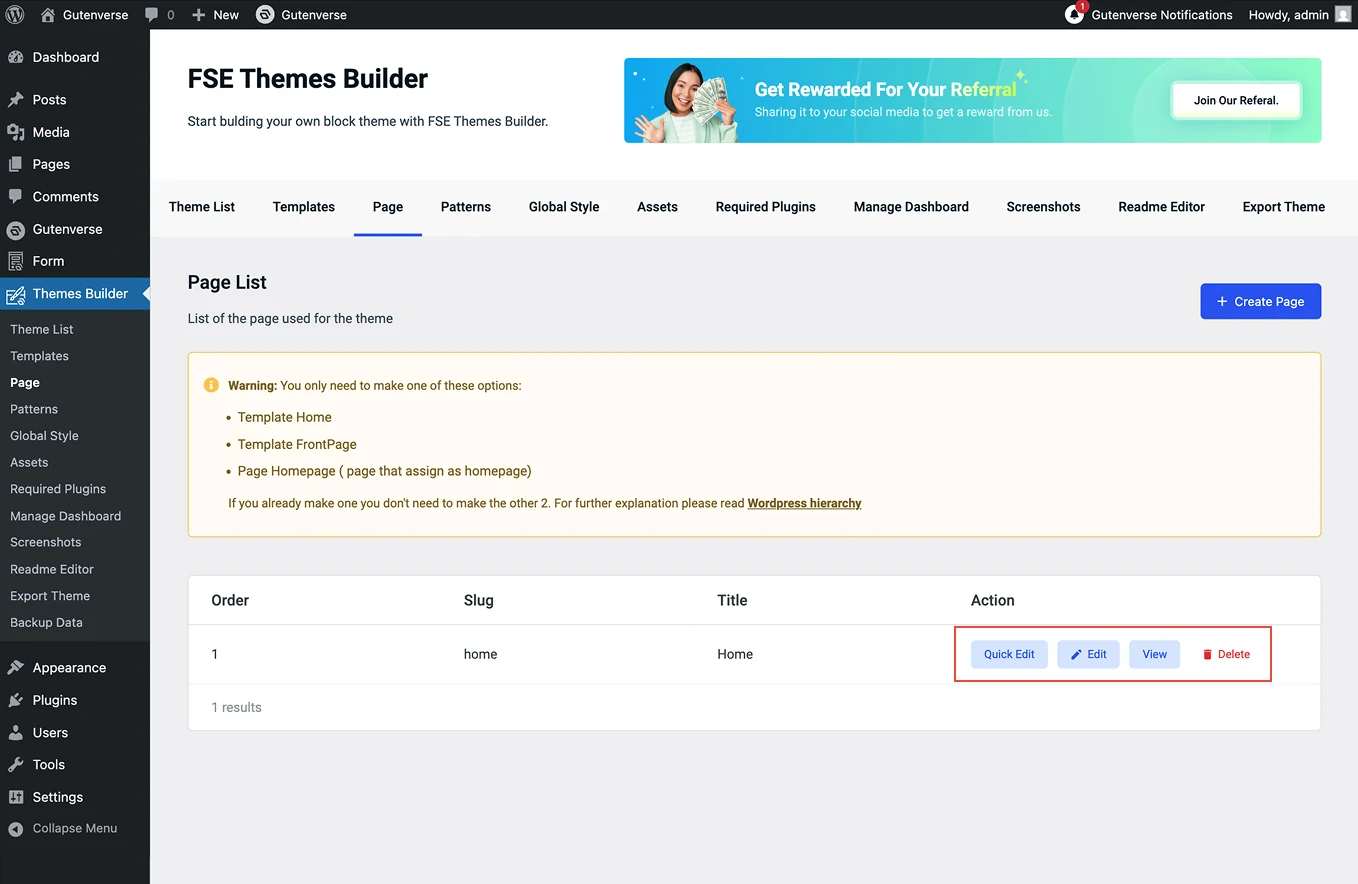
















Displays all the pages that are part of this theme, allowing you to view and manage them easily.
Here’s how you can add a new page:
You can go to Dashboard -> Themes Builder. Then click on the menu Page:
1.
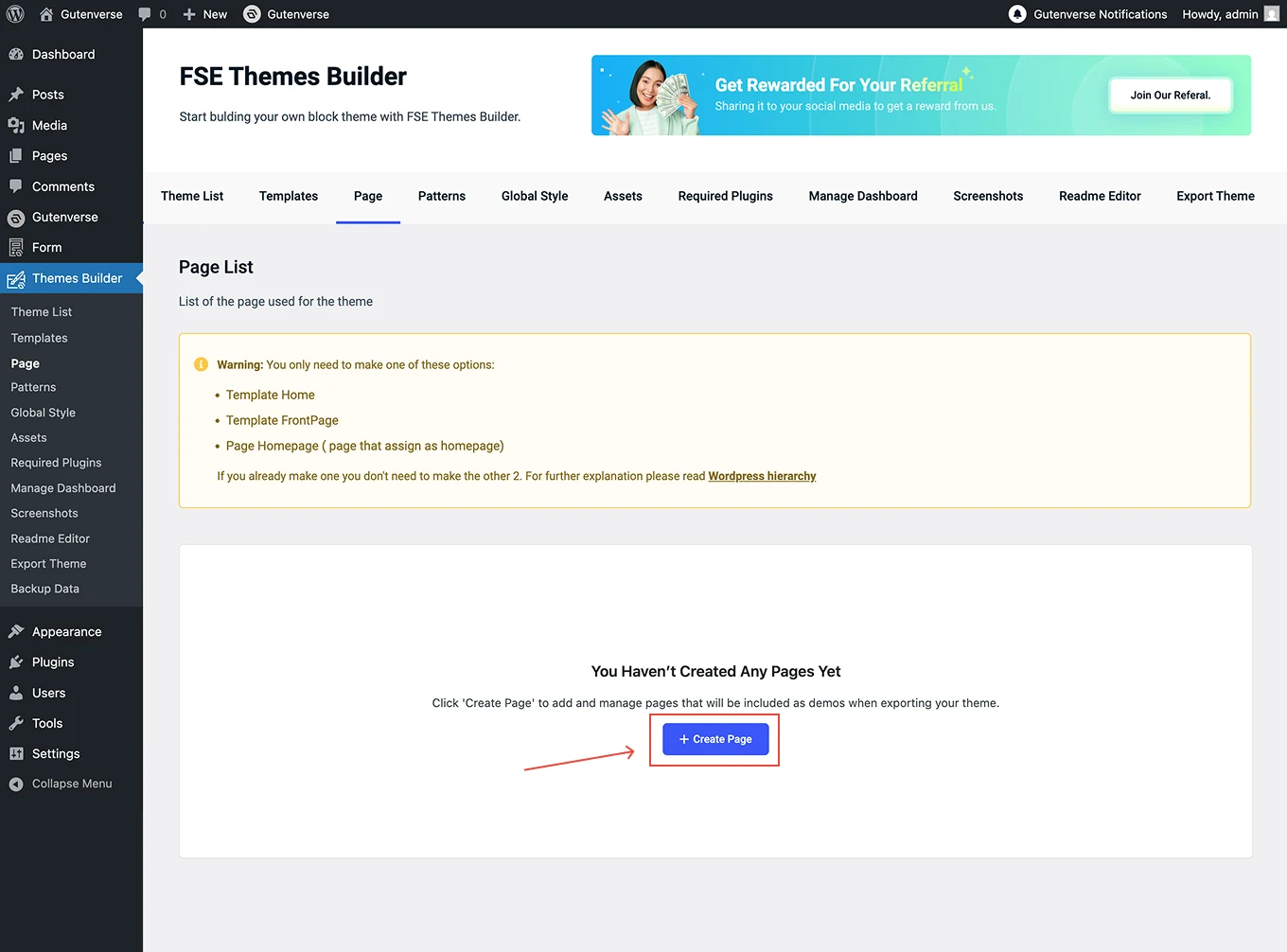
Inside the menu Page, Click the Create page button to create a new page.
2.
After clicking the Create Page button, a popup window will display, as shown in the image.
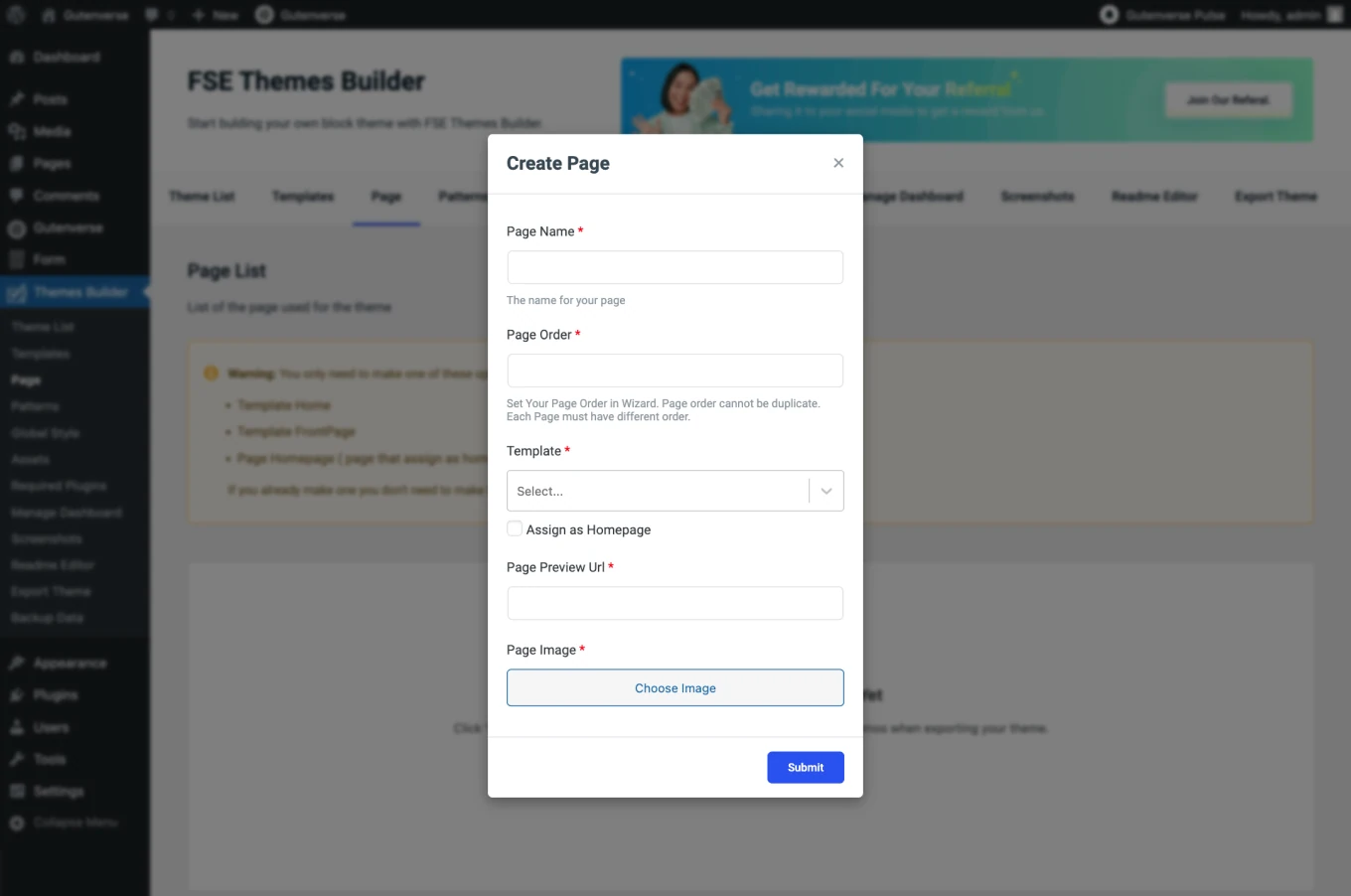
The popup contains the following fields:
3.
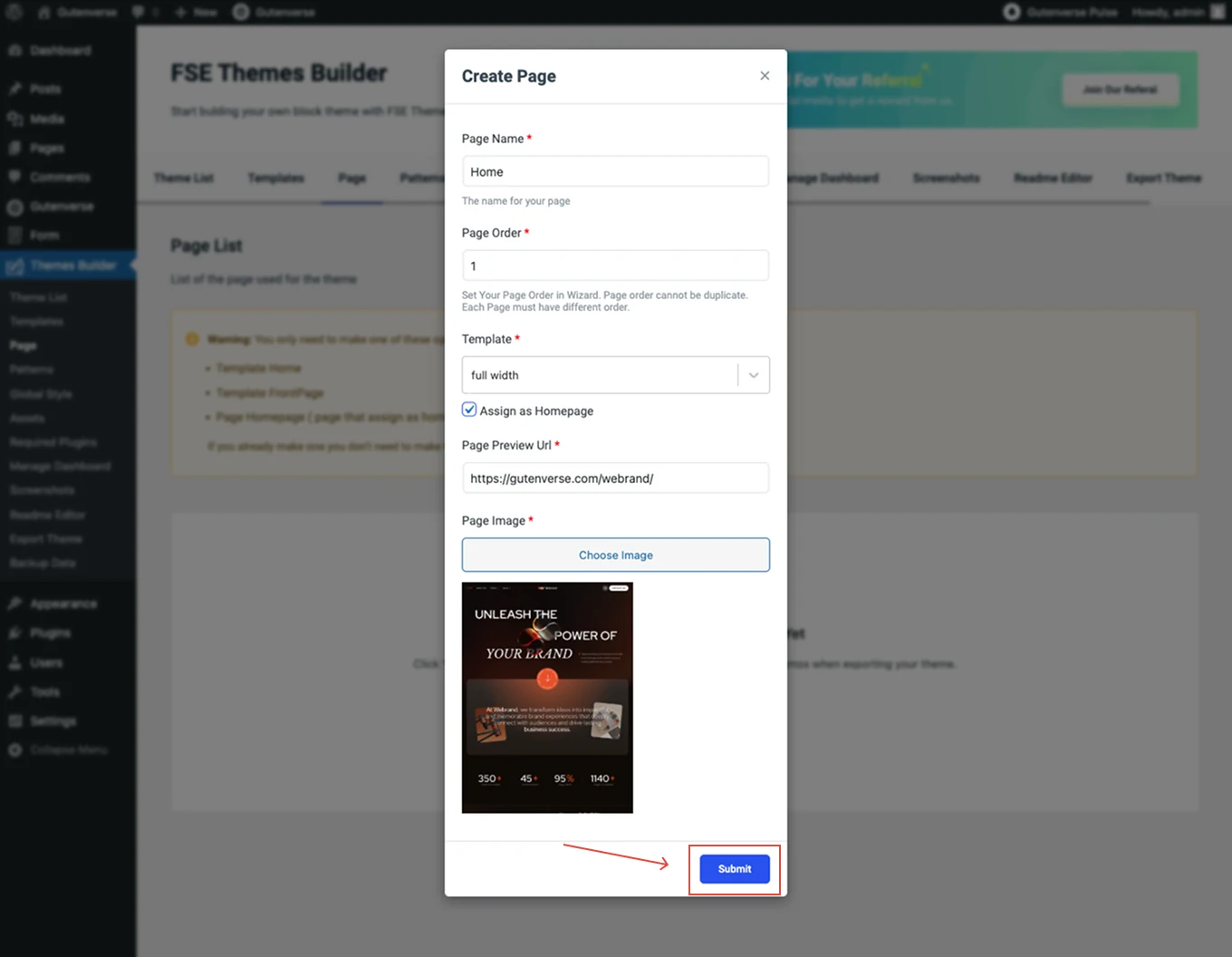
Once all the fields are filled out, click the Submit button.
4.
After the Submit button is clicked, a display like this will appear.