












If you’ve been using Gutenverse, you’re probably familiar with building websites using the WordPress Block Editor. Instead of working with complicated layouts or writing custom code, you can add blocks, arrange sections, and customize your website visually.
But creating a news website involves more than designing individual pages.
News publishers need to organize articles, highlight important headlines, manage different categories, and update their websites regularly. They also need consistent layouts across their homepages, article pages, and archives.
That’s why our team is working on something new for JNews.
Following the introduction of JNews Twenty, we’re developing the JNews Block Theme, an upcoming news WordPress block theme that will support native WordPress block editing and Full Site Editing.
This project brings together our experience developing publishing themes through JNews and our work with WordPress blocks through Gutenverse.
Our goal is to give publishers more control over how they build and customize their websites, without losing the features that make JNews suitable for news websites, online magazines, and blogs.
In this article, we’ll introduce the upcoming JNews Block Theme, explain how it works, and explore what publishers can expect from its block-based editing features.
What Is the JNews Block Theme?
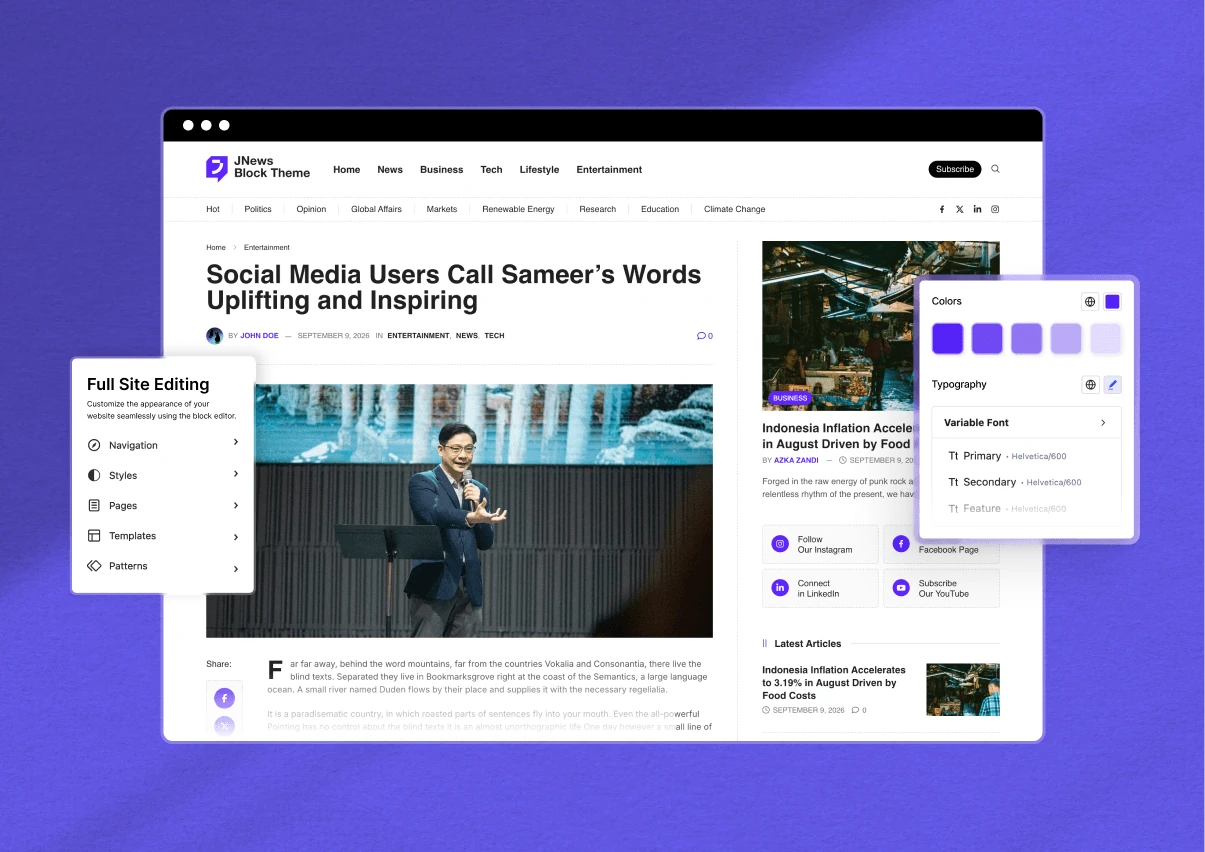
The JNews Block Theme is an upcoming WordPress theme designed for news websites and other content-focused publications. It will use the WordPress Block Editor and Full Site Editing to give publishers more control over their website layouts.
To understand what makes this different, it helps to know how classic WordPress themes work.
Many classic themes provide customization options through theme settings, page builders, or separate layout management tools. These options let users change their website’s appearance, but the editing process can vary depending on which part of the website they want to customize.
For example, you might use one interface to design your homepage and another to manage your header or footer.
A WordPress block theme takes a different approach.
With a compatible block theme, you can use the WordPress Site Editor to customize major parts of your website. This includes headers, footers, page templates, and global styles.
Instead of managing these elements through several separate interfaces, you can work with them using WordPress blocks.
For a news website, this opens up more possibilities for organizing content.
You might want your homepage to highlight breaking news, followed by recent articles from Politics, Business, and Technology. Your category pages may need different layouts, while individual articles should provide a consistent reading experience.
The upcoming JNews Block Theme aims to make these layouts easier to build and manage through the WordPress editing experience.
It will combine the flexibility of block-based design with the publishing-focused approach that JNews users already know.
Why Are We Developing a News WordPress Block Theme?
WordPress has changed significantly over the years, particularly in how users create and customize websites.
The WordPress Block Editor introduced a visual way to build content using blocks. Full Site Editing expanded this approach by allowing compatible themes to manage more parts of the website through the same editing system.
These changes give website owners more control over their designs.
At Gutenverse, we’ve been developing tools that build on these WordPress capabilities. Our plugins help users create pages, arrange content, and customize website layouts using blocks.
Meanwhile, JNews has focused on a different part of the WordPress experience: publishing.
JNews provides themes and features for websites that regularly publish articles, manage multiple content categories, and need layouts that help readers discover stories.
With the upcoming JNews Block Theme, we want to bring these two areas together.
The idea is to make building a publishing website more flexible while keeping the editing process familiar to WordPress users.
For example, a news publisher may want to redesign the homepage to highlight a major event. A magazine editor might need to reorganize featured stories, while a blogger may want to change how articles appear across the website.
A block-based editing experience can make these design changes easier to manage visually.
Rather than relying entirely on predefined layouts, publishers can work with individual sections and customize how their content appears.
This is the direction we’re taking with the upcoming WordPress block theme for news websites.
What Can You Expect From the JNews Block Theme?
The upcoming JNews Block Theme will focus on two important WordPress capabilities: native block editing and Full Site Editing.
Both features aim to give publishers more control over their websites, but they serve different purposes.
Native block editing helps users build content and page layouts using blocks. Full Site Editing extends that control to website-wide elements, including templates, headers, and footers.
Here’s a closer look at how these features can support news websites, magazines, and blogs.
1. Build Your News Website With WordPress Blocks
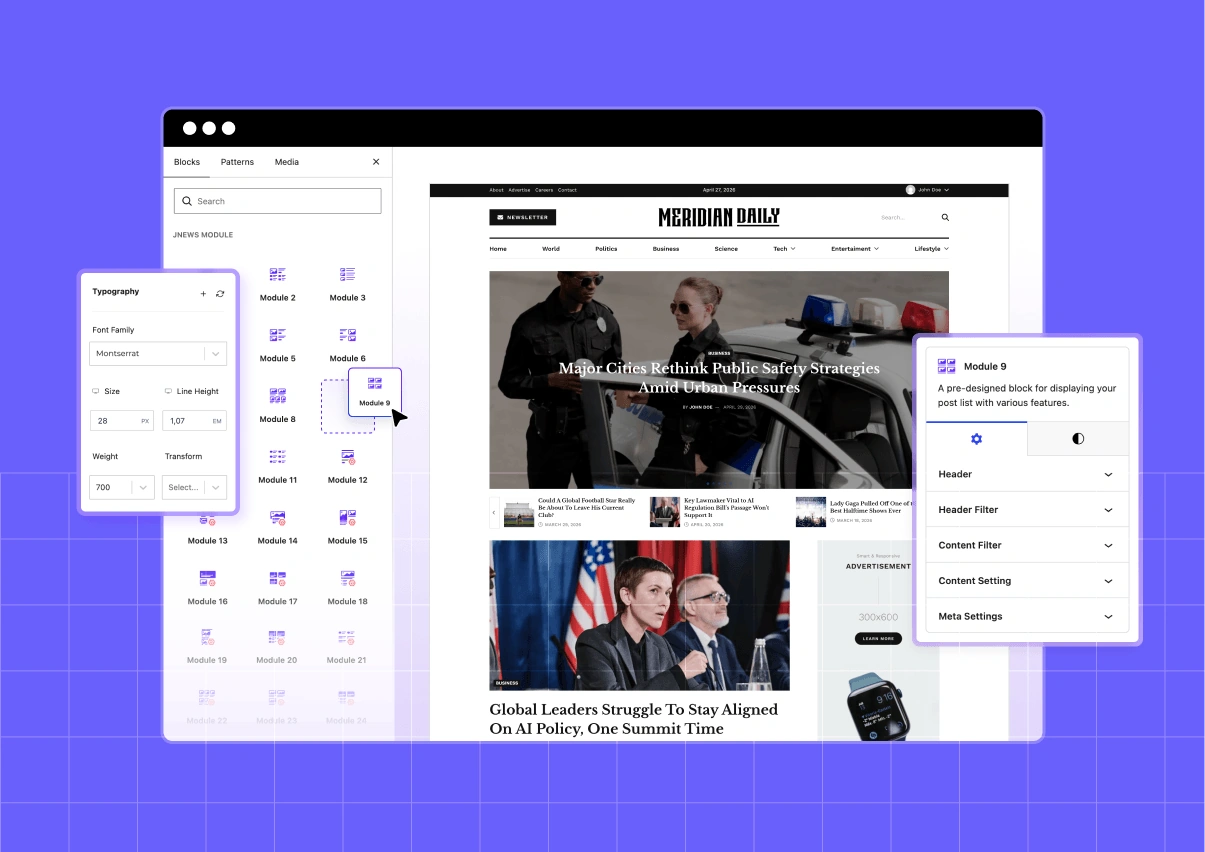
One of the main goals of the upcoming JNews Block Theme is to let publishers build and customize more of their websites using WordPress blocks.
If you’ve used the WordPress Block Editor before, you already know the basic idea.
You add blocks to a page, arrange them in the order you want, and adjust their settings to control how they appear.
For example, you might use a heading block for a section title, an image block for visual content, or a group block to organize several elements into one section.
The upcoming JNews Block Theme will extend this block-based approach to layouts designed for publishing websites.
Imagine you’re building the homepage of a news publication.
You may want a large featured article at the top to highlight the most important story. Below it, you could display the latest articles, followed by separate sections for Politics, Business, Technology, and Sports.
As your publication grows, you might decide to add a new category or change which stories appear at the top of the homepage.
With a block-based approach, you can work with these sections visually and adjust the layout to match your publishing needs.
This flexibility also applies to different types of content websites.
An online magazine might prefer larger images and featured article sections. A personal blog could use a simpler design with fewer elements, giving more attention to individual posts.
The goal isn’t to make every publishing website use the same layout. Instead, we want to provide more flexibility so website owners can create designs that match their content.
For users already familiar with Gutenverse, this approach should feel more familiar because it follows the same block-based editing concept.
2. Customize Your Entire Website With Full Site Editing
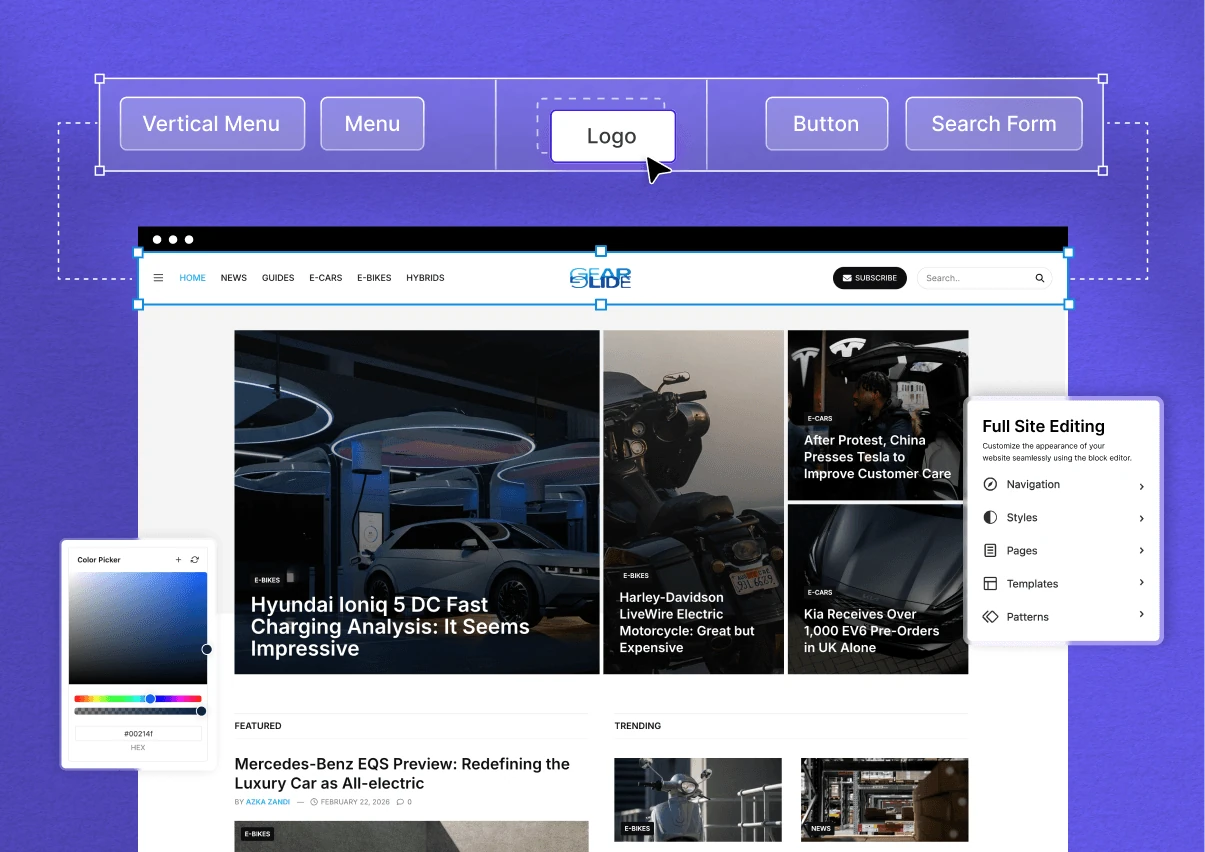
Another major feature planned for the JNews Block Theme is support for WordPress Full Site Editing (FSE).
Full Site Editing allows users to customize more than individual posts and pages. With a compatible block theme, you can also edit your website’s templates and shared design elements through the WordPress Site Editor.
This includes important parts of your website, such as the header, footer, single post templates, category pages, and archive layouts.
For publishing websites, these elements play different roles.
Your homepage highlights important news and recent articles. Category pages organize stories by topic, while single post templates determine how readers experience individual articles.
These layouts need to serve different purposes while maintaining a consistent design.
Full Site Editing makes it easier to manage them through the WordPress Site Editor.
Let’s look at how this can work for a news website.
Customize Your Header and Footer
Your website header helps visitors understand where they are and how to find different sections.
For a news publication, it might include your logo, navigation menu, search option, and links to important categories.
With Full Site Editing, you can customize the header through the WordPress Site Editor. You can adjust its layout, arrange its elements, and change its appearance using blocks.
The same applies to your footer.
You might want to include links to different news categories, company information, or other important pages. Instead of managing these elements through separate theme settings, you can edit the footer visually.
Because headers and footers are shared across multiple pages, maintaining them in one place also helps keep your website consistent.
Manage Your Single Post Templates
A single post template controls how articles appear on your website.
For example, your article layout might include a title, author information, publication date, featured image, article content, and related posts.
These elements should follow a consistent structure so readers can focus on the content.
With Full Site Editing, you can customize the template that controls how your articles appear.
You might want to move the featured image, change the spacing between elements, or adjust the placement of a sidebar.
Instead of editing every article individually, you can make changes to the shared template.
WordPress then applies those changes to the articles that use it.
This can be especially useful for news websites that publish many articles each day. Editors can continue working on their content without having to recreate the same layout for every post.
Design Your Category and Archive Pages
Category pages help readers find articles about specific topics.
For example, someone interested in technology news might visit your Technology category to explore the latest stories. Another visitor may prefer the Business or Sports section.
These pages should make it easy to identify recent articles and browse older content.
With Full Site Editing, you can customize the templates used for category and archive pages.
You might choose to display a category title at the top, followed by a grid of recent posts. Another layout could emphasize larger featured images or display articles in a more compact list.
The block-based approach gives publishers more flexibility when organizing these pages.
This can help you create layouts that match the type of content you publish while keeping your website’s design consistent.
Keep Your Website Design Consistent
As your website grows, maintaining a consistent appearance becomes more important.
Your homepage, category pages, and articles should feel like parts of the same publication.
WordPress Full Site Editing includes global styles that let users manage design settings across their websites.
For example, you can adjust colors and typography to establish a consistent visual identity.
If your publication updates its branding, you can change these shared settings instead of manually updating every page.
The upcoming JNews Block Theme aims to make this kind of customization more accessible to publishers.
Whether you’re building a small news website or managing a larger publication, having more control over shared design elements can make website maintenance easier.
How Will the JNews Block Theme Help News Publishers?
News websites have different requirements from many other types of websites.
A business website might keep the same homepage for several months. A news publication, however, may update its featured articles multiple times a day.
New stories need to appear in the right sections. Older articles should remain accessible, and visitors need clear ways to browse different topics.
These requirements influence how publishers build their websites.
With a news WordPress block theme, publishers can take advantage of block-based layouts while continuing to organize their content around the needs of their readers.
For example, imagine your publication normally highlights national news on its homepage. During a major sporting event, you might want to give the Sports section more attention.
A flexible block-based layout can make it easier to adjust the homepage without redesigning the entire website.
The same applies when your publication introduces new content categories.
You might start with Politics, Business, and Technology, then expand into Entertainment or Lifestyle as your audience grows.
Instead of keeping the original homepage structure forever, you can adjust its sections to reflect the content you’re publishing.
Full Site Editing also supports longer-term website management.
As your publication grows, you may want to change article templates, adjust archive layouts, or update the overall design. Managing these changes through shared templates can reduce repetitive work.
Our goal with JNews Block Theme is to make these customization options useful for publishers who regularly manage and update content.
How Does the JNews Block Theme Relate to JNews Twenty?
The upcoming JNews Block Theme is part of the broader development direction we’re taking with JNews Twenty.
JNews Twenty is the next generation of JNews, designed to provide publishers with improved performance, additional website designs, and ongoing feature development.
It builds on the existing JNews publishing experience while preparing for newer WordPress technologies.
The JNews Block Theme focuses specifically on bringing native block-based website building and Full Site Editing into that development direction.
While JNews Twenty already introduces improvements that users can explore today, the block theme is still under development.
This distinction is important for existing JNews users.
If you’re currently using JNews Classic or JNews Twenty, you can continue working with your existing theme. You don’t need to change your website just because our team is developing a new block-based option.
The upcoming block theme will provide another approach to building publishing websites, particularly for users who prefer working with the WordPress Site Editor.
You can learn more about the current improvements in our JNews Twenty features overview.
Get to Know More for Upcoming JNews Block Theme
We’re developing the JNews Block Theme to give publishers more control over their websites through the WordPress Block Editor and Full Site Editing.
For news publishers, magazine owners, and bloggers, this means more ways to customize homepage layouts, category pages, and article templates using blocks.
Our team is drawing on its experience with JNews and Gutenverse to build a theme around the needs of content-focused websites. Development is still ongoing, and we’ll share more about its features as the work progresses.
Want to explore JNews while we work on the block theme? Visit the JNews website to see its current publishing features, or learn more about JNews Twenty for an overview of the improvements already available and upcoming plans.