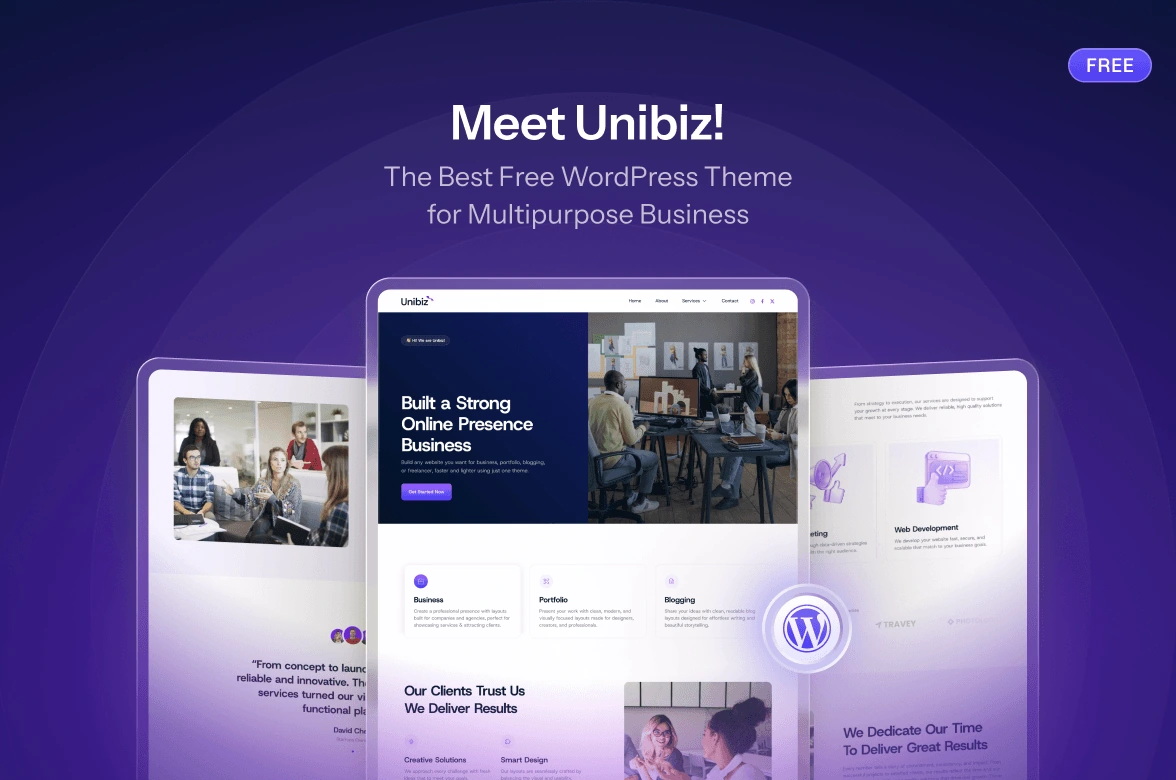


















Building a corporate website can feel a bit challenging. It needs to look professional, trustworthy, and well-structured. At the same time, it should feel modern and easy to browse. If you create the website yourself, you probably do not want to spend weeks adjusting every section. You just want the homepage to look complete.
That’s why starting with the right theme can help a lot. A good free WordPress theme gives your business website a solid layout from the start. This helps you focus on your content, services, testimonials, and main call to action.
In this article, we will look at three free WordPress themes for corporate and business websites: Startupzy, Echelon FSE, and Hypebiz. These three themes support the WordPress block editor, but each one offers a different style and purpose.
What to Look for in a Corporate and Business WordPress Theme
A good corporate and business theme should do more than make your homepage look nice. It should help visitors understand your business quickly and find the information they need without confusion.
Most people don’t read a company website from top to bottom. They usually scan the headline first. Then, they look for sections like services, client proof, pricing, work process, and contact details.
If those sections are easy to find, your website will feel clear and trustworthy. But if everything is placed randomly, even a beautiful design can feel hard to use.
Before choosing a theme, make sure it has sections for:
The small details are important too. A corporate website needs readable typography, clean spacing, and noticeable buttons. It should feel like a real business site before you even replace the demo content.
Working on Full Site Editing Makes This Easier
All three themes in this list support the WordPress block editor or Full Site Editing (FSE). This means you can edit more than just the page content. You can also update the header, footer, templates, and page layouts directly inside WordPress.
This is helpful for business owners, freelancers, and small teams. You can update your homepage headline, edit a service description, replace an image, or change a footer link without asking a developer for every small update.
If you are new to this workflow, you can read the official WordPress Site Editor documentation to learn how it works. These themes also work with the Gutenverse plugin, which gives you more blocks and ready-made sections when you want to build more than the starter layout.
1. Startupzy: A Modern Theme for Startups and Tech Brands
Startupzy is a good option if you are building a website for a startup, tech company, SaaS business, IT service provider, software business, or digital agency. The design feels clean, modern, and more digital, so it works well for brands that want a sharp website without starting from a blank page.
One thing that makes the Startupzy theme useful is how it helps you explain a new or growing business clearly to visitors. Startup websites often need to explain more details than established business websites do. Visitors may not know what your product does, why it is useful, or which plan is right for them.
Startupzy comes with a front page template that includes:
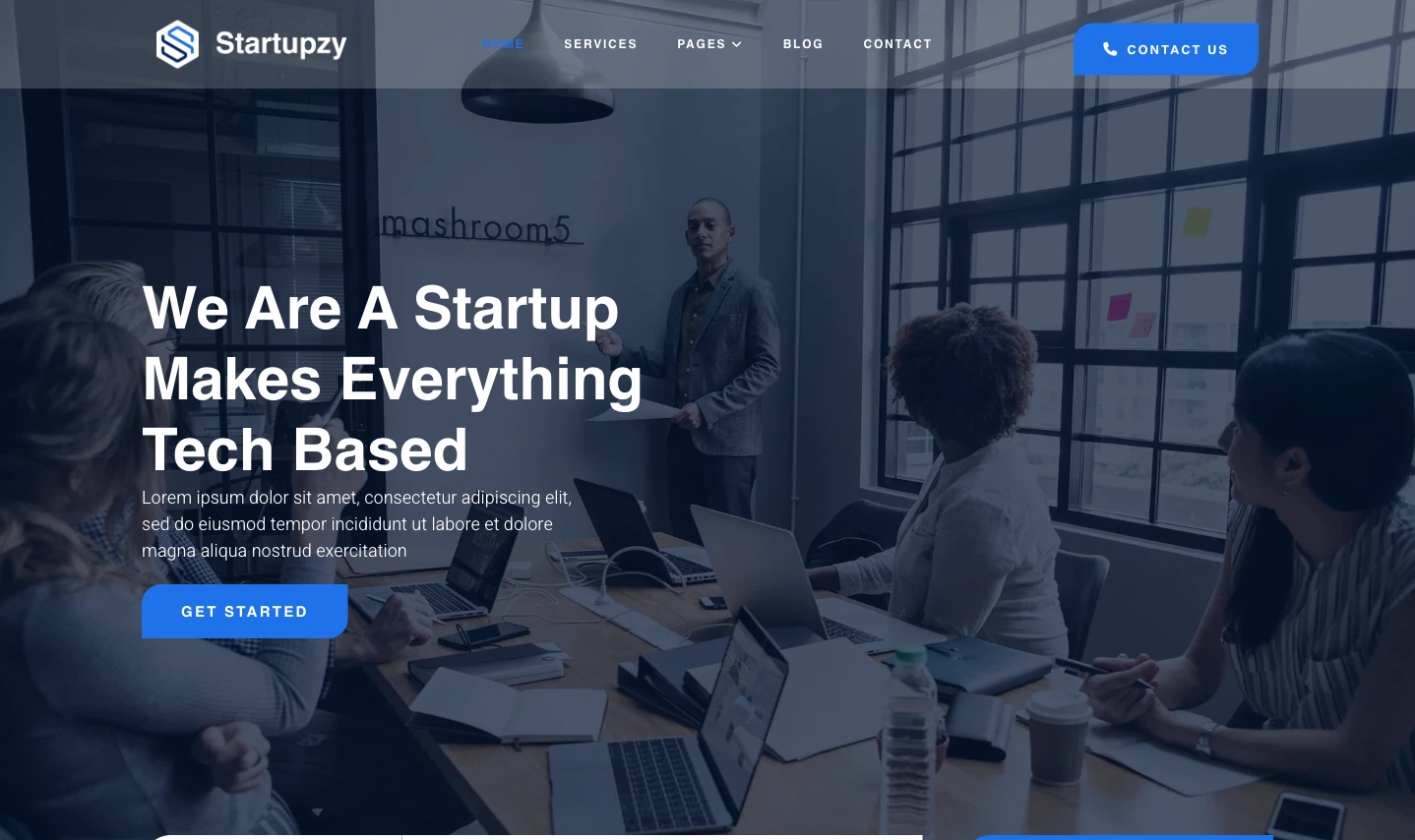
These sections help you guide visitors through your business step by step. You can introduce what your company does, explain your services, show pricing options, add trust through testimonials, and guide people to contact you or book an appointment.
For example, a SaaS business can use the pricing section to show its plans. An IT service provider can use the service cards to explain different services, such as cybersecurity, cloud migration, managed support, or software development. A founder or small team can use the appointment section to encourage visitors to book a demo or consultation.
This theme is best for: Startups, SaaS businesses, software companies, IT service providers, entrepreneurs, and modern digital agencies.
2. Echelon FSE: A Clean Theme for Corporate and Agency Sites
Echelon FSE is a good choice if you want a website that looks more formal, clean, and straightforward. It works well for corporate websites, company profiles, business agencies, consulting firms, and other professional business sites.
While Startupzy suitable for startups and tech brands, Echelon FSE focuses more on clarity. It is a theme for businesses that want to explain who they are, what they offer, and how people can work with them.
Usually, corporate websites don’t follow the exact same structure. Some businesses may want to show their services first, while others may need more space to talk about their experience, process, industries, or client results. That’s why Echelon FSE gives you a flexible layout that you can adjust based on what matters most to your business.
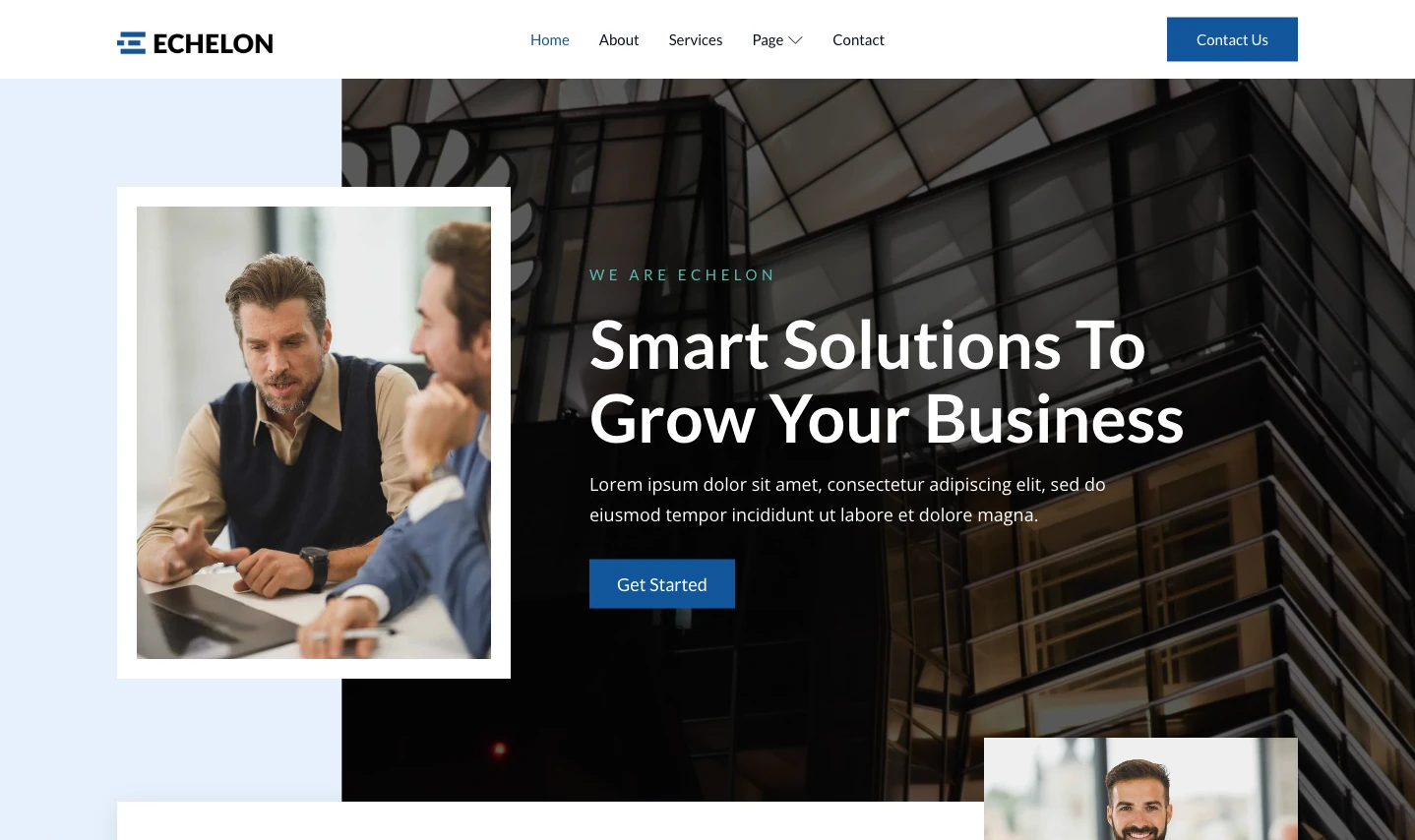
This theme is best for: Company profiles, corporate sites, agencies, consulting firms, and B2B service providers.
3. Hypebiz: A Flexible Theme for Consulting and Professional Services
Hypebiz is the most flexible option in this list. It is a multipurpose business theme made for consulting services, consultants, finance companies, enterprises, financial advisors, digital agencies, and other professional websites.
The good thing about Hypebiz is that it does not feel limited to one type of business. You can use it for a consulting firm, a financial advisor, an enterprise service provider, or a general business website that needs a professional and practical layout.
This is important because professional service websites need to build trust. People are not just buying a simple product. They are deciding whether they trust your experience, service, and expertise. So, the website needs enough space to explain your services, introduce your business, show proof, and guide visitors to contact you.
For example, a consulting business can use Hypebiz to show its service areas, explain the company background, add client testimonials, publish advice articles, and create a contact page. A finance-related business can use the same structure to explain advisory services, introduce the team, and make the website feel more trustworthy from the first visit.
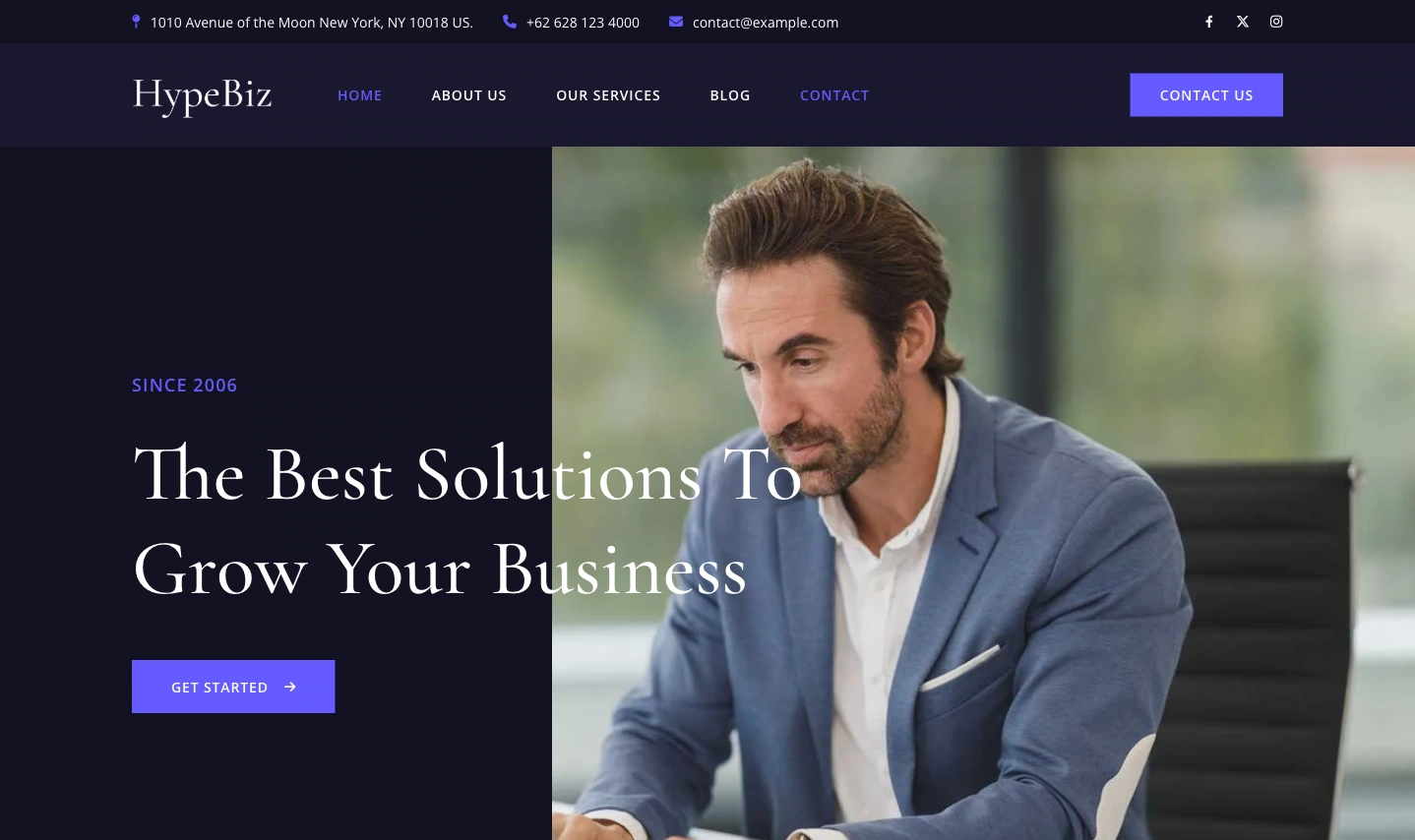
This theme is best for: Consultants, financial advisors, enterprise service providers, agencies, and businesses that need a flexible professional layout.
Quick Comparison: Which Theme Fits Your Needs?
The easiest way to choose is to think about the tone your website needs to communicate.
Theme
Best For
Website Style
Suitable For
Startupzy
Startups and tech businesses
Modern, digital, and growth-focused
SaaS, IT services, software companies, and startup founders
Echelon FSE
Corporate and agency websites
Clean, structured, and professional
Company profiles, consulting firms, and B2B service businesses
Hypebiz
Flexible business websites
Professional, practical, and easy to adapt
Consulting, finance, enterprise services, and agencies
How to Install The Themes
The installation process is simple and works the same way for both themes. You can install them through the Gutenverse dashboard or directly from the WordPress theme directory.
Option 1: Through the Gutenverse Dashboard
Option 2: Directly From WordPress
For a full step-by-step visual guide, WordPress.orgcheck the Gutenverse theme installation guide.
Once the theme is active, open the WordPress Site Editor to start customizing. Replace the demo content with your own text, add real photos of finished projects, update your service list, and fill in your contact details. The main structure is already in place, so you can focus on making the site represent your actual business.
Small Details That Make the Site Feel More Real
The theme gives you a good starting point, but the final result depends on how you customize it. Before you publish your website, pay attention to a few small details.
Use real business photos when possible
You can use stock photos as temporary placeholders. However, real photos usually feel more trustworthy. Use team photos, office photos, product images, project screenshots, or examples of client work.
Make the first section clear
Visitors should understand your company within a few seconds. Avoid headlines that sound too general. Instead of saying “We Create Better Solutions,” explain what kind of solution you offer and who it is for.
Keep your services simple
Don’t fill your Services page with long paragraphs. Use clear service names, short descriptions, and simple next steps. Help visitors scan the page and quickly understand how you can help.
Add trust signals
Testimonials, client logos, case studies, certifications, and project examples can build trust. Make sure you only use real details that your business can support.
Make contact easy
Make your contact page easy to use. Add a short form, email address, phone number if needed, and a clear note about what happens after someone contacts you.
Need More Than Just a Front Page Template?
The free versions of these themes are a good starting point. They give you a professionally designed front page template that you can customize, along with the standard WordPress block templates for other basic site areas.
But if you want a more complete website, Gutenverse PRO gives you access to the full template set for these themes. This includes ready-made templates for pages like About, Services, Projects, and Contact, all designed to match the same visual style as the front page.
This is a good option for agencies that want to build a full multi-page website faster. You can find more details on the Gutenverse pricing page.
FAQ
The best free WordPress theme depends on your type of business. Startupzy works well for startups and tech companies, Echelon FSE is a good fit for corporate and agency websites, and Hypebiz is useful for consulting, finance, and multipurpose business sites.
Yes. You can use Startupzy, Echelon FSE, and Hypebiz as free WordPress themes. You can install them from WordPress.org or through the Gutenverse Theme List when available.
No. These themes are built for the WordPress block and Full Site Editing workflow, so you can customize the layout, content, header, footer, and page sections visually inside WordPress.
Yes. The themes are designed to work with the Gutenverse plugin. Gutenverse gives you more blocks and design flexibility for your business website.
Echelon FSE and Hypebiz both work well for consulting websites. Choose Echelon FSE for a clean corporate profile style. Choose Hypebiz for a broader multipurpose business layout.
Ready to Build Your Corporate and Business Website?
You do not need an expensive or complicated setup to build a good business website. Your website should look professional and explain your company clearly. It should also help visitors understand what to do next.
This is where choosing the right theme can help. You don’t need to build every section from scratch. Start with a layout that already gives your website a proper structure. From there, replace the demo content with your company information. Then, adjust the images, update the services, and customize the design.
Startupzy, Echelon FSE, and Hypebiz all give you a free starting point for building a corporate or business website. Startupzy is a good fit for startups and tech-focused businesses. Echelon FSE works well for corporate, agency, and B2B websites. Hypebiz is a flexible option for consulting, finance, enterprise, and other professional service websites.
The best choice depends on the kind of business you run and the message you want your website to communicate. Pick the theme that feels closest to your business type, then make it your own with real content, clear service details, trust signals, and an easy contact section.
With the right theme and clear content, you can turn your website into more than just an online company profile. It can help people understand what you do, trust your business, and feel more confident to reach out, book a consultation, or take the next step.