A business website may start simple, but your needs can change as your business grows.
At first, you may only need a homepage, service page, and contact page. Later, you might want to add a portfolio, blog, pricing section, testimonials, landing pages, or new pages for different services.
This is why choosing a flexible theme matters. A theme that only works for one layout or industry can make future changes more difficult.
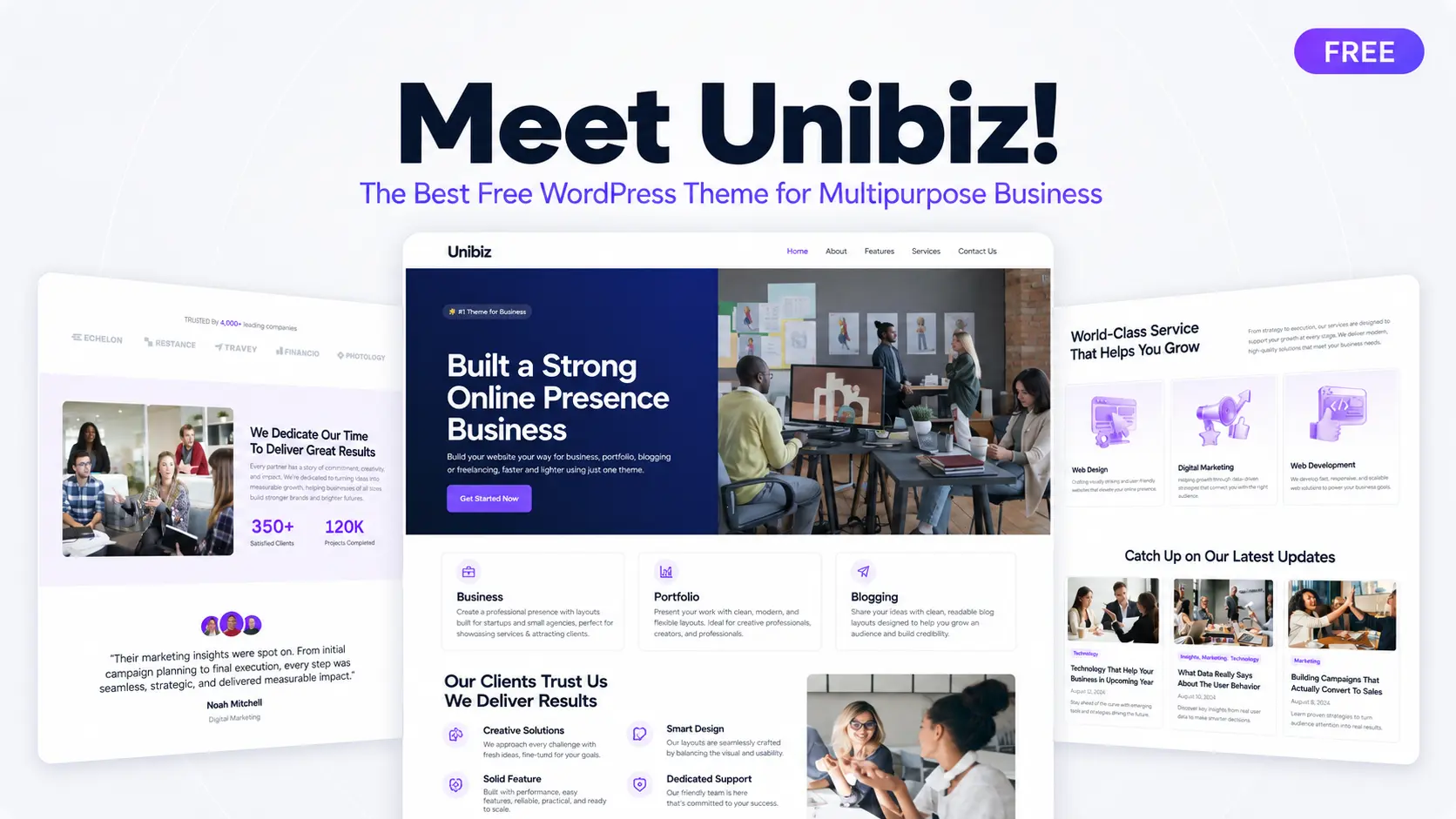
If you want one theme that can work for different types of business websites, this is a good place to start. Unibiz is a free multipurpose business WordPress block theme built for Full Site Editing and powered by Gutenverse.
You can use it to build and customize a professional business website without writing code.
Why a Business Website Needs a Flexible Theme
Not every business website needs the same design.
A startup may need a homepage that explains its product, shows pricing, and encourages visitors to sign up. A consultant may focus more on services, testimonials, and contact information.
The problem is that some themes look great in their demo but become difficult to customize when your business needs something different.
A flexible business theme should help visitors quickly understand:
Your website may also change over time. You might launch a new service, redesign your homepage, create a landing page, or update your visual style.
A multipurpose WordPress block theme gives you more room to make those changes. Instead of locking your website into one specific design, it gives you a flexible foundation that can adapt to different business goals.
What to Look for in a Free Multipurpose Business WordPress Theme
Not every theme that calls itself multipurpose gives you enough flexibility.
Some only provide a basic homepage and a few common sections. That may work at first, but it can limit you when your website grows.
Before choosing a free multipurpose business WordPress theme, look for these important features.
Full Site Editing Support
Full Site Editing, or FSE, lets you customize more than just the content inside a page. You can also edit your header, footer, templates, and other site-wide parts directly inside WordPress.
Unibiz supports this workflow, so you can make more changes visually without editing theme files or writing custom code. If you want to learn more, check the WordPress Site Editor guide.
Ready Demos for Different Business Types
Starting from a blank page can take more time, especially if you are not sure how to structure your website. Unibiz itself comes with a demo library that includes ready-made designs for digital agencies, consultants, startups, coaches, HR agencies, travel businesses, and more.
With different demos available, you can choose one that already fits your type of business instead of forcing one layout to work for everything. You can then replace the demo content, colors, images, and sections with your own.
Gutenverse Compatibility
Unibiz theme works with Gutenverse, so you can use more design tools inside the WordPress block editor. You can add blocks for sections, buttons, forms, testimonials, pricing, and other website content.
You can also use templates, Global Styles, and responsive controls without moving to a separate page builder. You can learn more about compatible themes in the Gutenverse theme guide.
Responsive Design
Your website should be easy to use on desktop, tablet, and mobile. A responsive layout keeps your text readable, images properly sized, menus easy to open, and buttons easy to tap on smaller screens.
Unibiz theme already includes responsive layouts, so you don’t need to create separate pages for each device. You can still adjust the responsive settings to make the design fit your content better.
Clear Business Sections
A business website should make it easy for visitors to understand what you offer and what they should do next. Useful sections may include a hero section, services, about section, portfolio, testimonials, pricing, blog, and contact CTA.
These sections give you a basic structure to work with. You can use them to explain your business, build trust, show your work, and guide visitors toward contacting you or taking the next step.
Unibiz: A Free WordPress Theme Built for Multipurpose Business Website
Unibiz is a free multipurpose WordPress block theme for digital agencies, finance consultants, startups, HR agencies, coaches, travel businesses, and other professional websites. It comes with ready-made demos and business-focused layouts, so you can start with a design that already matches your type of business instead of building everything from zero.
This free theme also supports Full Site Editing and works with Gutenverse, so you can customize your website directly with WordPress blocks. You can edit the homepage, header, footer, page layouts, templates, colors, images, and content inside the WordPress Site Editor without writing code.
What Is Included in Unibiz
Unibiz comes with a front page structure made for multipurpose business websites. It gives you a complete homepage layout, so you don’t need to start from a blank page.
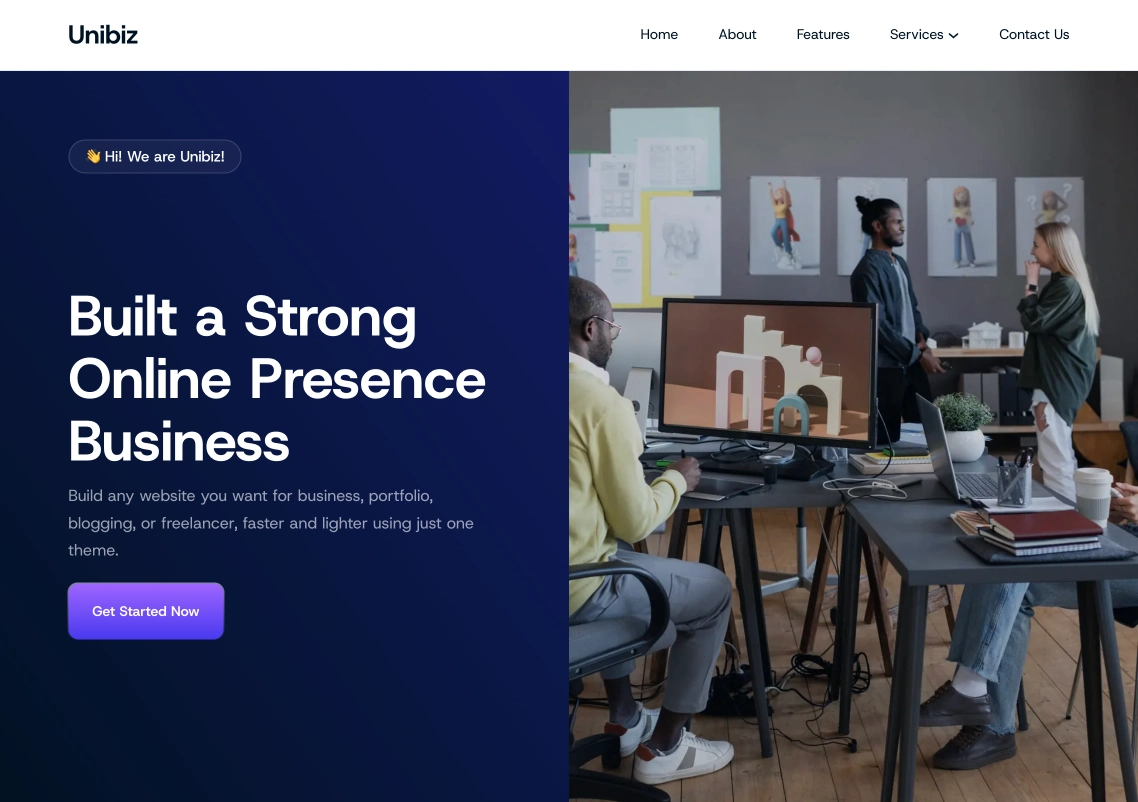
The homepage starts with navigation and a strong hero section with the headline “Built a Strong Online Presence Business.” You can use this section to introduce your business, explain your offer, and direct visitors to take action with a clear CTA button.
After the hero section, Unibiz includes sections for Business, Portfolio, and Blogging. These areas help you show how flexible the theme is, whether you want to create a company website, present professional work, or publish articles and updates.
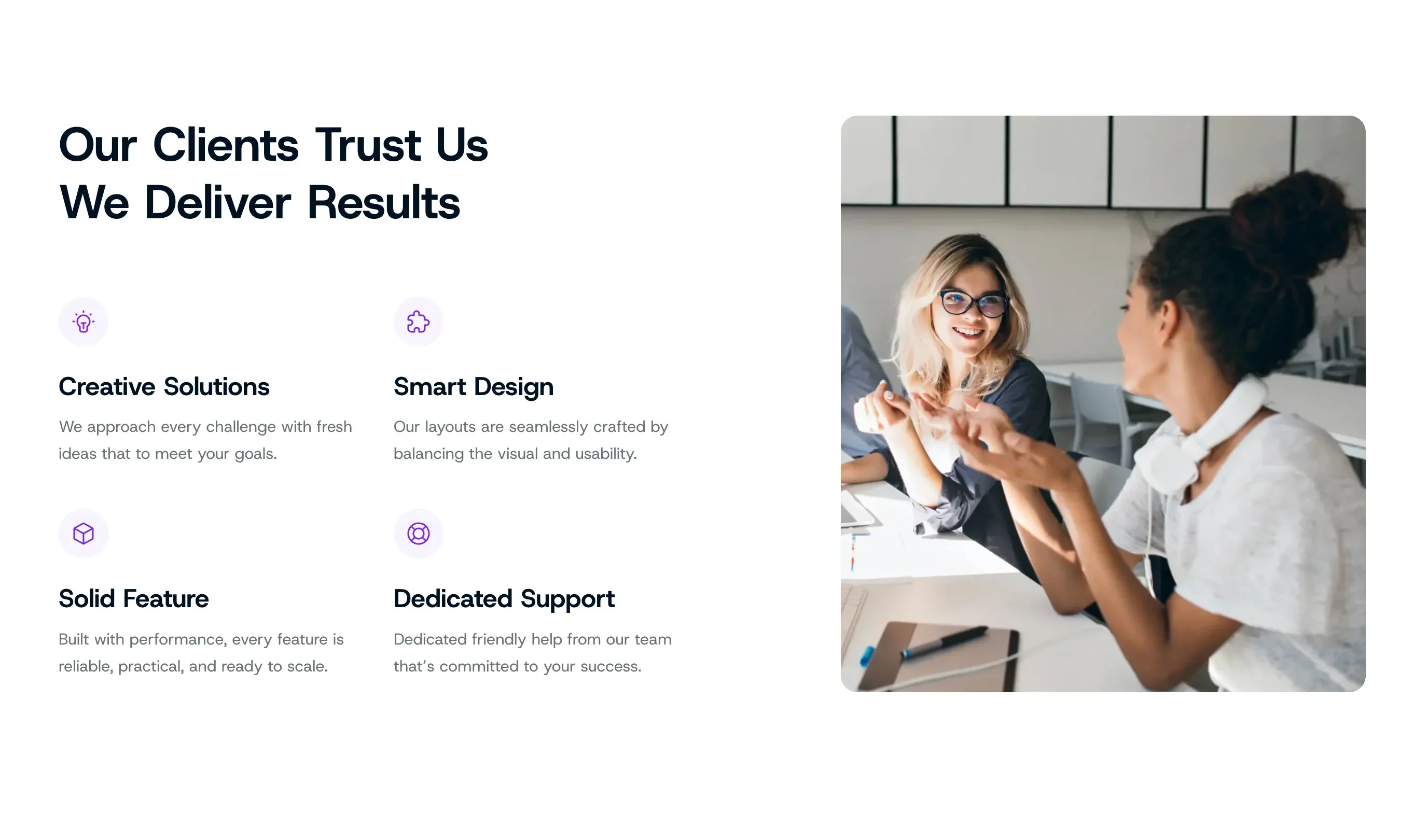
The homepage also includes a trust-focused section with the headline “Our Clients Trust Us We Deliver Results.” It highlights key value points like creative solutions, smart design, solid features, and dedicated support. You can use these sections to explain what makes your business reliable and why visitors should feel confident working with you.
The Services section becomes one of the main parts of the homepage. In the demo, it presents services like Web Design, Digital Marketing, and Web Development. This makes it useful for agencies, consultants, freelancers, startups, and service-based businesses that need to explain their offers clearly.
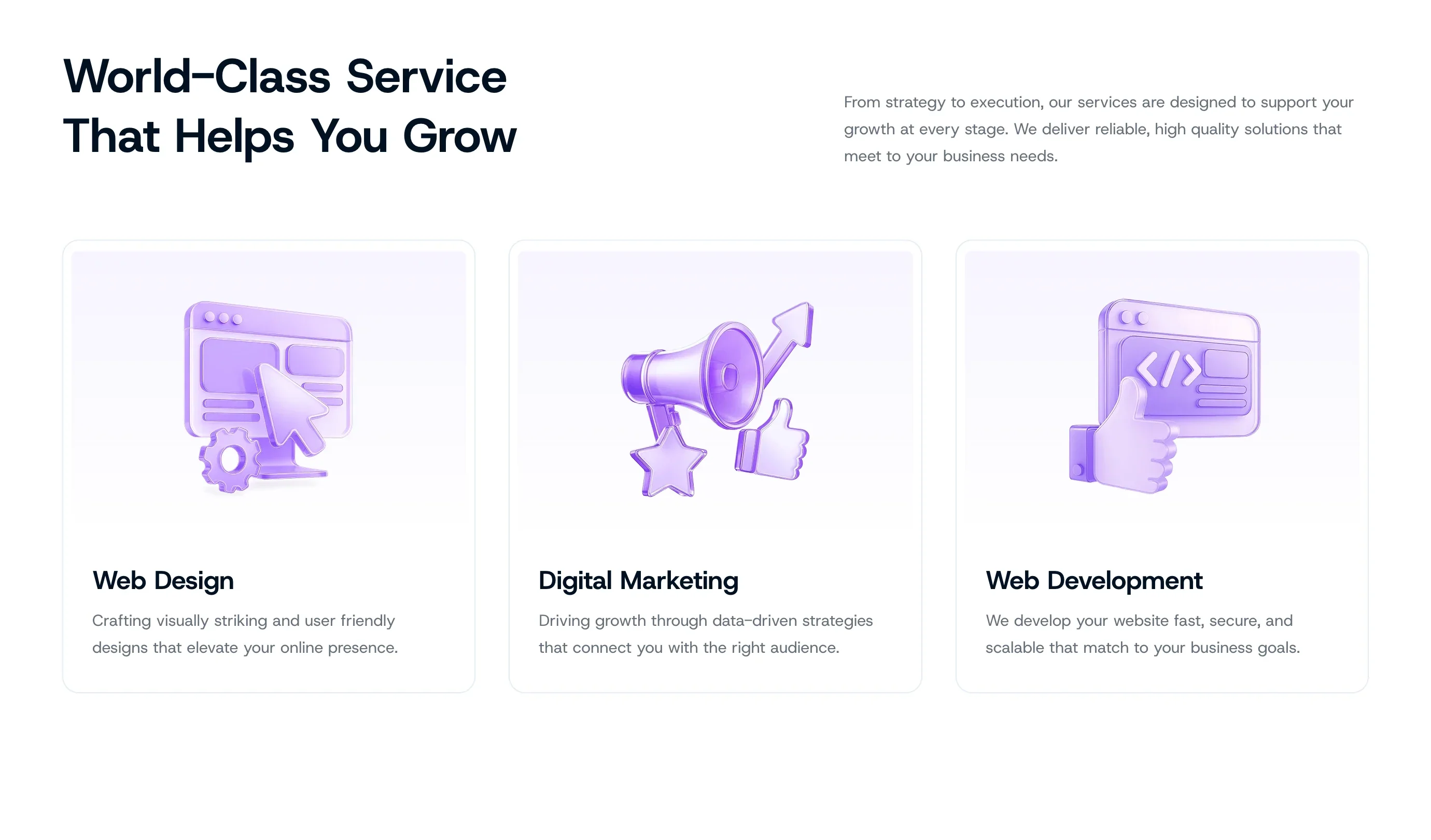
This free theme also includes sections for client logos, business results, testimonials, and latest updates. You can use these areas to show credibility, display achievements, share customer feedback, and publish blog posts or company news.
The homepage ends with a strong call-to-action section that encourages visitors to make a website, followed by a footer with company links, about links, terms, and important site navigation. This keeps useful information easy to find after visitors finish browsing the page.
Who Can Use Unibiz?
Unibiz is a good choice if you want to build a professional business website with a flexible layout that can adapt to different industries. It can work well for:
Because Unibiz is a multipurpose theme, you don’t have to use the same website structure forever. You can start with one demo, change the layout, add new sections, or adjust the design as your services and business goals change.
You also don’t need to build a large website from the beginning. You can start with a homepage, service page, about page, and contact page. Later, you can add a portfolio, pricing, testimonials, blog posts, landing pages, or other sections as your business grows.
How to Install Unibiz Theme
The installation process is simple and works the same way for both themes. You can install them through the Gutenverse dashboard or directly from the WordPress theme directory.
Option 1: Through the Gutenverse Dashboard
Option 2: Directly From WordPress
For a full step-by-step visual guide, WordPress.orgcheck the Gutenverse theme installation guide.
Once the theme is active, open the WordPress Site Editor and replace the demo content with your own business name, services, images, colors, and contact details. Since the main layout is already prepared, you can focus on making the website match your business instead of building every section from zero.
Need More Than Just the Free Version?
The free version of Unibiz is a good starting point if you only need a simple business website. You can use the available demo, customize the layout, and build your main pages with WordPress and Gutenverse.
If you want more design options, you can use Unibiz Plus. This version gives you a more complete experience with additional layouts and content. To try Unibiz Plus and unlock more Gutenverse features, you can upgrade to Gutenverse PRO.
This is a good option if you want to build a more complete multi-page business website without creating every section from scratch. You can check the available plans on the Gutenverse pricing page.
FAQ
Yes. You can use Unibiz for free. Install it directly from your WordPress dashboard or download it from the official WordPress theme directory. Unibiz also has a Unibiz Plus version if you want access to more design options and additional features.
The free version gives you a starting selection of demos, templates, elements, and basic features. Meanwhile the plus version adds more demos, more templates, additional elements, advanced Gutenverse features, and priority support.
You can use Unibiz for many types of business websites, including digital agencies, finance consultants, startups, HR agencies, coaches, travel businesses, professional services, and marketing landing pages.
Yes. You can change your starting design if your website needs a different look or structure. This makes Unibiz useful for businesses that may update their branding, services, or website style over time.
No. Unibiz is a WordPress block theme, so you can edit the design visually inside WordPress. You can replace text, images, colors, sections, and page content without writing code.
Ready to Build Your Business Website?
If you want to build a website for a digital agency, consulting business, startup, coach, HR agency, travel business, or other professional service, using a theme with only one fixed layout can make things harder. You may need to create service sections, pricing areas, testimonials, landing pages, contact sections, and other business content from zero.
Unibiz gives you a more flexible starting point. It comes with ready-made business demos, Full Site Editing support, responsive layouts, and Gutenverse compatibility, so you can build and customize your website without coding.
If you are looking for a free multipurpose WordPress theme that can work for different types of business websites, Unibiz is a good theme to start with. You can download it from WordPress.org or explore the Unibiz theme page on Gutenverse.