















Last Update: September 15, 2026
Before You Start
Before installing the pro theme you need to do this first
– Install and Activate Gutenverse Pro Plugin : How to Install Gutenverse Pro
– Activate the Gutenverse Pro License : How to Activate Your License
Important: Please make sure that Gutenverse Pro is installed and activated, and your license is activated before installing the Pro version of the theme. Otherwise, the install pro theme button will not be available.
Installing Pro Theme
We will use Kitchio as an example.
1. Go to Appearance > Kitchio Lite Dashboard
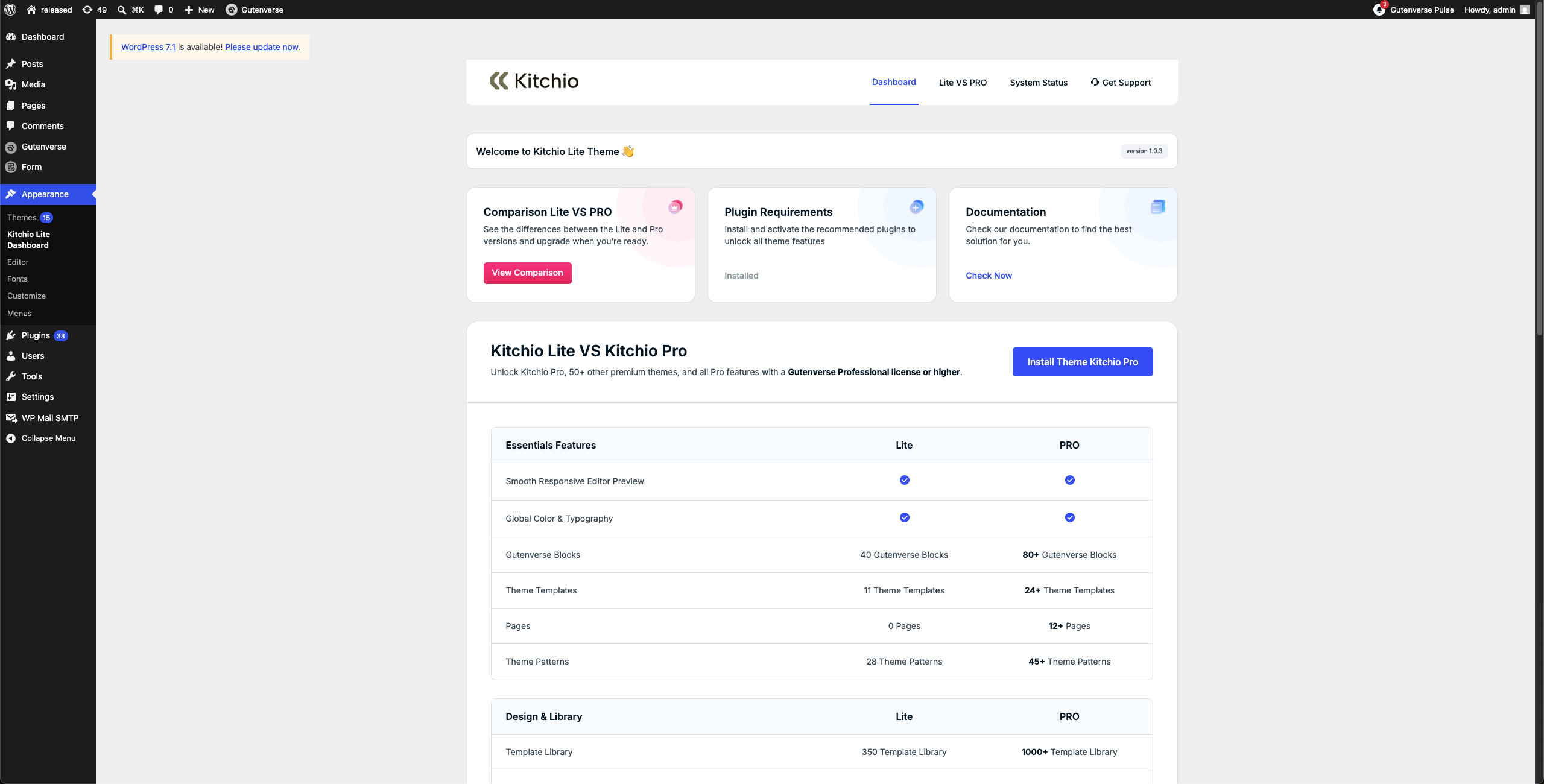
2. Click the “Install Kitchio Pro Theme” button. A popup will appear. Check the checkbox and click “Install Theme”.
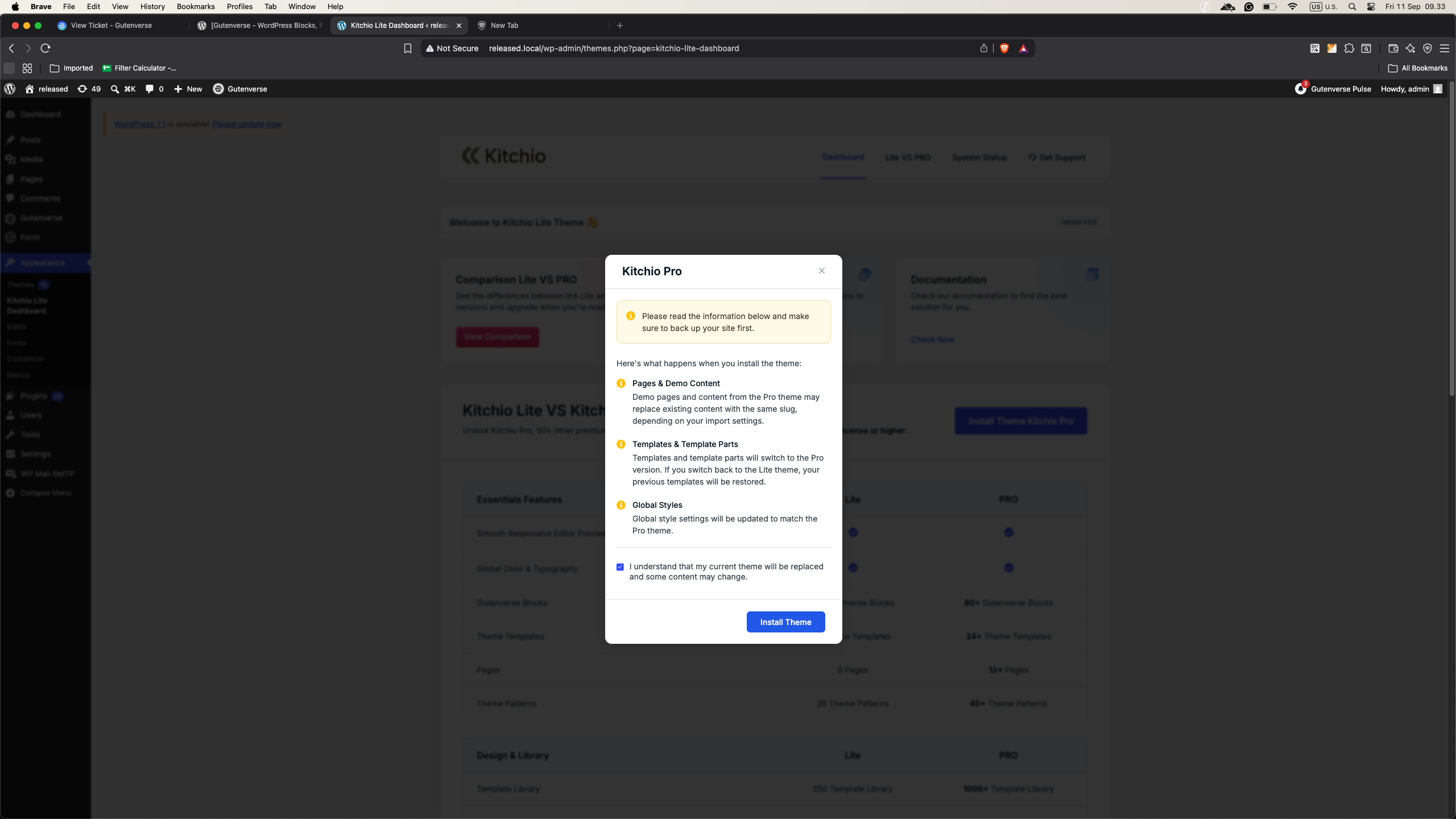
3. Once the theme is installed, you will be redirected to the Kitchio Pro Theme Wizard.
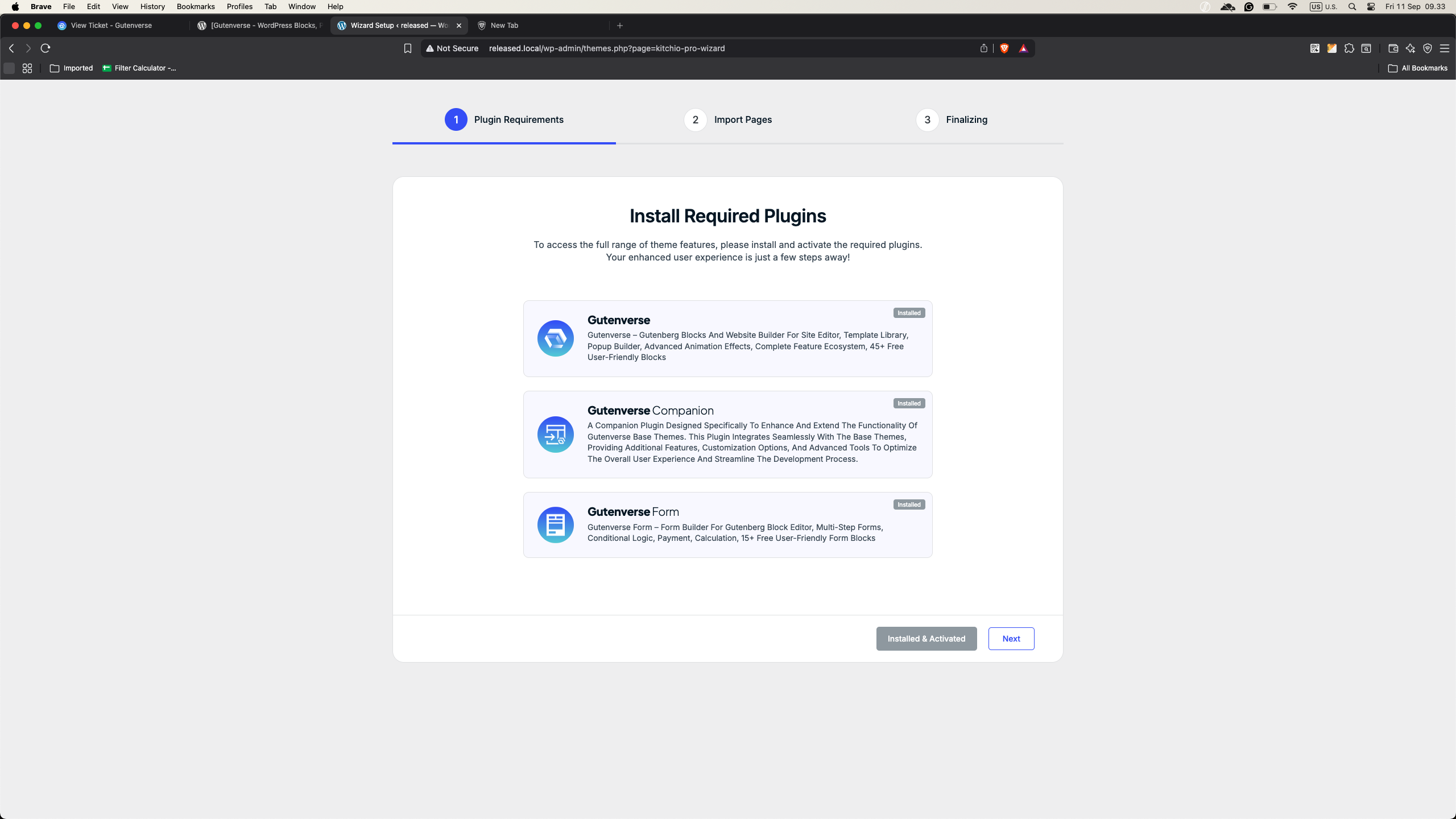
4. Install all the required plugins, then click Next.
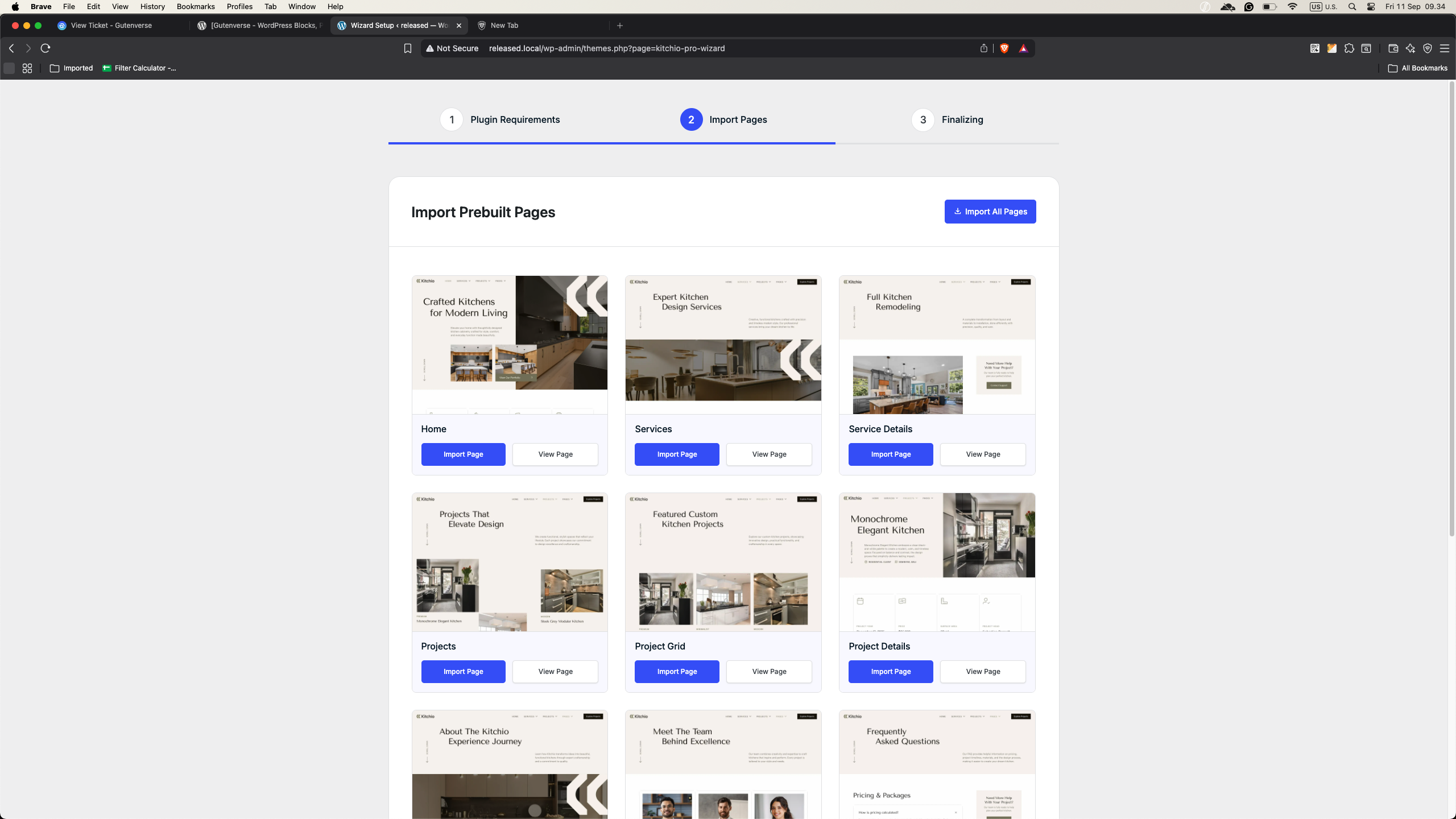
5. You will then be asked to choose an Import Mode. There are two options:
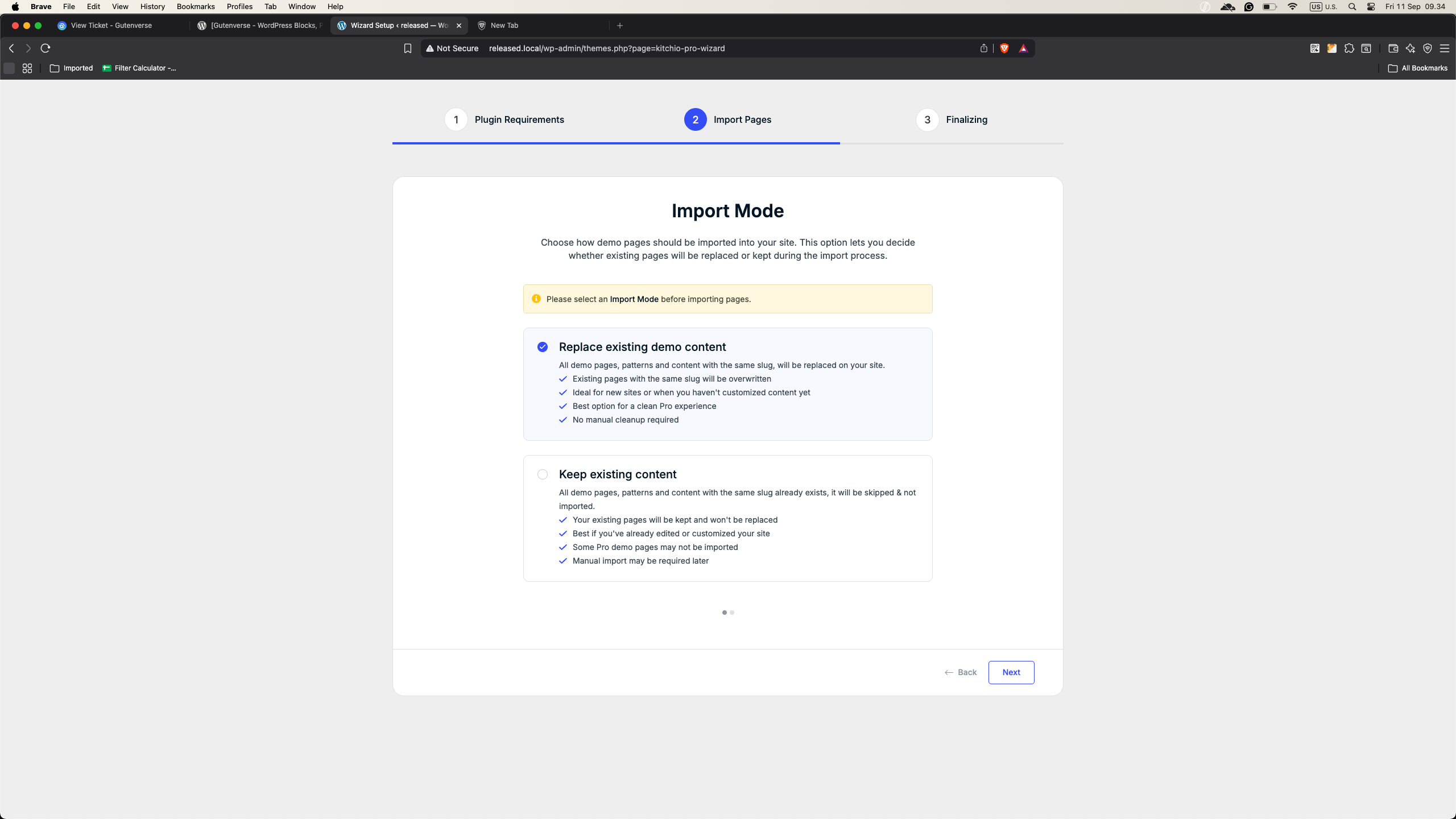
Replace existing page:
Import only missing pages:
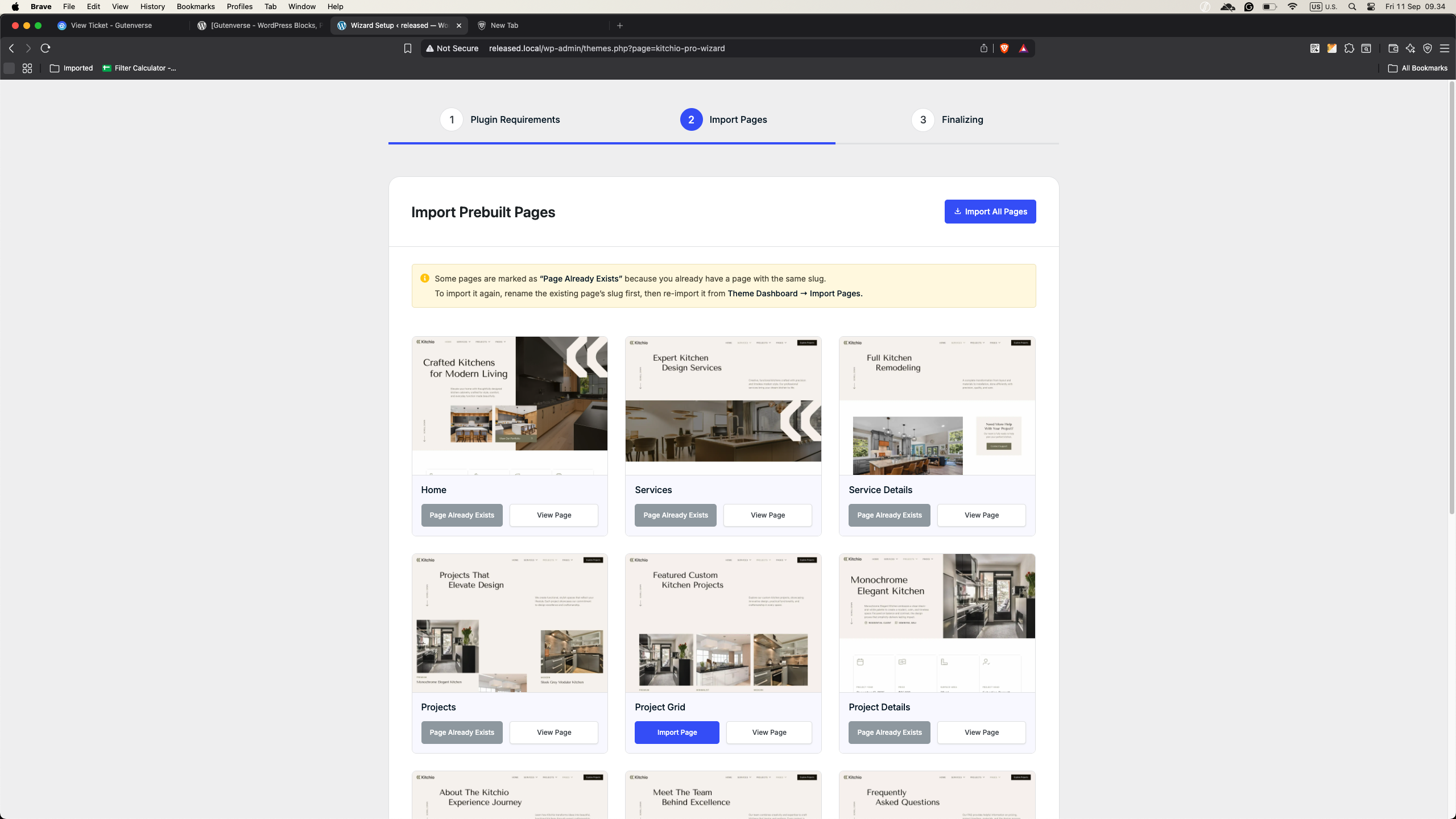
6. After selecting the import mode, you will be able to choose whether to import a single page or all available pages.
7. Choose the pages you want to import and complete the setup.






