A dermatology clinic website should do more than look professional. It should explain your treatments, introduce your clinic, build trust, and help visitors book an appointment easily.
A general business theme may not include everything a skin clinic needs. Your website should clearly present your treatments, doctors, clinic information, and appointment options. It should also use a clean design that helps visitors feel confident in your services.
Neuderm gives dermatologists, skin clinics, aesthetic medicine centers, and skincare practices a more relevant starting point. This Gutenverse theme includes treatment sections, appointment areas, clinic information, and layouts designed specifically for modern skin clinics.
Why a Dermatology Clinic Website Needs a Specialized Theme
People usually visit a dermatology website because they have a specific skin concern. They may need help with acne, pigmentation, skin rejuvenation, laser treatments, body care, or long-term skin health. Many visitors also compare several clinics before choosing where to book.
Your website should quickly answer a few important questions:
A general business layout may not present this information clearly. The website can still look professional, but visitors may leave if they cannot understand your services or find the booking option.
A dermatology WordPress theme gives you a layout built around treatments, consultations, clinic information, and trust. It also creates a calm and professional look. This saves you from heavily changing a general theme and lets you focus on your clinic’s content.
What to Look for in a Dermatology WordPress Theme
Before choosing a theme, make sure it supports the needs of a dermatology or skincare website. The theme should look modern, but it should also help visitors understand your services and feel confident about contacting your clinic.
Clear Treatment Sections
Most dermatology clinics offer several services. These may include acne care, skin rejuvenation, facial treatments, body treatments, laser procedures, or hair removal.
Your theme should organize these treatments clearly. Visitors should be able to scan your services without reading long paragraphs.
A Clinic Introduction That Builds Trust
Visitors want to know who will care for their skin. Your website should give you enough space to introduce your clinic, doctors, experience, treatment approach, and patient testimonials.
This information helps visitors learn more about your clinic and feel more confident in your services.
Clear Appointment Options
Your website should make booking a consultation easy. Choose a theme that supports visible buttons, contact sections, appointment forms, and consultation prompts.
Visitors should always know what to do next.
A Clean and Calming Design
A dermatology website should feel clean, spacious, and professional. The design should help visitors focus on your treatments and clinic information.
Avoid layouts that feel busy or too generic. They can make important details harder to find.
Mobile-Friendly Design
Many visitors will view your website on a phone. They may want to check your treatments, learn about your clinic, or book an appointment.
Make sure the theme keeps text readable, images clear, and buttons easy to tap on smaller screens.
Full Site Editing Support
A block theme with Full Site Editing gives you more control inside WordPress. You can use the Site Editor and Block Editor to change your content, templates, colors, layouts, headers, footers, and other site-wide elements.
You can make these changes visually without relying on a separate page builder.
Neuderm: A WordPress Theme for Dermatology Clinics
Neuderm is a WordPress block theme for dermatology clinics, skincare centers, aesthetic treatment clinics, dermatologists, and medical beauty practices. It comes with a clean, treatment-focused layout that helps you present your dermatology services, skin concerns, clinic information, expertise, appointment options, and skincare content clearly.
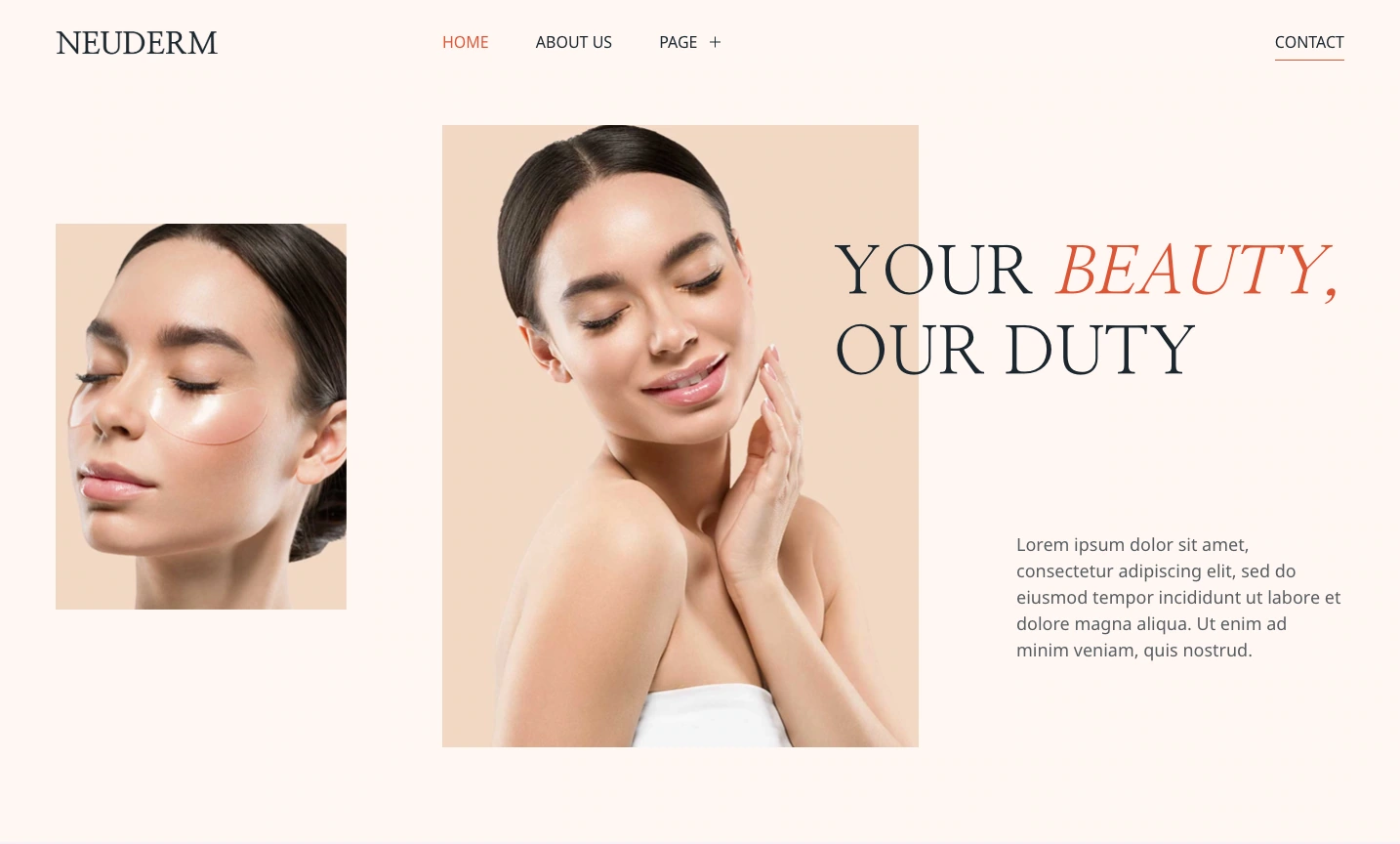
This premium WordPress theme also supports Full Site Editing and comes packed in Gutenverse PRO, so you can customize your dermatology website with WordPress blocks and advanced Gutenverse features. You can edit the homepage, header, footer, page layouts, templates, colors, images, and content directly in the WordPress Site Editor.
What is Included in Neuderm
Neuderm gives you a ready-made homepage layout for a dermatology clinic. It helps visitors find the information they usually need before booking a treatment.
The hero section introduces your clinic with a clear skincare message and call-to-action button. You can use it to create a strong first impression and direct visitors to a consultation or treatment page.
The theme also includes an Our Story section. You can use this area to introduce your clinic, explain your treatment approach, or share your brand values. This helps visitors learn more about your clinic and feel more confident about your services.
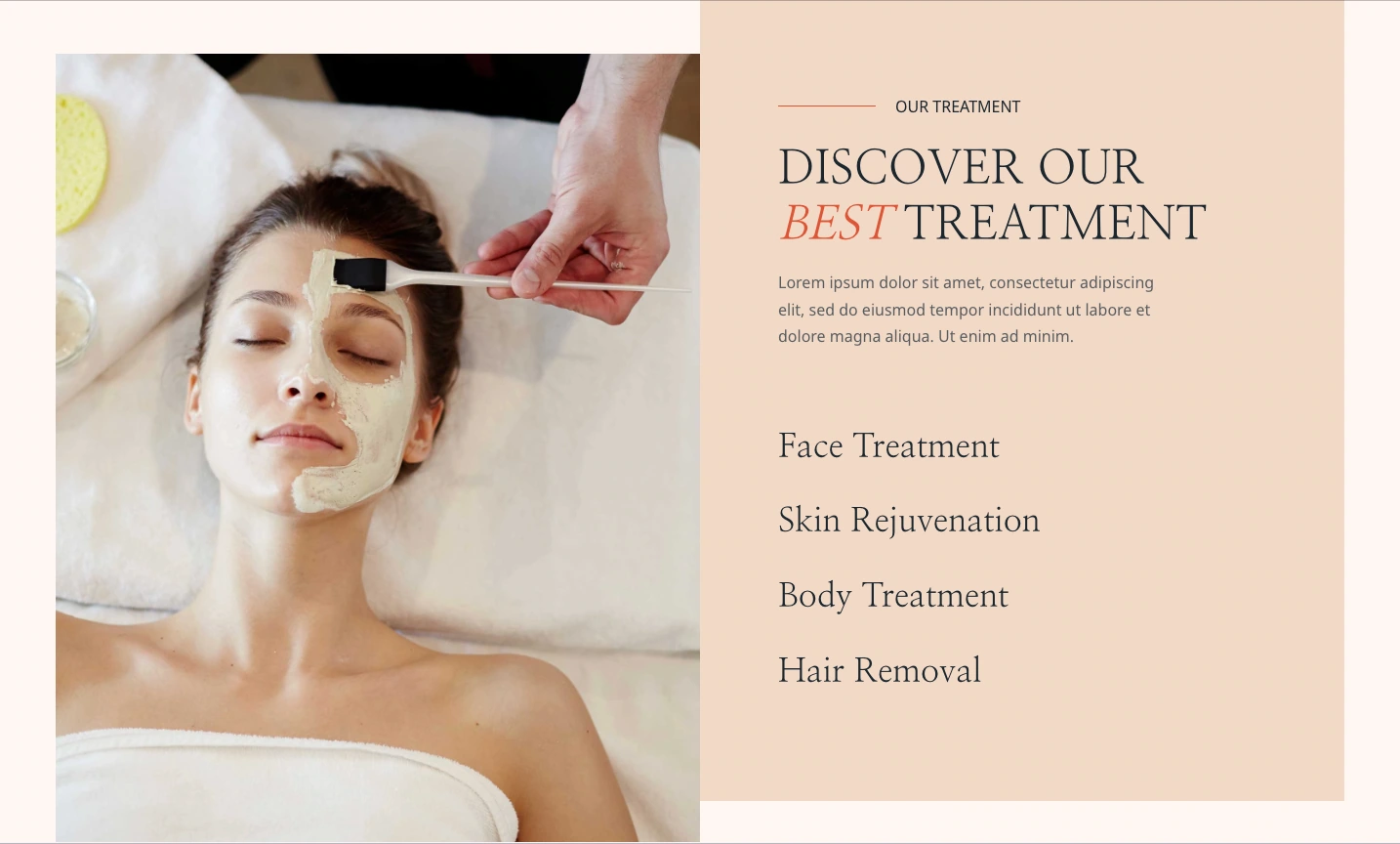
The Our Treatment section gives you space to display services such as facial treatments, skin rejuvenation, body treatments, and hair removal. This layout helps visitors quickly find the type of treatment they need.
Neuderm also includes a Why Choose Us section. You can use it to explain your clinic’s approach, highlight your experience, and show what makes your services different.
The homepage includes statistic sections for details such as years of experience, number of patients, and specialist support. Replace the demo numbers with accurate information from your clinic. These statistics can help visitors understand your experience at a glance.
A clear Appointment section encourages visitors to book a consultation or treatment. This is important because a dermatology website should not only provide information. It should also help turn interested visitors into new patients.
Neuderm also includes a blog section and contact information. You can publish skincare tips, treatment guides, preparation advice, and aftercare information while making it easy for visitors to contact your clinic.
Who Can Use Neuderm?
Neuderm works for healthcare and beauty businesses that need to present treatments clearly, build trust, and encourage appointment bookings. You can use it for:
How to Install Neuderm Theme
After you choose the theme that fits your needs, you can start the setup process and follow these steps:
After activation, replace the demo content with accurate information about your clinic, treatments, team, and contact details.
How to Improve Your Dermatology Website After Choosing a Theme
A good theme gives your website its structure, but your content helps visitors understand your services and trust your clinic.
Use specific treatment names
Avoid broad labels such as “skin care” or “beauty services.” List the treatments you provide, such as acne care, pigmentation treatment, laser procedures, skin rejuvenation, or dermatology consultations, so visitors can quickly find the service they need.
Write a clear opening message
Use the first section to explain what your clinic offers. Tell visitors whether you focus on dermatology, aesthetic treatments, cosmetic skincare, or other services so they can understand your clinic right away.
Make appointment options easy to find
Place clear booking buttons in important sections of the website. Visitors should be able to find the next step easily, whether they want to book an appointment or schedule a consultation.
Use real photos of your clinic and team
Show real photos of your clinic, doctors, specialists, treatment rooms, or team members. These images can make your website feel more personal and help visitors feel more confident before booking.
Publish educational blog content
Use the blog section to answer common questions and share useful skincare information. You can write about treatment preparation, expected results, skincare routines, common skin concerns, and aftercare to build trust and improve your website’s SEO.
FAQ
Neuderm is a good option for dermatology clinics that need a website focused on skin treatments, skincare services, clinic information, and appointment booking.
No. Neuderm is a premium theme packed in Gutenverse PRO. You need access to Gutenverse PRO to install and use the complete theme.
Yes. Neuderm supports the WordPress Block Editor and Full Site Editing. You can edit page sections, templates, headers, footers, colors, images, typography, and other design areas visually through WordPress editor.
Neuderm works for dermatology clinics, skincare centers, aesthetic medicine practices, laser clinics, and other businesses that offer skin and beauty treatments.
Yes. You can use Gutenverse Form to create forms for general inquiries, appointment requests, treatment questions, or other messages.
Ready to Build Your Dermatology Website?
Building a dermatology website with a general WordPress theme can require many adjustments. You may need to create treatment sections, clinic introductions, trust elements, appointment areas, skincare content, and contact details yourself.
Neuderm gives you a dermatology-focused starting point. It includes a complete homepage, treatment sections, clinic information, trust-building content, appointment areas, blog support, Full Site Editing, and integration with the Gutenverse ecosystem.
You can replace the demo content with your clinic information, customize the layout through the WordPress Site Editor, and add more sections as your services grow.
For dermatology clinics, aesthetic treatment centers, and skincare practices that need a clean and professional website structure, Neuderm gives you the tools to start building without beginning from an empty page.