A restaurant website should do more than make your food look appealing. It should help visitors explore the menu, get a feel for the atmosphere, find important details, and decide whether to reserve a table or visit your location.
A general business theme may not include the sections a restaurant needs. You may need to create the menu, reservation form, chef profiles, FAQ, and contact pages from zero before the website truly represents your restaurant.
Gourmetsy helps simplify the process with a ready-made restaurant layout. You can replace the demo content with your own photos, menu items, business information, and branding.
Why a Restaurant Website Needs a Specialized Theme
People visit restaurant websites to find specific information.
They may want to see what food you serve, check the atmosphere, browse the menu, find your opening hours, or reserve a table without making a phone call.
A restaurant website should clearly answer questions such as:
A good-looking homepage can’t answer all these questions on its own. Your website also needs a clear structure, visible calls to action, useful details, and a design that reflects your restaurant’s identity.
A restaurant theme makes this easier. Instead of adapting a general business layout, you can start with sections designed for menus, chef profiles, reservations, restaurant information, and contact details.
What to Look for in a Restaurant WordPress Theme
Before choosing a restaurant WordPress theme, look beyond the colors and food images. The theme should help visitors find information and take action easily.
A Clear Menu Page
Many visitors check the menu before they decide to visit a restaurant. They want to see what you serve, compare prices, and find out whether the food matches their preferences.
A good restaurant theme should let you organize the menu into clear sections, such as starters, main courses, desserts, drinks, tasting menus, or specialty dishes.
A Clear Reservation Option
Visitors shouldn’t have to search for a way to book a table.
The theme should include space for a reservation section, booking button, contact form, or other clear call to action. Place it where visitors can find it quickly.
A Design That Reflects Your Brand
A restaurant website should show visitors what kind of experience they can expect.
Strong photos, chef stories, clear layouts, and thoughtful design can help communicate whether your restaurant feels casual, modern, elegant, or luxurious.
Important Restaurant Details
Your website should also show practical information, including your location, opening hours, contact details, and answers to common questions.
Many visitors check this information from their phones, so the theme should make it easy to find and read.
Full Site Editing support
A block theme with Full Site Editing lets you customize headers, footers, templates, and page layouts directly inside WordPress.
This gives you more control without requiring code. It also makes regular updates easier when you change menu items, add seasonal offers, update opening hours, or publish information about an upcoming event.
Gourmetsy: A Restaurant WordPress Theme Built for Food Businesses
Gourmetsy is a premium WordPress theme for restaurants, cafés, bistros, chef-led dining concepts, and other food businesses. It comes with a restaurant-focused layout that helps you present your menu, dining atmosphere, chef, reservation details, opening hours, contact information, and restaurant story clearly.
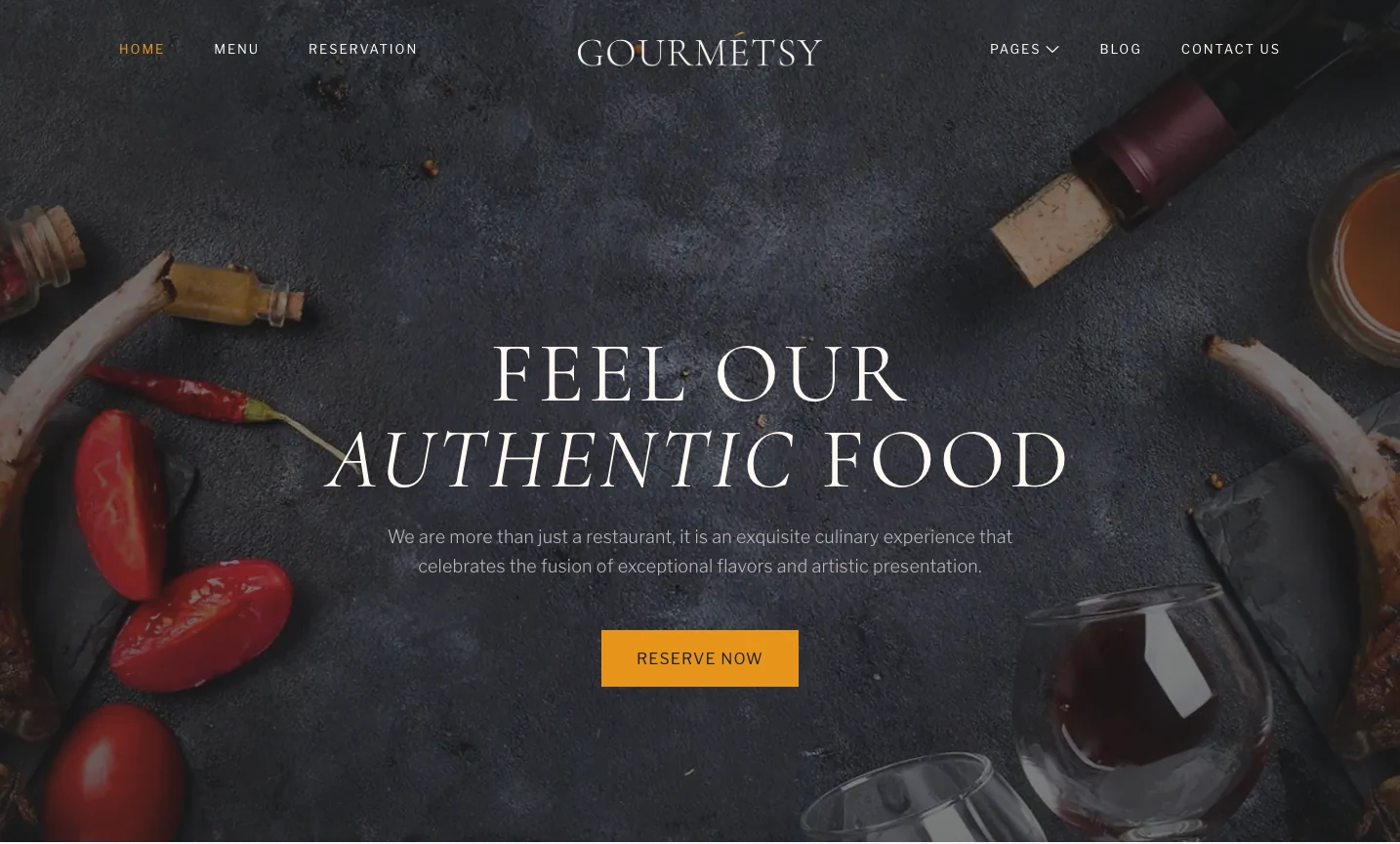
This premium theme also supports Full Site Editing and comes packed in Gutenverse PRO, so you can customize your restaurant website with WordPress blocks and advanced Gutenverse features. You can edit the homepage, header, footer, page layouts, templates, colors, images, menu content, and other details directly in the WordPress Site Editor.
What is Included in Gourmetsy
Gourmetsy gives you a ready-made website structure for restaurants, cafés, bistros, fine dining, and other food businesses. You can begin with a complete restaurant layout instead of creating every section from a blank page.
The homepage starts with a large hero section that introduces the restaurant and sets the mood through strong food photography. It includes clear buttons that can guide visitors toward the menu or reservation page. You can use this area to present your dining concept, highlight your food style, and encourage visitors to book a table.
After the hero section, Gourmetsy includes areas where you can introduce the restaurant and explain what makes it different. You can share your story, describe the dining experience, explain your approach to food, or highlight the atmosphere visitors can expect.
This theme also gives you space to highlight signature dishes or special menu selections. These larger sections allow you to draw attention to the food your restaurant is known for and give visitors a closer look at your ingredients, presentation, or cooking style.
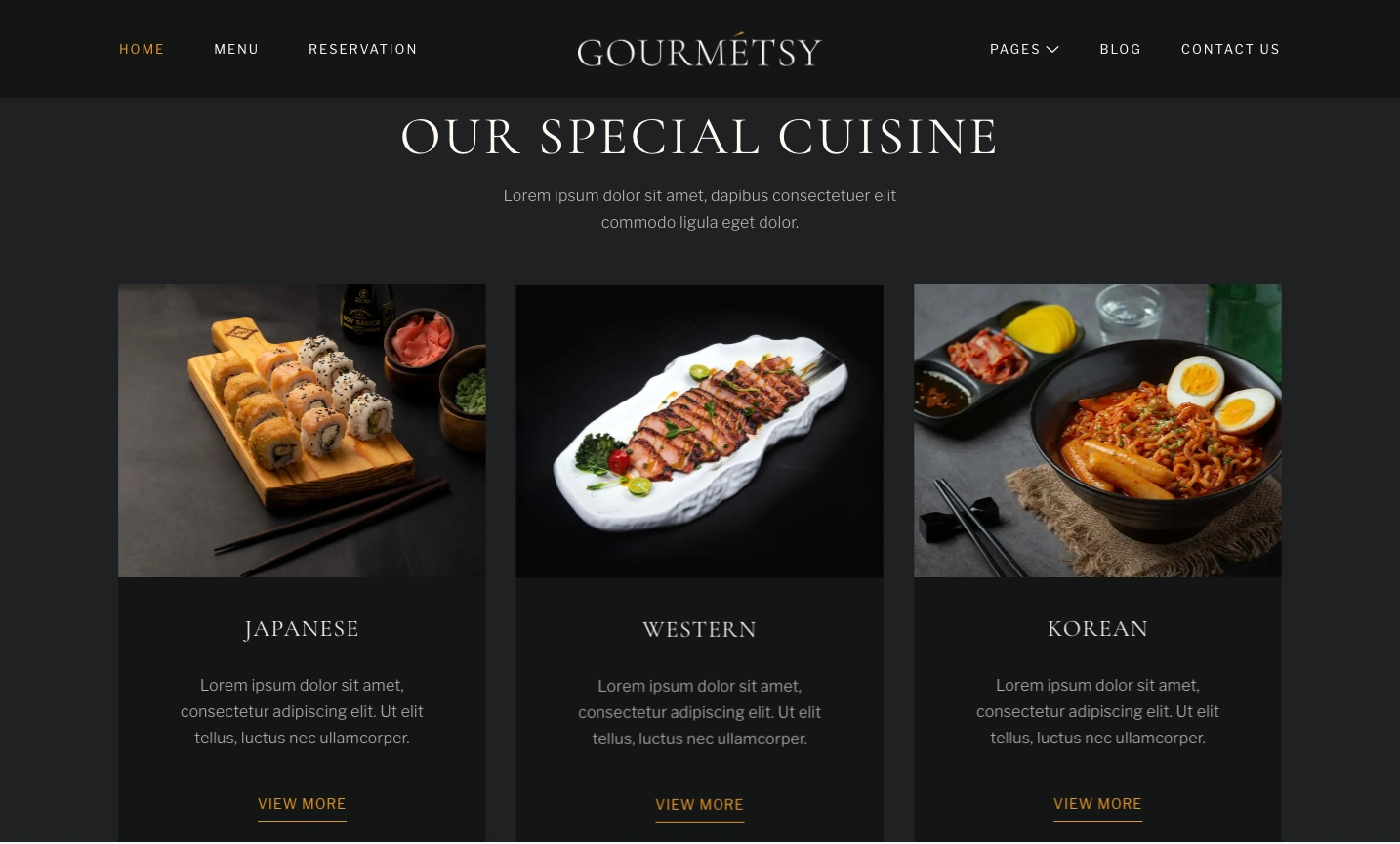
After that, the chef section helps you introduce the person or team behind the menu. You can use it to share the chef’s background, experience, culinary approach, or role in developing the restaurant concept. This adds a more personal story to the dining experience.
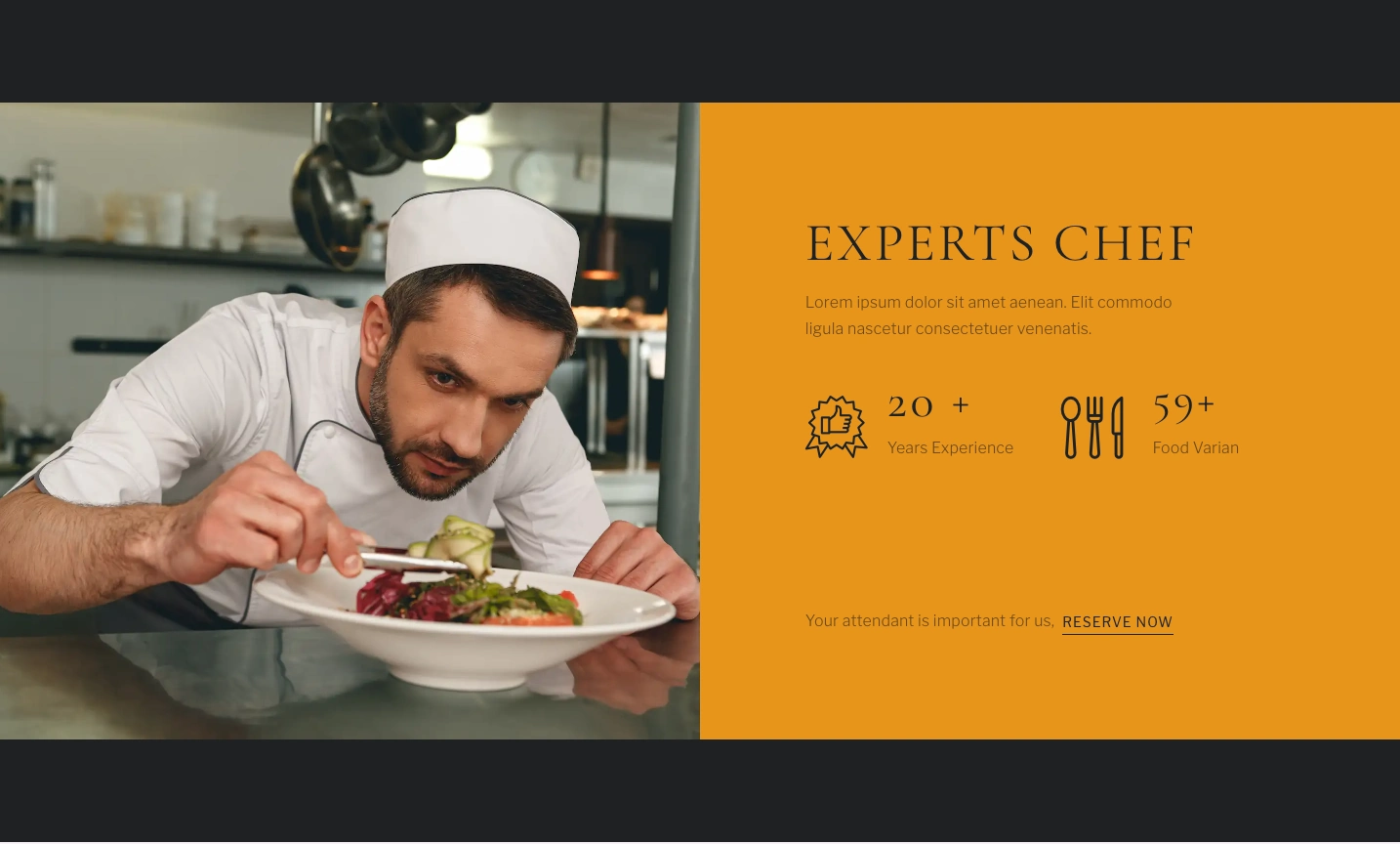
The menu section helps you showcase featured dishes directly on the homepage. You can use it to present starters, main courses, desserts, drinks, seasonal dishes, tasting menus, or chef recommendations. Each item can include a dish name, short description, image, and price.
The homepage also includes a clear reservation area. You can use it to collect table inquiries through a custom form or direct visitors to a separate booking page. For live table availability, calendar syncing, or online payments, you can connect the website to a dedicated reservation plugin or external booking service.
You also get sections for customer testimonials, restaurant images, opening hours, location details, and contact information. These areas can help visitors understand the atmosphere, read about previous dining experiences, and find the practical information they need before visiting.
Gourmetsy also includes a blog section where you can publish restaurant news, seasonal menu updates, upcoming events, chef stories, recipes, or local food content. This gives you a way to keep the website updated and share more about the restaurant beyond the main menu.
Who Can Use Gourmetsy?
Gourmetsy can support many types of food and hospitality businesses, including:
If your restaurant relies on strong visuals, brand storytelling, clear menu sections, and an easy reservation process, Gourmetsy gives you a better starting point than a general multipurpose theme.
How to Install Gourmetsy Theme
After you choose the theme that fits your needs, you can start the setup process and follow these steps:
After activation, head to the Site Editor or Pages area and start replacing the demo content with your real menu, chef story, restaurant photos, opening hours, reservation details, and contact information.
How to Improve Your Restaurant Website After Installing the Theme
Gourmetsy gives you the basic website structure, but you still need to replace the demo content with real information from your restaurant.
Use Real Food and Interior Photos
Replace the demo images with photos of your actual dishes, dining area, table settings, kitchen, staff, and service. Real photos help visitors understand the dining experience and make your restaurant feel more trustworthy.
Keep the Menu Easy to Read
Separate dishes into clear categories, use readable names and prices, and keep each description brief. Only include details that help visitors understand the dish and decide what they want to order.
Make Reservations Easy to Find
Place a reservation button, inquiry form, phone number, or external booking link in visible areas, such as the header, hero section, menu page, and contact page. You can also use Gutenverse Form to create the reservation or inquiry form directly inside the editor.
Answer Common Questions
Use the FAQ page to answer questions about reservations, dietary options, parking, private events, and opening hours. Clear answers can reduce uncertainty and help visitors feel more confident about booking a table or visiting your restaurant.
Add More Sections When Needed
You can use the Gutenverse Template Library to add more layouts and sections, including testimonials, image galleries, promotional offers, team profiles, and calls to action. This lets you expand the website without building every section from scratch.
FAQ
Gourmetsy is a suitable option because it includes ready-made templates for menus, reservations, chef profiles, FAQs, blog posts, and contact information.
No. Gourmetsy is a premium theme packed in Gutenverse PRO. You need access to Gutenverse PRO to install and use the complete theme.
Yes. Gourmetsy supports the WordPress Block Editor and Full Site Editing. You can edit page sections, templates, headers, footers, colors, images, typography, and other design areas visually through WordPress.
Yes. You can use Gutenverse Form to create forms for table reservations, booking requests, private dining inquiries, or other restaurant-related questions.
Yes. You can use Gourmetsy for cafés, bistros, and other food businesses. Its templates give you space to present your menu, share your story, accept reservation inquiries, and display contact details.
Ready to Build Your Restaurant Website?
Building a restaurant website with a general WordPress theme can require many adjustments. You may need to create menu sections, reservation areas, chef profiles, opening hours, restaurant details, and contact information yourself.
Gourmetsy gives you a restaurant-focused starting point. It includes a complete homepage, menu and reservation templates, chef and FAQ pages, blog layouts, Full Site Editing support, and integration with the Gutenverse ecosystem.
You can replace the demo content with your own dishes, photos, business details, and branding. You can also adjust the layout through the WordPress Site Editor and add more sections as your restaurant grows.
For restaurants, cafés, bistros, and other food businesses that need a complete and professional website structure, Gourmetsy gives you the foundation to start building without beginning from an empty page.