
















When you build a personal blog, you need a website that makes your writing easy to explore. Visitors should quickly understand who you are, browse your topics, read your latest posts, and subscribe when they want to hear more from you.
A personal blog is not only about publishing articles. It is also about showing your personality, writing style, and connection with your readers. Whether you write about travel, food, beauty, fashion, lifestyle, daily thoughts, or creative work, your website should feel personal without looking messy.
That is why you need a WordPress theme that fits this type of website. A regular theme can still work, but it may take more time to organize your blog layout, author section, categories, latest posts, featured content, and subscription area.
Kavana makes it easier to start your personal blog. Gutenverse made this free WordPress block theme for creators, bloggers, writers, creatives, lifestyle bloggers, and magazine-style personal websites. It helps you build a clean personal blog that presents your content clearly and makes it easier for visitors to explore your posts.
Why WordPress Is a Good Choice for Personal Blog
WordPress gives personal bloggers the flexibility to start simple and grow over time. You can begin with basic articles, then add more pages, categories, galleries, newsletter forms, resources, or landing pages as your content and audience grows.
For a personal blog, your website usually needs to answer a few simple questions:
A blog-focused theme helps you answer those questions more easily. Instead of building every section from scratch, you can start with a layout that already fits the way people explore a personal blog.
You can use the homepage to introduce yourself, highlight your main categories, show featured posts, display recent articles, and guide readers to subscribe or contact you.
What to Look for in a Free Personal Blog WordPress Theme
Not every free blog theme gives you the same experience. Some themes work better for news websites, some fit business content, and some focus more on portfolios than writing.
Before you choose a personal blog theme, pay attention to these details.
A Clear Personal Introduction
A personal blog should make the person behind the content easy to understand. Visitors should quickly know who you are, what you write about, and why they should keep reading.
This section can introduce your name, your story, your niche, or the main idea behind your blog. Whether you write a travel diary, beauty blog, food journal, lifestyle magazine, creator journal, or personal brand website, a clear introduction helps your blog feel more personal from the first impression.
Topic Sections for Easy Browsing
A personal blog should make your content easy to explore. Readers may not always want to scroll through every post from newest to oldest. Sometimes, they want to browse by topic first.
That’s why category sections are useful. You can group your content into topics such as Travel, Recipes, Home, Wellness, Photography, Books, Personal Notes, Style, Business, or Parenting. These sections help visitors find the kind of posts they enjoy without making them search too hard.
Featured and Latest Article Layouts
A personal blog homepage should give readers a reason to keep exploring. It should not only show a list of posts, but also guide visitors to the content you want them to notice first.
Featured article sections can highlight your best or most popular posts, while latest article sections can show that your blog is active. For example, a food blogger can feature a popular recipe and show recent kitchen notes below it. A travel blogger can highlight a destination guide and display the latest travel tips. A lifestyle creator can show evergreen posts and recent personal updates together.
Mobile-Friendly Blog Layouts
Many people read blogs from their phones. Your personal blog should be easy to read and browse on smaller screens.
Look for a theme with readable text, clear images, simple navigation, and buttons that are easy to tap. This matters because readers may find your posts through social media, search results, newsletters, or shared links while using a mobile device.
Kavana: A Free WordPress Theme Built for Personal Blog
Kavana is a free WordPress block theme for personal blog, lifestyle blog, creators, writers, and magazine-style websites. It comes with a clean blog layout that already includes sections for personal introduction, blog categories, popular posts, latest articles, about content, and visual gallery-style content.
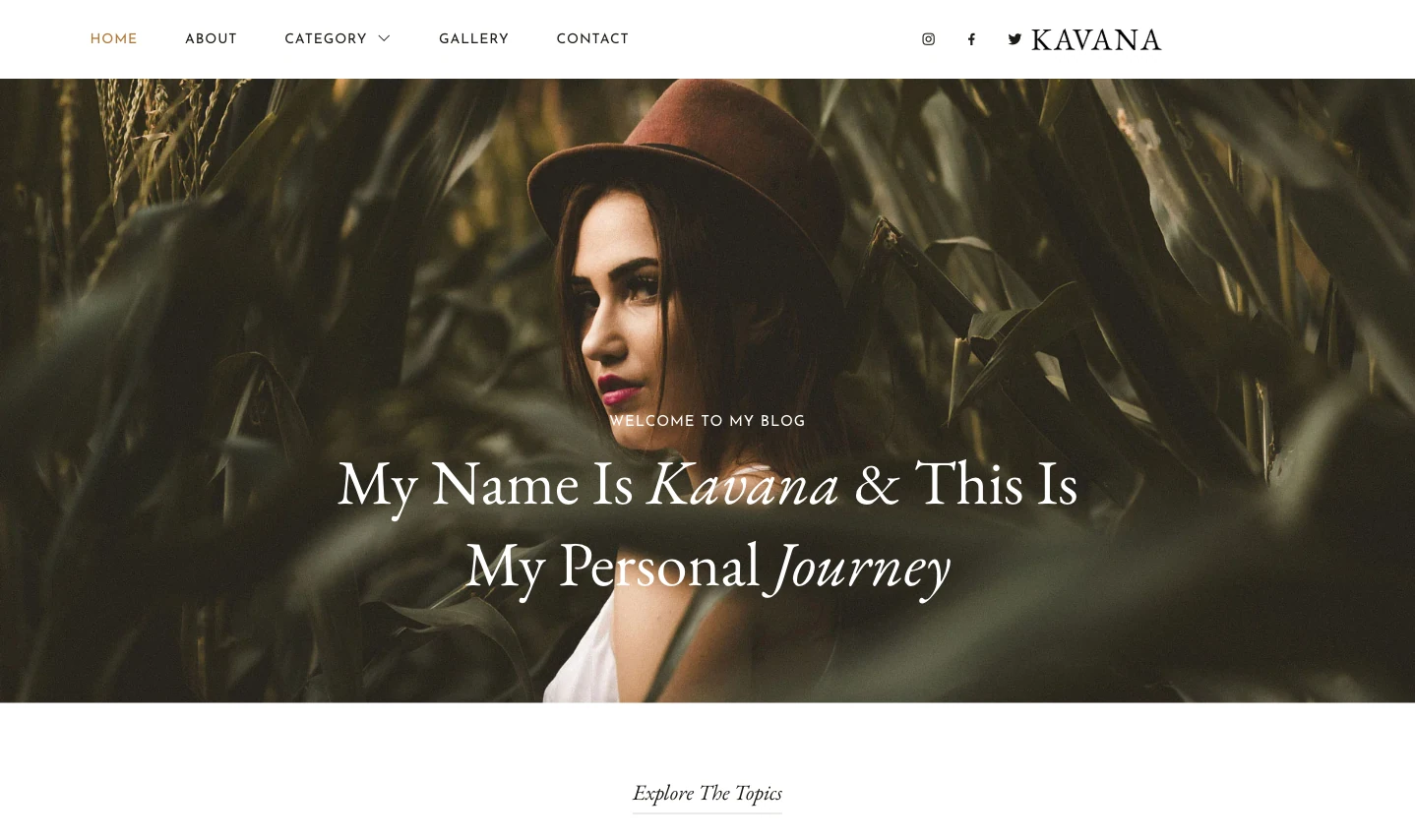
Kavana also supports Full Site Editing and Gutenberg, so you can customize your personal blog with WordPress blocks. You can edit the homepage, header, footer, page layouts, and blog sections directly in the WordPress Site Editor.
What Is Included in Kavana
Kavana includes several sections in its front page template that personal bloggers and creators can use right away.
The hero section introduces your blog with a personal welcome and a large visual area. This helps you create a warm first impression before visitors start reading your articles.
The theme also includes topic cards for:
These sections help you organize different types of content, especially if your blog covers more than one subject. Instead of showing everything in one long feed, you can guide readers to the topics they care about most.
Kavana also gives you article-focused sections for popular and recent content. The demo includes Most Popular and Latest Articles areas, so you can highlight evergreen posts while still showing your newest updates.
The About Me section gives you space to introduce yourself beyond the homepage headline. You can use it to share your story, explain why you started the blog, tell readers what they can expect, and link to a full About page.
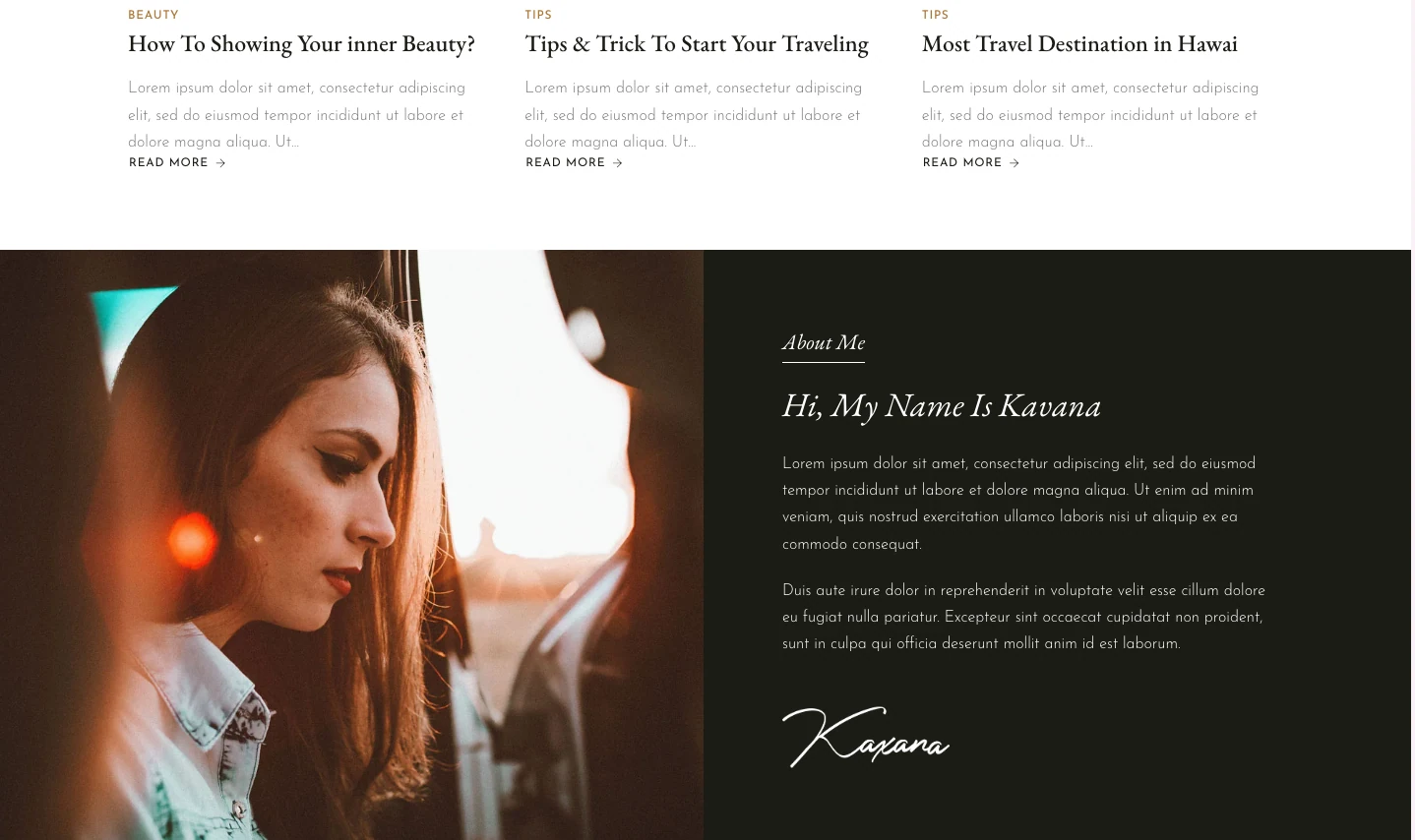
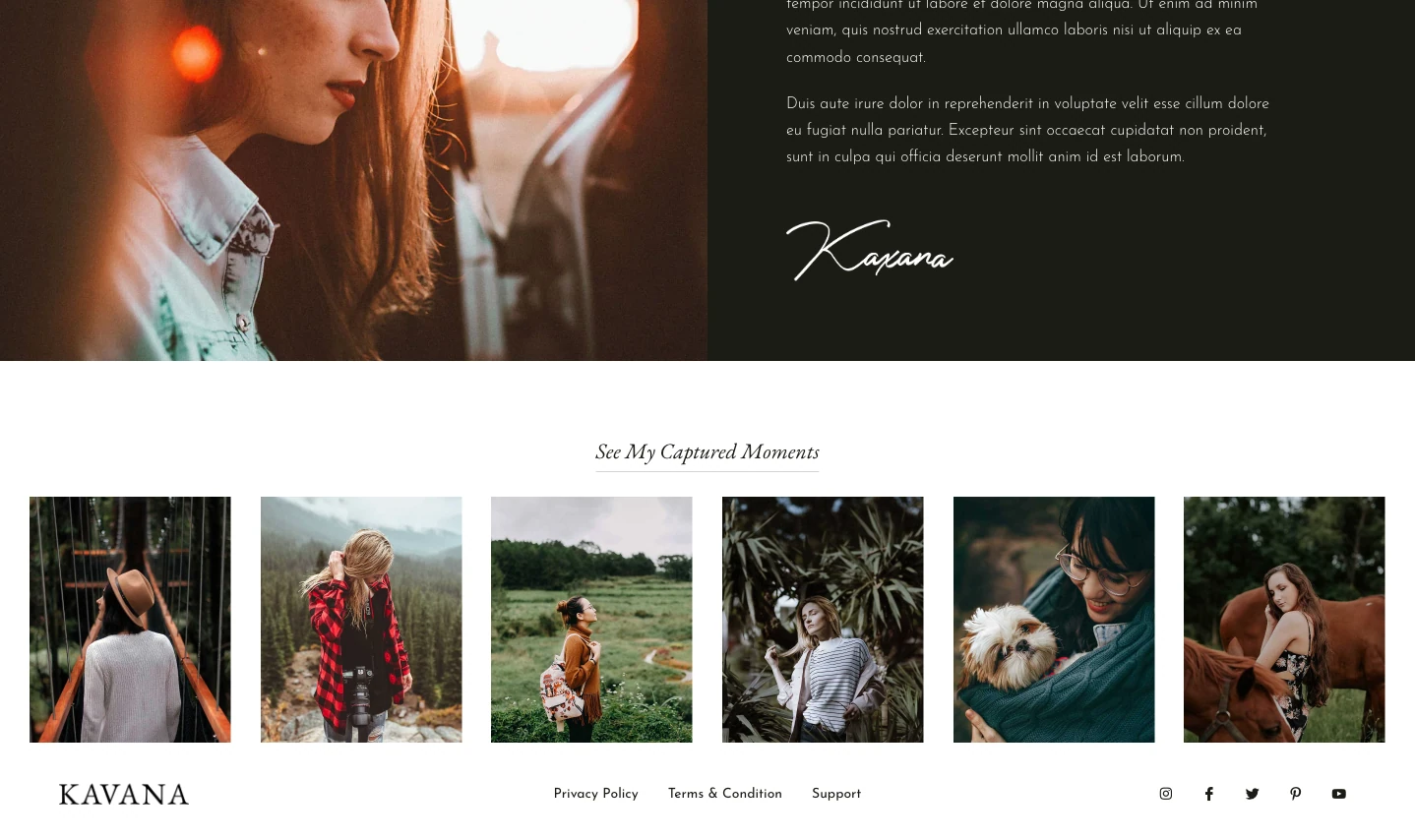
Kavana also includes a gallery-style section for captured moments. You can use it to show travel photos, outfit details, food photography, event snapshots, behind-the-scenes moments, or portfolio-style visuals.
Who Can Use Kavana?
Kavana can work for many types of personal publishing websites. It is especially useful for:
If you currently publish only on social media, Kavana can help you build a more permanent home for your content. Social platforms can help people discover you, but your own blog gives you more control over your posts, categories, navigation, and long-form articles.
Kavana also works well if you are just getting started. You can install the theme, replace the demo text, update the topic categories, add your first posts, and publish a clean personal blog without designing every section from scratch.
How to Install Kavana Theme
The installation process is simple and works the same way for both themes. You can install them through the Gutenverse dashboard or directly from the WordPress theme directory.
Option 1: Through the Gutenverse Dashboard
Option 2: Directly From WordPress
For a full step-by-step visual guide, WordPress.orgcheck the Gutenverse theme installation guide.
Once the theme is active, open the WordPress Site Editor to start customizing. Replace the demo content with your own text, add real photos of finished projects, update your service list, and fill in your contact details. The main structure is already in place, so you can focus on making the site represent your actual business.
Need More Than Just a Front Page Template?
The free version of this theme is a good starting point. They give you a professionally designed front page template that you can customize, along with the standard WordPress block templates for other basic site areas.
But if you want a more complete website, Gutenverse PRO gives you access to the full template set for these themes. This includes ready-made templates for pages like About, Services, Projects, and Contact, all designed to match the same visual style as the front page.
This is a good option for agencies that want to build a full multi-page website faster. You can find more details on the Gutenverse pricing page.
FAQ
Yes. You can use Kavana for free. Install it from your WordPress dashboard or download it from the official WordPress theme directory.
No. Kavana works well for lifestyle blogs, but you can also use it for travel blogs, food blogs, beauty blogs, fashion blogs, personal journals, creative writing sites, and magazine-style personal websites.
No. Kavana uses Gutenberg and Full Site Editing, so you can customize the site visually from WordPress.
No. Kavana includes newsletter-style sections in the demo, but it does not handle a full newsletter system by itself. You can collect subscriber details with Gutenverse Form, then connect the form to a newsletter or email marketing tool to send emails and manage automations.
Yes. Kavana is powered by Gutenverse and built for the WordPress block editing workflow. You can install the Gutenverse plugin to get more blocks and design options when customizing the theme.
Ready to Build Your Personal Blog Website?
If you are building a personal blog, lifestyle blog, creative journal, or magazine-style website, a general theme can make the process harder than it should be. You may need to create the personal introduction, topic sections, article layouts, About area, gallery section, and blog structure from zero.
Kavana gives you a more relevant starting point for this kind of website. It already includes sections for a personal hero, blog topics, popular articles, latest posts, an About Me area, and gallery-style visuals. This helps you build a blog that feels personal, organized, and easy to explore from the beginning.
You can also customize Kavana through the WordPress Site Editor, so you can adjust the homepage, header, footer, page layouts, colors, images, and content to match your own style. Whether you write about lifestyle, travel, food, beauty, fashion, daily thoughts, or creative work, the theme gives you a clear structure to start with.
If you want a free personal blog WordPress theme that works with the modern WordPress block editing workflow, you can download Kavana from WordPress.org and start shaping it around your daily content.